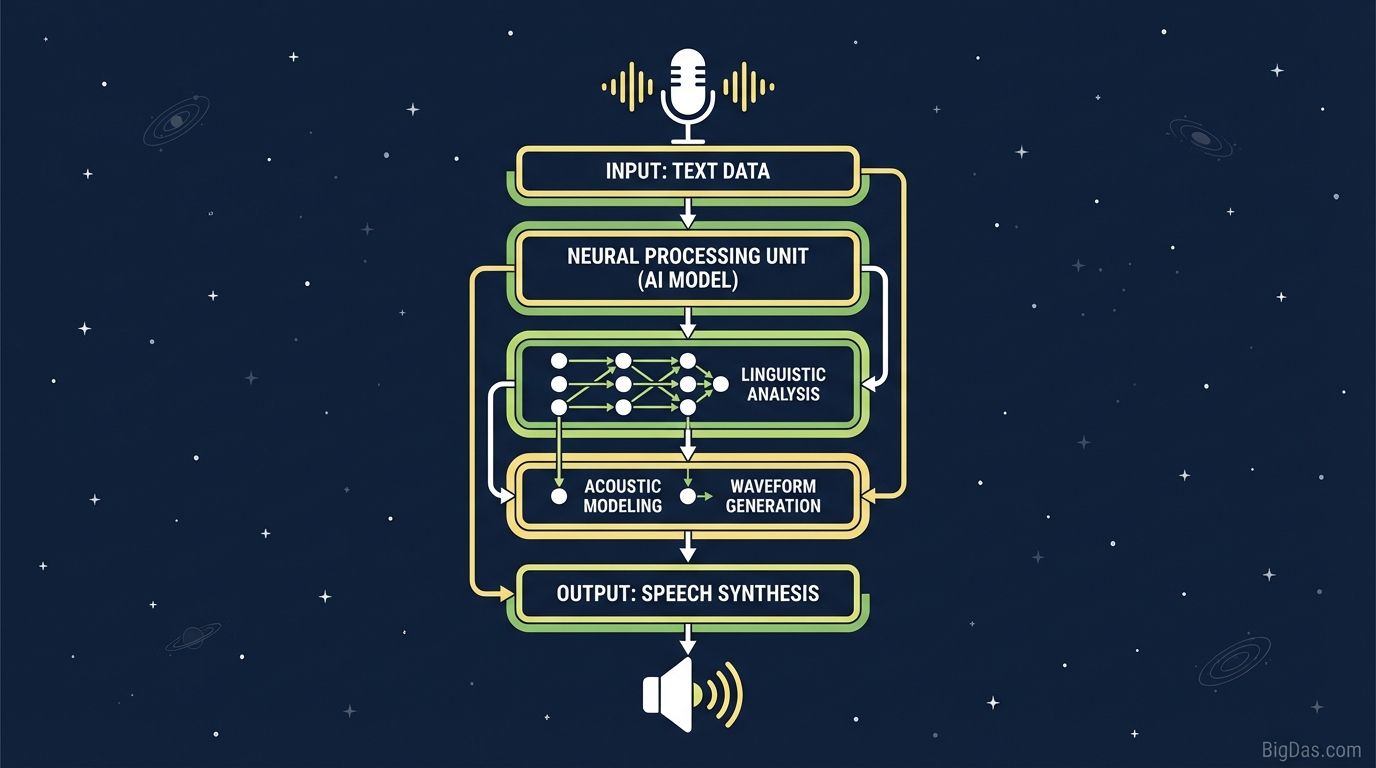
AI Text to Speech
 Modern scientific illustration of AI Text to Speech
Mastering Audio Content: A Practical Guide to AI Text to Speech (AWS, OpenAI & ElevenLabs)
Podcasts, audiobooks, and accessible web content have pushed text-to-speech (TTS) out of the novelty phase and into daily production. Demand for high-quality audio is high, but the supply side still has friction.
Hiring voice actors is expensive and slow. Older TTS engines sound robotic and lack pacing. Modern AI Text to Speech fixes both problems by combining neural synthesis with cloud delivery.
This guide covers how the AI Text to Speech tool works, why supporting multiple engines (AWS Polly, OpenAI, and ElevenLabs) matters, and how to use it for content production.
What is AI Text to Speech?
Text to Speech reads digital text aloud. The technology has moved past the choppy concatenative synthesis of early GPS systems and now relies on Neural Text-to-Speech (NTTS).
Deep learning models analyze context, not just phonetics. They predict intonation, stress, and breath pauses, producing speech that is hard to distinguish from a human speaker.
The Three Engines
The tool acts as a single interface for three voice synthesis providers:
AWS Polly (Amazon) AWS Polly focuses on stability and speed. It handles long-form articles, technical documentation, and accessibility workflows where reliability matters more than emotion.
OpenAI Audio OpenAI applies its language model training to audio. The voices have a conversational tone and work well for virtual assistants, chatbot responses, and blog post summaries.
ElevenLabs ElevenLabs is known for emotional range. It handles tempo changes, dramatic pauses, and tonal shifts, which makes it a strong choice for audiobooks, video essays, and advertisements.
Switching between engines is built into the interface, so you can match the voice to the use case.
Key Features
1. Multi-Engine Support
Most TTS tools lock you into one provider. This tool exposes the three above side by side. You can use AWS Polly for a cost-efficient long read and ElevenLabs for a character-driven segment without leaving the editor.
2. Voice and Language Library
The combined providers give you:
- Hundreds of voices across male, female, and gender-neutral categories.
- Support for 50+ languages including English, Spanish, French, German, Japanese, and Hindi.
- Regional accents (US, UK, Australian, Indian English, Mexican vs. Castilian Spanish, etc.).
3. Audio Controls
You control the output directly:
- Pitch and Speed: Adjust the speaking rate to fit a video length or shift pitch for more energy.
- SSML Support: Use Speech Synthesis Markup Language to insert pauses, emphasize words, or adjust pronunciation.
4. Commercial Rights
The audio files you generate typically come with full commercial rights. You can publish them on YouTube, podcasts, or audiobooks without paying ongoing royalties.
How to Use the Tool
Step 1: Prepare Your Script
Clean the text first. Remove stray line breaks, special characters, and pasted URLs.
Note: The model reads what you write. "St." may be read as "Street" or "Saint" depending on context. Spell out abbreviations when the meaning is ambiguous.
Step 2: Choose the Engine
Pick based on the content:
- AWS Polly for long PDFs, technical manuals, or news-style reads.
- OpenAI for chatbot responses, assistants, or blog summaries.
- ElevenLabs for video essays, audiobooks, or ads that need emotional range.
Step 3: Select Voice and Language
Use the dropdown to preview samples. Choose a deep authoritative voice for documentaries or a faster, brighter voice for short-form social content.
Step 4: Adjust Settings
- Speed: Bump to 1.1x if a 60-second short feels too slow.
- Pauses: Use punctuation to control pacing. Periods create full stops, commas create short pauses, and ellipses create trailing thoughts.
Step 5: Generate and Download
Click Generate. The audio returns in seconds. Preview it, then download as MP3 or WAV.
Common Use Cases
1. Faceless YouTube and Social Media
Consistent uploads drive channels in the "faceless" niche. Generating voiceovers with ElevenLabs cuts production time and keeps audience retention higher than older TTS voices.
2. Corporate Training and E-Learning
Training content changes frequently. Editing text and regenerating audio is faster than booking a voice actor for a single sentence. The voice stays consistent across modules.
3. Podcasts and Audiobooks
Converting blog posts into audio captures listeners during commutes and increases on-site engagement time.
4. IVR and Phone Menus
Replace robotic phone prompts with AWS Polly or OpenAI voices for a more professional customer experience.
5. Accessibility
Audio versions of written content support visually impaired users and help meet ADA and similar accessibility requirements.
Tips for Better Output
- Lead-in buffer: If the opening sounds abrupt, add a short phrase like "Okay, let's start." at the beginning, generate the audio, then trim the buffer in your editor. The model often settles into a more natural rhythm after the first few words.
- Phonetic spelling: For brand names the model mispronounces (e.g., "Porsche"), type a phonetic version ("Por-sha") directly in the text.
- Comma pacing: Insert extra commas where a human speaker would breathe. This slows the model down and helps it parse longer sentences.
Frequently Asked Questions
Can I monetize videos using these voices on YouTube?
Yes. Audio generated through AWS Polly, OpenAI, and ElevenLabs generally comes with commercial rights. You can use the output in YouTube videos, ads, and paid courses.
What is the difference between Standard and Neural voices?
Standard voices concatenate pre-recorded sound fragments, which produces a robotic sound. Neural voices generate the waveform from scratch using machine learning, which produces smoother, more natural speech. The tool prioritizes neural voices.
How many languages are supported?
The combined providers support 50+ languages and regional variants, including distinctions like Mexican vs. Castilian Spanish, Canadian vs. Parisian French, and Brazilian vs. European Portuguese.
Is there a character limit?
Individual generations are capped based on the provider's processing limits. For longer scripts, break the text into chunks and generate them in sequence.
Summary
AWS Polly handles long-form reliability, OpenAI delivers conversational tone, and ElevenLabs covers emotional range. The AI Text to Speech tool puts all three behind a single interface with pitch, speed, and SSML controls, plus commercial usage rights on the output.
If you need voiceovers at scale, this is the workflow.