Crosswind Calculator
 Modern scientific illustration of Crosswind Calculator
Crosswind Calculator Guide for Pilots
You are on short final. The windsock points straight across the runway, and you are working to keep the centerline under the aircraft. A safe landing usually comes down to preparation, and the most common preparation task is resolving the wind into its crosswind and headwind/tailwind components.
The "TLAR" method (That Looks About Right) works for guessing how much mustard to put on a sandwich, not for calculating wind components. This guide covers how to use the Crosswind Calculator, the physics behind it, and how to apply the results.
What is a Crosswind Calculator?
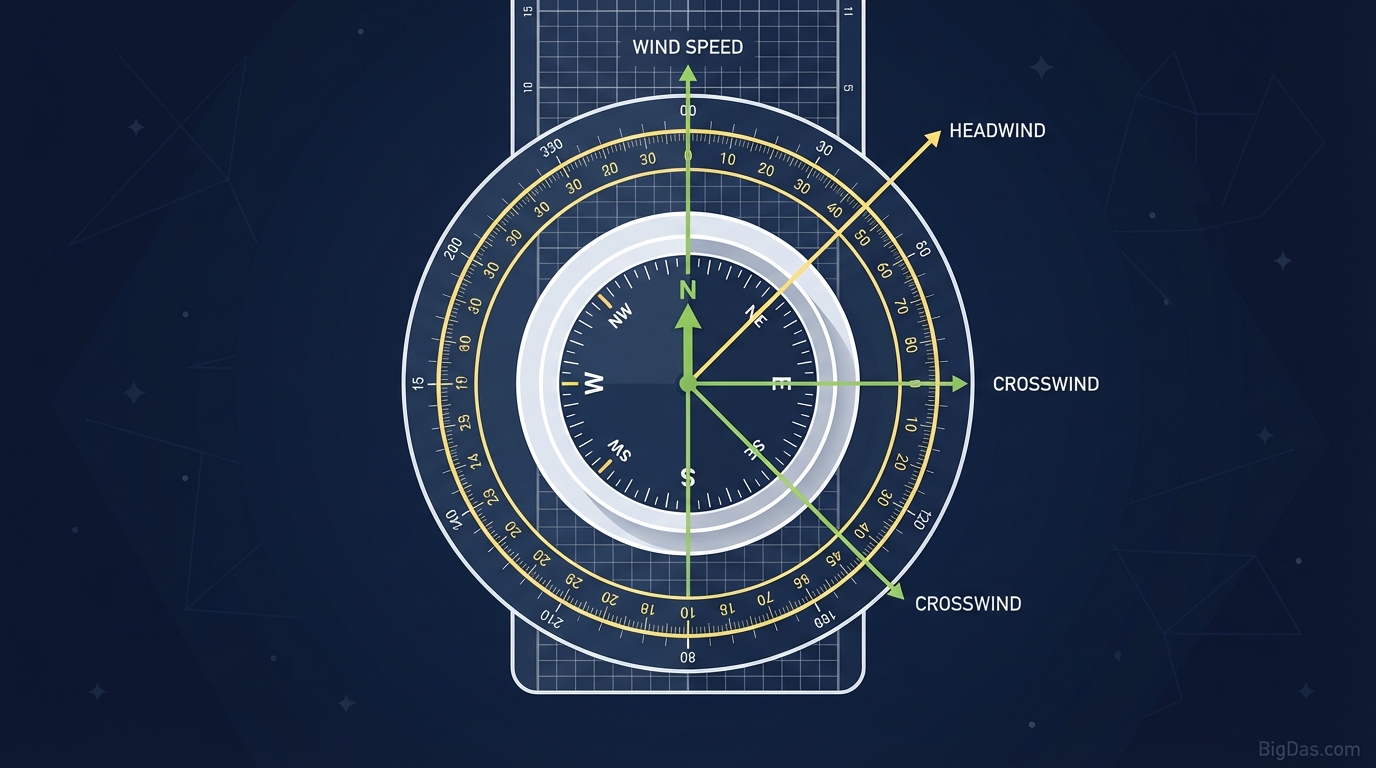
A Crosswind Calculator resolves the wind vector into components relative to the runway heading.
Wind rarely blows directly down the runway. It usually hits the aircraft at an angle, creating a vector problem solved with sine and cosine:
- Crosswind Component: The wind component perpendicular to the runway, pushing the aircraft sideways.
- Headwind/Tailwind Component: The wind component parallel to the runway, affecting groundspeed, takeoff roll, and landing distance.
Replacing the E6B
Pilots traditionally calculated these components on an E6B flight computer ("whiz wheel") or by plotting vectors on a chart. Those skills are still required for FAA and EASA written exams, but they are slow and easy to mess up during pre-flight.
The Crosswind Calculator runs the same trig instantly, so you can spend your attention on flying the airplane.
Why Wind Components Matter
Wind component calculations affect legality, performance, and safety.
1. Demonstrated Crosswind Limits
Every aircraft, from a Cessna 172 to a Boeing 737, lists a Maximum Demonstrated Crosswind Component in its Pilot Operating Handbook (POH). This is the value a test pilot demonstrated during certification.
- If you exceed this value, you may run out of rudder authority. Full rudder deflection cannot align the aircraft with the runway, which can side-load the gear or push you off the pavement.
- In the US under Part 91, the demonstrated value is not a regulatory limit, but exceeding it is widely treated as a hard ceiling for safe operations.
2. Takeoff and Landing Performance
The calculator gives both components, not just the crosswind.
- Headwinds reduce takeoff roll and landing distance.
- Tailwinds increase both, and are easy to overlook on a calm-looking day.
A 5-knot tailwind can increase landing distance by 10 to 20%. Run the numbers before every landing.
Key Features
- Instant vector resolution: Inputs in, results out. No chart needed.
- Dual-component output: Crosswind and headwind/tailwind at the same time.
- Wind triangle visualization: Helps build situational awareness.
- Mobile layout: Works on an iPad or phone during pre-flight or in the cockpit.
- Reciprocal runway check: Quickly see if the opposite runway gives a better component.
How to Use the Calculator
Step 1: Gather the Data
Get current weather from METAR, ATIS, or ASOS. You need:
- Wind direction: Where the wind is coming from (degrees).
- Wind speed: Usually in knots.
- Runway heading: Magnetic heading of the intended runway.
Step 2: Enter the Runway Heading
Type in the magnetic heading of the runway.
- Runway numbers are rounded to the nearest 10°. Runway 27 is roughly 270°, but the actual magnetic heading may be 272°. Check the chart supplement for precision.
Step 3: Enter Wind Direction and Speed
Input the wind values.
- For gusting wind, run the calculation twice: once for the steady wind, once for the peak gust. That gives you a worst-case crosswind.
Step 4: Read the Results
- Crosswind component: e.g. 12 knots from the left.
- Headwind/tailwind: e.g. 8 knots headwind.
Getting More Out of the Tool
1. Personal Minimums
The POH might say the aircraft handles 15 knots of crosswind, but that does not mean you should fly in 15 knots today. Set personal limits and adjust as experience grows.
- Example: "I will not depart if the crosswind component exceeds 10 knots."
2. Magnetic vs. True
This is the most common error in wind calculations.
- METARs and TAFs (written reports): Wind direction in True degrees.
- ATIS and ASOS (spoken reports): Wind direction in Magnetic degrees.
- The calculator: Expects inputs that match the runway heading, so Magnetic.
- Fix: If you are using a written METAR, apply the local magnetic variation to the wind direction before entering it.
3. Tailwind Awareness
Pilots often focus on crosswind and forget the tailwind component. Always check the headwind/tailwind field. If it shows a tailwind, consider the reciprocal runway.
Who This Tool Is For
- Student Pilots: Verify your E6B work and build confidence in wind component math.
- CFIs: Show students the numbers behind runway selection and go/no-go calls.
- Sim Pilots: Add realism to VATSIM, PilotEdge, Active Sky, or MSFS Live Weather sessions.
- Commercial Operators: Speed up runway selection and performance planning.
Frequently Asked Questions (FAQ)
What is the difference between a crosswind and a headwind?
A headwind blows against the nose, reducing groundspeed and shortening takeoff/landing distance. A crosswind blows across the aircraft, pushing it sideways off the centerline. The calculator splits the wind into both.
Does the calculator account for gusts?
It only processes the numbers you enter. To account for gusts, run the calculation using the reported gust value, not just the steady-state wind.
Can I land if the crosswind exceeds the POH demonstrated limit?
In the US under Part 91, the demonstrated crosswind is a performance figure, not a legal limit. Landing beyond it is still considered reckless and may affect insurance coverage or controllability. Treat the demonstrated value as a hard ceiling.
How do I correct for crosswind during landing?
The calculator gives the numbers; the technique is in the airplane. Two common methods:
- Crabbing: Point the nose into the wind on approach to track the centerline.
- Wing-low (sideslip): Used in the flare and touchdown. Bank into the wind with aileron and use opposite rudder to keep the nose aligned with the centerline.
Conclusion
Safe landings start with pre-flight math. Resolve the wind into its components before every approach, and you remove a major variable from the equation.
Use the Crosswind Calculator as part of your pre-landing routine alongside the POH and official weather briefings.
Disclaimer: This tool is for informational and flight planning assistance only. Always consult your Pilot Operating Handbook (POH) and official weather sources for primary flight decisions.