Discount Calculator
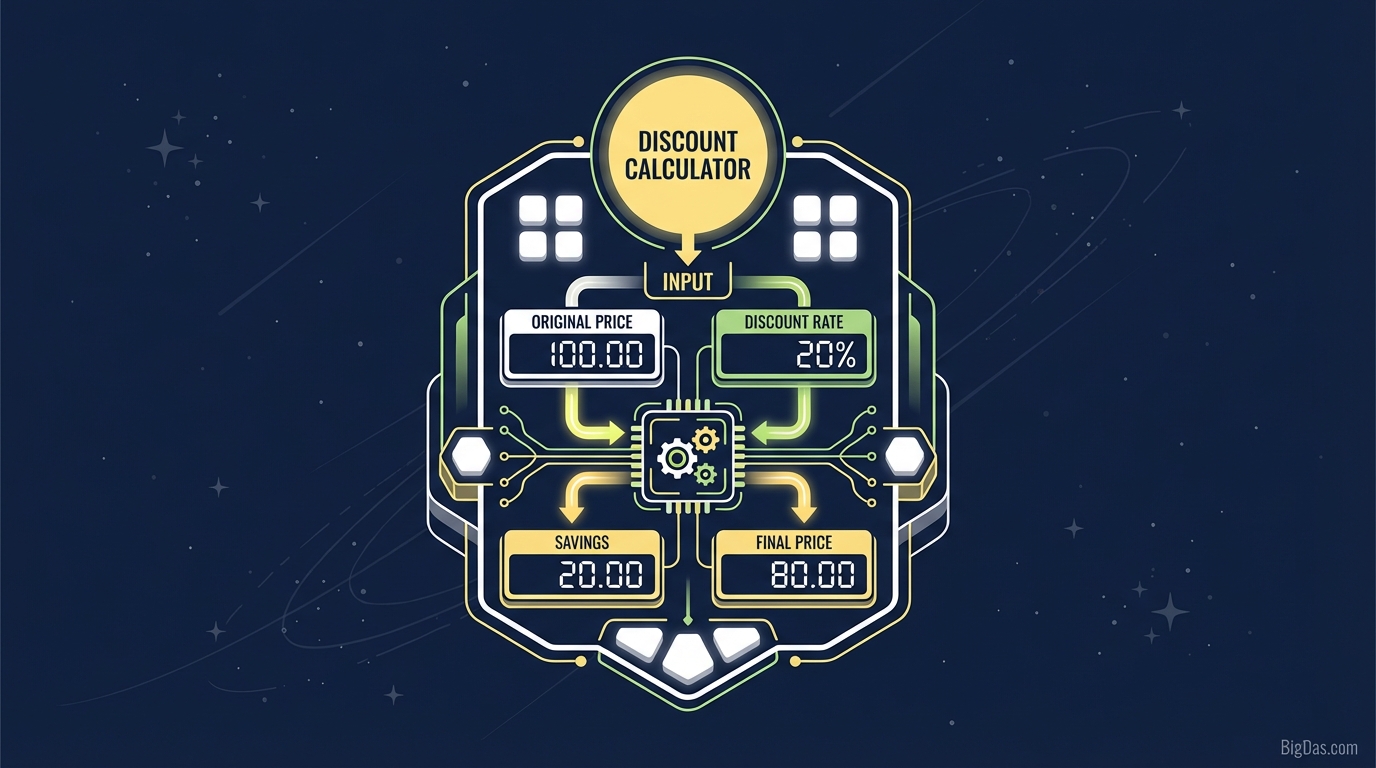 Modern scientific illustration of Discount Calculator
Master Your Savings: The Ultimate Discount Calculator for Smart Shopping & Business
Every shopper has been there. You are standing in the aisle of your favorite store, staring at a price tag that says $149.99. Above it, a bright red sign screams "30% OFF!" To complicate matters, you have a coupon in your pocket for an additional 15% off, and you know the local sales tax is 8.25%.
Suddenly, a fun shopping trip turns into a mental math exam.
Are you actually getting a good deal? Does the "extra" percentage come off the original price or the discounted price? How much will you actually see on the receipt at the register?
Stop guessing. Welcome to the Best-in-Class Discount Calculator, the only tool you need to instantly determine the final price of any item, factoring in percentage discounts, fixed-amount coupons, and sales tax. Whether you are a bargain hunter, a freelancer calculating invoices, or a small business owner planning a sale, this guide—and our tool—will ensure you never overpay or undercharge again.
What Is a Discount Calculator?
At its core, a Discount Calculator is a digital utility designed to automate the mathematical process of reducing a price by a certain percentage or fixed amount. While the concept seems simple, the math can get surprisingly complex when you introduce multiple variables like stacked discounts (e.g., "take an extra 20% off sale items") and regional sales tax.
Our tool is engineered to handle the heavy lifting. It acts as a Sale Price Calculator, a Percentage Off Calculator, and a Tax Calculator all rolled into one seamless interface.
Why Mental Math Fails
Most people calculate discounts using rough estimates. "10% of $50 is $5, so 20% is $10." That works for round numbers. But when you are dealing with a price of $1,245.00 with a 17% corporate discount and a 6.5% tax rate, mental math leads to costly errors.
This tool eliminates the margin for error, providing you with the exact dollar amount you will save and the precise amount you will pay.
Key Features & Benefits of Our Tool
Why is this considered the best discount calculator on the web? Because we moved beyond simple percentages to build a tool that reflects real-world financial scenarios.
1. Precision Accuracy
We don't round numbers until the very end. This ensures that even if you are calculating high-volume B2B pricing or checking the tax on a luxury vehicle, the figure is accurate to the penny.
2. Sales Tax Integration
Most calculators tell you the sale price but forget the tax. In many jurisdictions, tax is a significant portion of the final cost. Our tool allows you to input your local tax rate to see the "Out-the-Door" price.
3. Dual-Mode Savings
- Percentage Off: Calculate standard sales (e.g., 25% off).
- Fixed Amount Off: Calculate dollar-off coupons (e.g., $50 off).
4. Immediate Results
There are no page reloads or "submit" buttons required. As you type, the numbers update, allowing you to scenario-plan different price points instantly.
5. Mobile Optimization
Designed for the shopper on the go. Our interface is lightweight and responsive, meaning it loads instantly on your smartphone even inside stores with spotty reception.
Step-by-Step Guide: How to Use the Discount Calculator
Using this tool is intuitive, but understanding the workflow ensures you get the most accurate results. Follow these steps:
Step 1: Enter the Original Price
Input the "sticker price" or the gross amount before any deductions.
- Example: $200.00
Step 2: Input the Discount
You can choose between a percentage (most common) or a fixed dollar amount.
- Percentage: Enter "20" for a 20% discount.
- Fixed Amount: Enter "10" for a $10 off coupon.
Step 3: Enter Sales Tax (Optional)
If you want to know the final checkout price, enter your local sales tax percentage.
- Example: 7%
Step 4: Analyze the Results
The tool will instantly display three critical numbers:
- Discount Amount: The total money you are saving.
- Tax Amount: The total tax added to the discounted price.
- Final Price: The exact amount you will pay.
The Math Behind the Magic
As experts in technical copywriting, we believe in transparency. You should know how your money is being counted. Understanding the formula also helps you spot when retailers are using "fuzzy math."
Here is the standard formula our tool uses:
1. Calculate the Savings: $$ \text{Savings} = \text{Original Price} \times \left( \frac{\text{Discount Percentage}}{100} \right) $$
2. Calculate Price After Discount: $$ \text{Discounted Price} = \text{Original Price} - \text{Savings} $$
3. Calculate Tax: $$ \text{Tax} = \text{Discounted Price} \times \left( \frac{\text{Tax Rate}}{100} \right) $$
4. Final Price: $$ \text{Final Price} = \text{Discounted Price} + \text{Tax} $$
The "Double Discount" Trap
A common misconception is that a "20% sale" plus an "extra 20% off coupon" equals a 40% discount. It does not.
Retailers usually apply the second discount to the already discounted price, not the original. This is called compounding discounts.
- $100 - 20% = $80.
- $80 - 20% = $64.
- Total Savings: $36 (which is effectively 36%, not 40%).
Pro Tip: Our calculator handles this nuance perfectly if you calculate the first discount, then input the new result as the original price for the second calculation.
Why You Need This Tool: Top Use Cases
This isn't just for Black Friday shoppers. The Discount Calculator is a versatile utility for various professionals and life scenarios.
1. Smart Shoppers & Deal Hunters
Whether it is Prime Day, Cyber Monday, or a clearance sale at the mall, speed is key. Use the tool to compare deals between two different stores instantly. Is 30% off at Store A cheaper than $50 off at Store B? Run the numbers in seconds.
2. Small Business Owners & Retailers
Setting the right sale price is a delicate balance between attracting customers and maintaining a profit margin. Use the tool to verify your markdown strategy.
- Scenario: "If I offer 15% off, does the final price covers my wholesale cost plus overhead?"
3. Freelancers & Consultants
Clients often ask for discounts for bulk work or early payment.
- Scenario: "I’ll give you a 5% discount if you pay the invoice within 10 days." Use the calculator to ensure that the 5% reduction doesn't eat too heavily into your net income.
4. International Travelers
Shopping Duty-Free? Trying to figure out VAT (Value Added Tax) refunds? Input the price and the tax rate to see how much that souvenir actually costs, or how much you might get back at the airport.
5. Real Estate & Auto Negotiations
When negotiating big-ticket items, percentages represent thousands of dollars. A 1.5% discount on a $40,000 car is $600. Having precise numbers empowers you to negotiate harder.
How to Get the Most Out of This Tool
To maximize the utility of our Discount Calculator, keep these expert tips in mind:
- Know Your Tax Rate: Sales tax varies by city and county. Save your local tax rate in your phone or browser notes so you can always input the correct variable.
- Compare "Dollar Off" vs. "Percent Off": If you have a choice between two coupons (e.g., "$10 off" vs. "15% off"), use the calculator to see the "break-even point." On cheaper items, the dollar-off is usually better. On expensive items, the percentage wins.
- Reverse Engineer Budgets: If you have a maximum budget of $100 and sales tax is 10%, play with the "Original Price" field to find out the maximum sticker price you can afford.
Frequently Asked Questions (FAQ)
1. How do I calculate a 20% discount?
To calculate 20% off manually, take the original price and multiply it by 0.20. Subtract that number from the original price. Or, simply enter the price and "20" into our Discount Calculator for an instant result.
2. Is sales tax calculated before or after the discount?
In the vast majority of US states and global regions, sales tax is calculated on the discounted price (the price you actually pay), not the original sticker price. Our calculator follows this standard rule to ensure you aren't overestimating the cost. Note: Manufacturer rebates sometimes differ, but store sales generally follow this rule.
3. Can this tool help with "Buy One Get One" (BOGO) deals?
Yes! For a "Buy One Get One 50% Off" deal, simply add the full price of the first item and half the price of the second item together. Enter that total as the "Original Price" to calculate tax, or treat the total purchase as receiving an effective 25% discount on the total lot.
4. Why is the final price different from my mental math?
This usually happens due to sales tax or the difference between simple addition of percentages versus compounded percentages. Our tool uses precise algorithms to ensure the final dollar amount matches what a POS (Point of Sale) system would charge.
5. Is this tool free to use?
Absolutely. Our mission is to provide high-value financial tools accessible to everyone. There are no paywalls or limits on the number of calculations you can perform.
Conclusion
In a world where pricing strategies are designed to be confusing, clarity is power. The Discount Calculator is more than just a math tool; it is a decision-making engine. It saves you time, protects your wallet, and helps businesses maintain profitability.
Don't leave your finances to guesswork. Whether you are calculating the final price of a new laptop, determining the tax on a dinner bill, or planning a store-wide clearance event, rely on the precision of our tool.
Ready to start saving? Scroll to the top and enter your numbers now to see exactly how much you can keep in your pocket.