Loan Calculator
 Modern scientific illustration of Loan Calculator
Loan Calculator: Estimate Payments and Analyze Interest
Taking out a loan is one of the larger financial decisions you will make. Whether you are closing on a home, financing a vehicle, or consolidating credit card debt, the numbers matter.
A fraction of a percent in interest or a small change to the loan term can mean thousands of dollars in difference over the life of the loan.
Many borrowers sign agreements looking only at one number: the monthly payment. While affordability is important, it does not tell the full story. You also need to know how the payment is structured, how much goes to interest, and how quickly you build equity.
This Loan Calculator computes your monthly payment, breaks down the principal and interest, and generates a full amortization schedule. Below is an explanation of how the tool works and how to use it to compare loan options.
What Is a Loan Calculator?
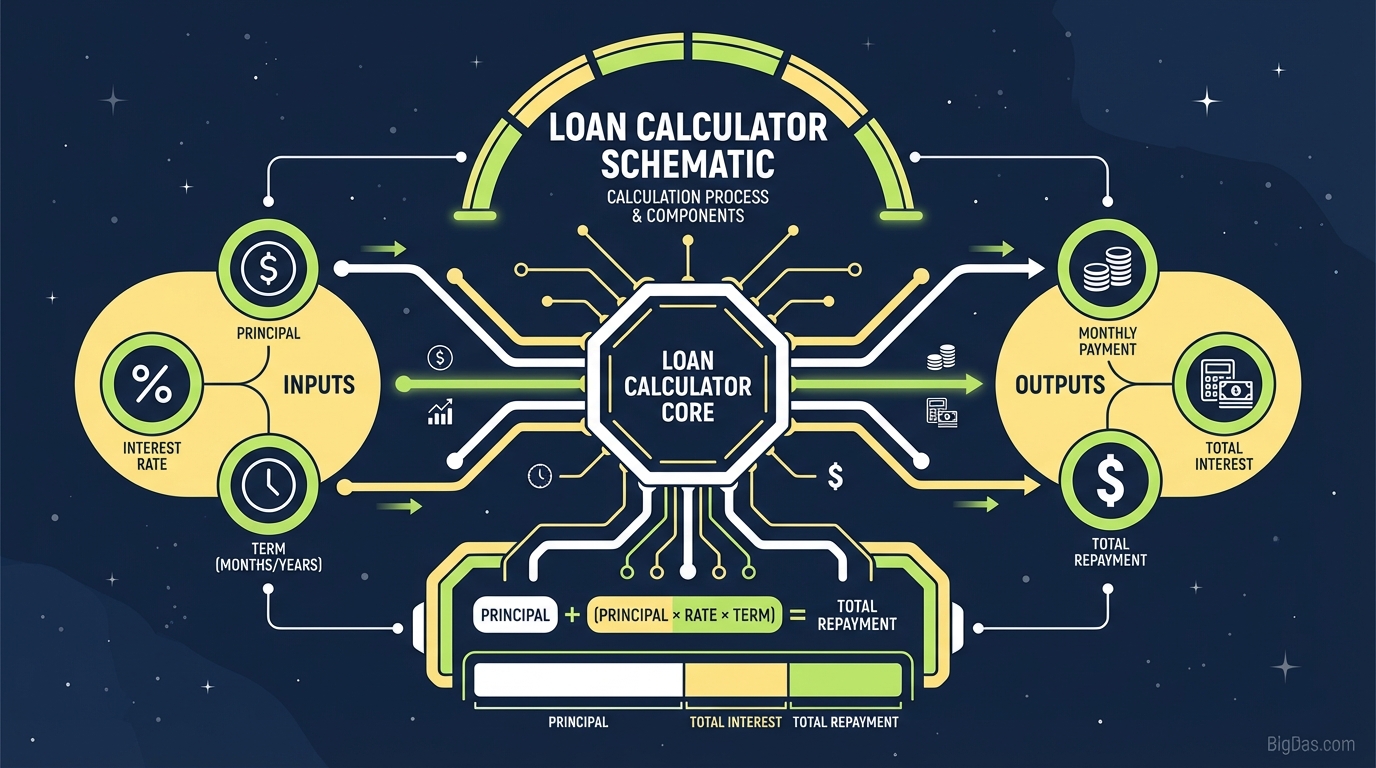
A Loan Calculator computes the periodic payment required to pay off a loan based on three inputs: principal, interest rate, and loan term.
To use it effectively, you need to understand the underlying financial concept: amortization.
Understanding Amortization
Most loans (mortgages, auto loans, personal loans) are amortized. Your monthly payment stays the same for the life of the loan, but the mix of principal and interest in each payment changes over time.
- Early in the loan: Most of your payment goes to interest. Very little reduces the balance.
- Later in the loan: The balance shifts. Most of your payment goes to principal.
The calculator generates an amortization schedule that shows this split for every month of the loan.
Why You Cannot Estimate This Mentally
A $10,000 loan at 5% interest does not cost $10,500 in total. Because interest compounds on the remaining balance each month, the actual total is higher. The calculator handles the compound interest formula and removes the risk of manual math errors.
Key Features
1. Principal vs. Interest Breakdown
The tool shows how much of each payment goes to principal and how much goes to interest. Extending a car loan from 4 years to 7 years might lower your payment by $50, but it can cost $2,000 more in total interest. This view makes the trade-off visible.
2. Multi-Loan Support
The calculator uses the standard amortization formula, which applies to:
- Mortgages: Fixed-rate home loans (15, 20, or 30 years).
- Auto Loans: New or used vehicle financing.
- Personal Loans: Unsecured loans for travel, weddings, or debt consolidation.
- Business Loans: Standard term loans for equipment or expansion.
3. Scenario Testing
You can adjust the inputs to test "what if" situations: a larger down payment, a different interest rate, or a shorter term. Each change updates the results without recalculating manually.
4. No Data Collection
The tool runs entirely in your browser. It does not require an email address, phone number, or login, and it does not store your inputs.
How to Use the Tool
Step 1: Enter the Loan Amount (Principal)
Enter the total amount you plan to borrow.
- Example: If you are buying a house for $400,000 and putting $50,000 down, enter $350,000 (the loan amount), not the purchase price.
Step 2: Enter the Interest Rate
Enter the annual interest rate (APR) you expect to receive.
- Where to find it: Check current market rates or your pre-approval letter.
- Note: If you do not have a quote yet, use the national average for your loan type as a starting point.
Step 3: Enter the Loan Term
How long do you have to repay the loan?
- Mortgages: Enter in years (e.g. 15 or 30).
- Car/Personal Loans: Enter in months (e.g. 36, 48, 60, or 72).
Step 4: Review the Output
After calculating, focus on three numbers:
- Monthly Payment: Does it fit your budget?
- Total Interest Paid: The cost of borrowing. Minimize this when possible.
- Total Cost of Loan: Principal + Total Interest. The true price of the purchase.
3 Use Cases
Use Case 1: Mortgage Planning
- The Problem: You are deciding between a 30-year and 15-year mortgage. The 30-year payment looks more comfortable.
- The Solution: Compare the Total Interest for both terms. The 15-year mortgage typically saves tens of thousands of dollars.
- Action: If the 15-year payment is too high, test how extra payments on a 30-year loan affect the payoff date.
Use Case 2: Auto Loan Comparison
- The Problem: Dealerships often stretch loan terms to keep the monthly payment low, sometimes to 84 months, which hides the total cost.
- The Solution: Enter the loan terms in the calculator. An 84-month loan on a $30,000 car can cost $40,000 or more once interest is included.
- Action: Negotiate the out-the-door price and the interest rate, not just the monthly payment.
Use Case 3: Debt Consolidation
- The Problem: You have $10,000 in credit card debt across three cards at high interest rates (e.g. 22%, 18%, 25%).
- The Solution: Compare the current total interest with the interest on a $10,000 personal loan at a lower rate (e.g. 10%).
- Action: If the calculator shows a lower monthly payment and lower total interest, consolidation is worth pursuing.
Tips for Getting the Most Out of the Tool
1. Test Extra Payments
After calculating your base payment, try re-entering a shorter term to simulate the effect of paying extra each month. Adding $50 or $100 per month to principal can shave years off a mortgage and reduce total interest significantly.
2. Start With Your Budget
Instead of starting with a car or house price, start with what you can afford per month. If $400/month is your limit, adjust the Loan Amount until the payment matches. This tells you the maximum loan size before you start shopping.
3. Account for Other Costs
The calculator shows Principal and Interest (P&I) only.
- For Mortgages: Add property taxes, homeowner's insurance, and PMI (if applicable). A $1,500 P&I payment can become a $2,100 monthly housing expense.
- For Cars: Add insurance and fuel.
Frequently Asked Questions (FAQ)
1. Does this calculator include property taxes and insurance?
No. It estimates Principal and Interest only. Taxes and insurance vary by location and provider. To get your full PITI (Principal, Interest, Taxes, Insurance) payment, add those costs to the figure generated here.
2. How is the interest calculated?
The tool uses the standard formula for compound interest amortization, the same method used for U.S. mortgages and auto loans. It assumes a fixed rate and fixed term.
3. Why is my first payment mostly interest?
Interest is calculated on the remaining balance. At the start, the balance is at its highest, so the interest charge is at its highest. As the balance decreases, more of each payment goes to principal.
4. Can I use this for credit card payments?
You can use it to estimate a payoff date, but credit cards use revolving credit with minimum payment calculations that differ from installment loans. The calculator is designed for fixed-term loans: mortgages, auto loans, and personal loans.
5. Will using this calculator affect my credit score?
No. It is a simulation tool. It does not pull your credit report, request personal information, or contact any bureaus. You can run as many calculations as you want.
Summary
Lenders profit from the interest you pay. When you understand how that interest accumulates, you can compare loan terms, negotiate better rates, and choose the option that costs you the least over time.
This Loan Calculator gives you the numbers behind each loan offer. Whether you are buying a home, financing a car, or consolidating debt, run the scenarios before you sign.