Read Time Calculator
 Modern scientific illustration of Read Time Calculator
Read Time Calculator: Estimate Reading Time by Word Count
A "4 min read" badge at the top of an article sets a clear expectation. The reader knows the time commitment before they scroll. This small piece of metadata reduces drop-off, builds trust, and helps users decide whether to read now or bookmark for later.
This page explains how a read time calculator works, the reading speed benchmarks it uses, and how to apply the results to blog posts, speeches, and UX layouts.
What is a Read Time Calculator?
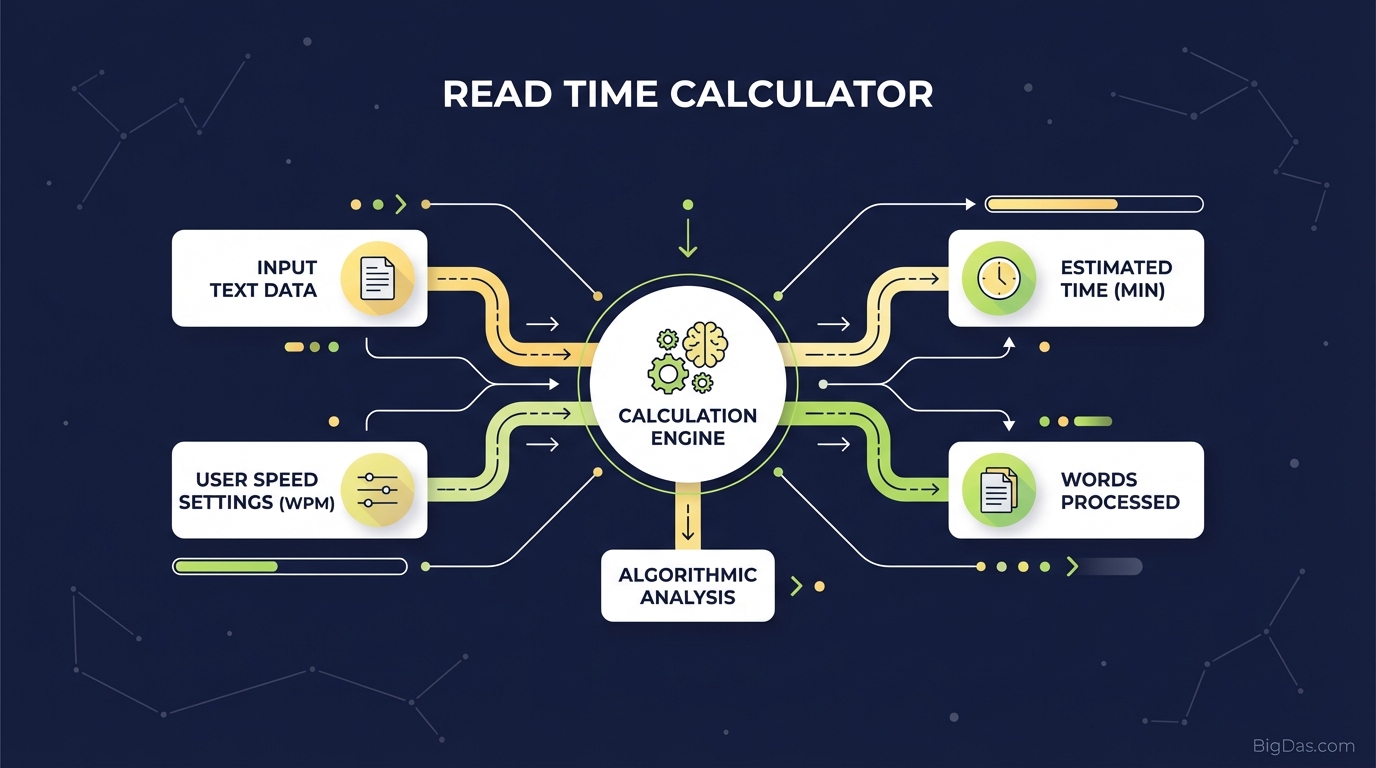
A Read Time Calculator is a tool that estimates how long it takes the average person to read a given piece of text. It takes a word count as input and returns a time estimate (minutes and seconds) based on a Words Per Minute (WPM) baseline.
The calculation looks simple, but the choice of WPM baseline changes the result. A tool using 300 WPM will report a shorter read time than one using 200 WPM for the same text.
Reading Speed Benchmarks
Reading speed depends on content type, reader skill, and purpose. Here are the standard ranges used in the industry:
- Scanning/Skimming: 300+ WPM
- Average Reading: 200 to 250 WPM
- Complex/Technical Reading: 150 to 200 WPM
- Speaking Rate: 130 to 150 WPM
A baseline of 225 WPM covers most general-audience web content. Technical writing, academic papers, and legal text should be calculated at a lower WPM (around 150 to 180) to account for re-reading and comprehension effort.
Why Estimated Reading Time Matters
Showing reading time is a small change with measurable effects on engagement, SEO, and UX.
1. Reduces Bounce Rate
Bounce rate measures visitors who leave after viewing one page. A long block of text with no indication of length looks like a time sink. A "6 min read" label gives the reader a clear commitment threshold. Most users will commit to five or six minutes but will skip a 20-minute article during a quick browse.
2. Sets Time Expectations
Telling a reader how long an article takes is a form of respect. It acknowledges their schedule and reduces the cognitive load of guessing. This is why Medium, Substack, and most major publishing platforms now display read time by default.
3. Supports Dwell Time as an SEO Signal
Dwell time, the time between a user clicking a search result and returning to the search results, is a behavioral signal Google uses to evaluate content quality. Articles with accurate read time labels tend to keep users engaged for longer, which can support rankings.
4. Standard Across Publishing Platforms
Medium popularized the "min read" tag. Readers now expect to see it. Blogs, newsletters, and content syndication platforms that skip this label feel dated by comparison.
Key Features of a Read Time Calculator
- Instant Analysis: Paste the text and the calculation runs immediately in the browser.
- Word Count Filtering: Ignores code blocks, HTML tags, and markdown syntax. Only readable content is counted.
- Speaking Time Conversion: Calculates how long the text takes to speak at 130 WPM, useful for podcast scripts and presentations.
- Adjustable WPM: Lets the user change the baseline speed for technical or simplified content.
- Local Processing: The text never leaves the browser. No data is stored or transmitted.
How to Use the Calculator
Step 1: Prepare the Text
Finalize the draft in your editor of choice (Google Docs, Word, Markdown). Include all headings and body text, since the calculator counts everything.
Step 2: Paste the Text
Copy the text (Ctrl+C / Cmd+C) and paste it into the calculator's input box.
Step 3: Read the Results
The calculator returns:
- Total Word Count
- Estimated Reading Time (minutes and seconds)
- Estimated Speaking Time
Step 4: Add the Label to Your Content
Copy the reading time (e.g. "5 min read") and add it to the article header, byline, or meta description.
Use Cases by Role
SEOs and Bloggers
Use the calculator during drafting to hit specific word count targets. A pillar page aiming for 2,500 words at 225 WPM will take roughly 11 minutes to read. A quick news update at 300 words takes about 90 seconds. Setting these targets before writing helps structure the outline.
Public Speakers and Podcasters
Speaking is slower than reading. At 130 to 150 WPM, a 15-minute keynote needs a script of roughly 1,950 to 2,250 words. The calculator's speaking time metric removes the guesswork from script length.
UX/UI Designers
Lorem Ipsum placeholder text has a known word-to-time ratio. Calculating the read time of the placeholder copy helps designers judge whether a page feels too dense and decide on font size, line height, and whitespace adjustments.
Academics and Students
Conference talks and thesis defenses usually have strict time limits. The calculator gives a fast read on whether a draft script or abstract fits the window.
How to Use Read Time Data Effectively
Knowing the read time is useful, but the data becomes actionable when applied to content structure.
The 5-Minute Threshold
User attention tends to drop after 5 to 7 minutes of continuous reading (about 1,000 to 1,500 words at standard WPM).
- Under 5 minutes: Acceptable for casual readers.
- Over 10 minutes: Add a table of contents, more subheadings, images, and bullet points to break the text into scannable sections.
Adjust for Technical Content
Technical content reads slower than lifestyle content. A 1,000-word medical article takes longer to process than a 1,000-word blog post. For dense subject matter, add 15 to 20% to the calculator's estimate to set a realistic expectation.
Test Different Labels
"5 Min Read" and "Estimated Reading Time: 5 Minutes" may produce different click-through rates depending on the audience. A/B test both formats on your site to find what works.
Frequently Asked Questions (FAQ)
What reading speed does the calculator use?
The default baseline is 225 WPM, which aligns with the average adult reading rate on digital screens. Paper reading tends to be slightly faster (250 to 300 WPM), but most users read on devices, so the digital baseline is the safer default.
Does reading time affect Google rankings?
Not directly. Google does not use read time as a ranking signal. However, dwell time, how long a user stays on a page after clicking from search, is a behavioral signal. Articles with accurate read time labels tend to retain visitors longer, which can indirectly support rankings.
Can I use it for speech timing?
Yes. Switch to the speaking time output, which uses a 130 to 150 WPM range. This is appropriate for keynote speeches, podcast scripts, and voice-over work.
Does it count images or videos?
No. The calculation is text-only. For image-heavy or video-embedded articles, add time manually, roughly 8 to 12 seconds per image and the full duration of any embedded video.
Summary
A read time calculator turns a word count into a time estimate using a WPM baseline. The default 225 WPM works for general web content; technical and academic text should use a lower baseline. The output, a simple "X min read" label, helps reduce bounce rate, set user expectations, and support dwell time as a behavioral SEO signal.
The tool is useful for bloggers, SEOs, public speakers, podcasters, and UX designers. Paste the text, read the result, and apply the label to the content.
Structured around "Read Time Calculator" and related search terms.