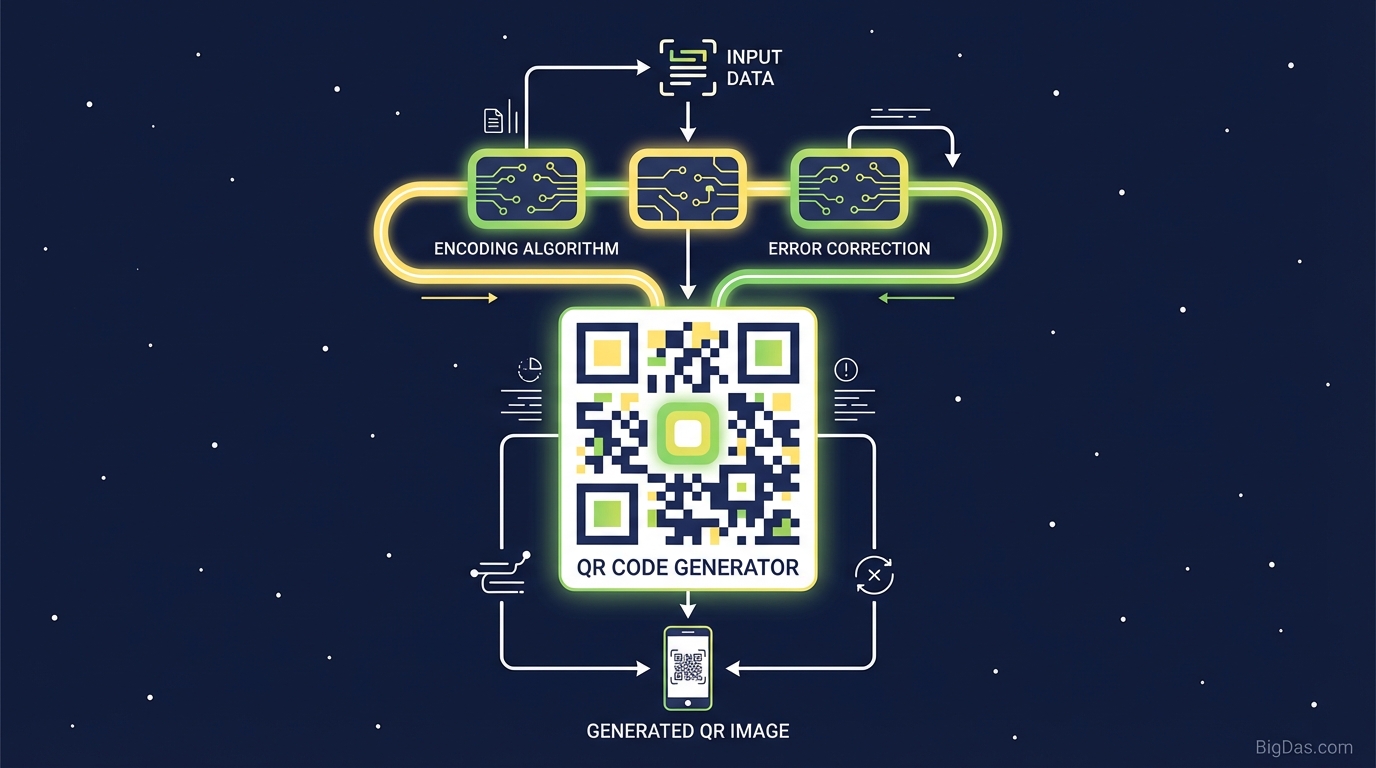
QR Code Generator
 Modern scientific illustration of QR Code Generator
Bridge the Physical and Digital with a QR Code Generator
QR codes connect physical objects to digital destinations. A flyer, a product box, or a business card can link directly to a website, a video, or a contact file with a single scan. The main challenge is creating codes that scan reliably, look professional, and serve the right purpose.
A Quick Response (QR) code is a two-dimensional barcode that stores data in both horizontal and vertical patterns. This structure holds up to 4,296 alphanumeric characters, far more than the 20 characters a standard 1D barcode can manage.
This guide explains how the QR code generator works, the technical details behind the output, and how to customize a code for your specific use case.
What is a QR Code Generator?
A QR Code Generator is a tool that converts data, such as a URL, plain text, Wi-Fi credentials, or vCard information, into a machine-readable 2D matrix barcode.
Standard 1D barcodes (UPC codes on groceries, for example) only store data horizontally. QR codes store data horizontally and vertically, which is how they hold up to 4,296 alphanumeric characters compared to 20 for a standard barcode.
How the Generator Processes Data
When you input data, the generator runs several steps:
- Data Analysis
The tool detects the data type (numeric, alphanumeric, byte/binary, or Kanji) and applies the most efficient encoding mode.
- Error Correction Encoding
The generator uses Reed-Solomon error correction to add backup data to the code. This allows the code to be scanned even if part of it is damaged, dirty, or obscured. You can select the correction level (Low, Medium, Quartile, High) depending on how much resilience you need.
- Masking
The generator applies a mask pattern to break up large blocks of the same color. This step ensures high contrast and reliable scanning across different devices.
The result is a high-resolution image that links directly to your content.
Key Features
1. Customization Options
Most free generators output a plain black-and-white square. This tool treats the QR code as a design asset.
- Color Control: Set the foreground and background to match your brand. Solid colors or gradients both work.
- Logo Integration: Embed a logo or icon in the center. The high-level error correction keeps the code scannable even with the logo covering data modules.
- Frame and CTA: Add a frame with a "Scan Me" label to increase scan rates.
2. Vector Downloads for Print
Pixelation ruins printed materials. The tool exports to PNG and JPG for web use, and to SVG and EPS (Vector) for print. Vector files scale to any size, from a business card to a billboard, without losing sharpness.
3. Static and Dynamic Codes
- Static QR Codes: The data is embedded directly in the pattern. The code is permanent, but it cannot be edited after creation. Best for one-off uses (Wi-Fi passwords, simple links).
- Dynamic QR Codes: The code stores a short URL that redirects to your destination. You can change the destination URL after printing, and you can track scan analytics.
4. Privacy and Security
The tool does not inject ads into redirects and does not harvest user data. The path from scan to destination stays clean.
Step-by-Step Guide: How to Generate a QR Code
Step 1: Choose Your Content Type
Select what the QR code should do.
- URL: Opens a website.
- Text: Displays a plain text message.
- vCard: Saves contact details directly to the user's phone.
- Wi-Fi: Connects the user to a network without typing a password.
- Email/SMS: Opens a pre-written message draft.
Step 2: Input Your Data
Enter the relevant information. If you are encoding a long URL, run it through a URL shortener first. Shorter URLs produce simpler patterns that scan faster.
Step 3: Customize the Design
- Set the Foreground Color (darker is better) and Background Color (lighter is better).
- Choose a Pattern Style (squares, dots, or rounded edges).
- Upload your Logo if needed.
Step 4: Adjust Technical Settings
If the code will appear on a t-shirt, a curved surface, or a textured material, set the Error Correction Level to High. This makes the pattern more complex but more durable.
Step 5: Download and Test
Select your format (PNG for web, SVG for print). Before mass printing, scan the code with at least two different smartphone cameras (iOS and Android) to confirm it reads correctly.
High-Value Use Cases
1. Retail and E-Commerce
- Product Packaging: Link to a "How-to" video, user manual, or registration page.
- Review Generation: Include a card that says "Scan to leave a review and get 10% off your next order."
2. Restaurants and Hospitality
- Contactless Menus: Replace physical menus to cut printing costs and improve hygiene.
- Instant Wi-Fi Access: Let guests connect without asking for the password.
3. Corporate and Networking
- Digital Business Cards (vCard): Embed a code on your physical card. When scanned, it saves your Name, Title, Number, Email, and Website to the prospect's contacts.
- Presentation Slides: End your PowerPoint with a QR code linking to the slide deck or your LinkedIn profile.
4. Event Management
- Ticketing: Use unique QR codes for entry validation.
- Scavenger Hunts: Hide codes around the venue that reveal clues or prizes.
Best Practices for QR Codes
The Quiet Zone
Every QR code requires a margin of white space around the perimeter. This "Quiet Zone" tells the scanner where the code begins and ends. If you crop the image too close to the data modules, the code will fail to scan.
Contrast
Contrast determines whether a scanner can read the code. The foreground (the data pixels) must be significantly darker than the background.
- Good: Dark Blue on White.
- Bad: Yellow on White, or Light Grey on Dark Grey.
- Avoid: Inverted colors (White pixels on a Black background). Some older scanning algorithms struggle with them.
Size
The minimum recommended size for a QR code is 2 cm x 2 cm (0.8 x 0.8 inches). For codes scanned from a distance, use the 10:1 ratio rule: if the scanning distance is 10 meters, the code should be 1 meter wide.
Frequently Asked Questions (FAQ)
1. Do the QR codes generated by this tool expire?
No. Static QR codes last as long as the image exists, because the data is hard-coded into the pattern. As long as the embedded link or data remains valid, the code will work.
2. Is there a limit on how many times the code can be scanned?
No. There is no scan limit. The code works the same for 10 visitors or 10 million.
3. Why isn't my QR code scanning?
Common causes include:
- Low Contrast: The foreground and background colors are too similar.
- Complexity: The URL is too long, making the pixels too small. Use a URL shortener.
- Lighting: The code is placed on a reflective surface (glossy paper, behind glass) that causes glare.
- Size: The code is printed too small for the scanning distance.
4. Can I use these QR codes for commercial purposes?
Yes. The generated codes are royalty-free. You can use them on commercial packaging, marketing materials, and corporate assets without attribution.
Conclusion
The QR code has become standard infrastructure for connecting the physical world to the internet. A poorly generated code leads to broken scans and frustrated users.
This QR Code Generator provides reliable encoding, full customization, and vector output for professional print. Whether you are sharing a Wi-Fi password or running a global marketing campaign, the tool gives you the technical precision needed to connect with your audience instantly.