PDF Merger & Splitter
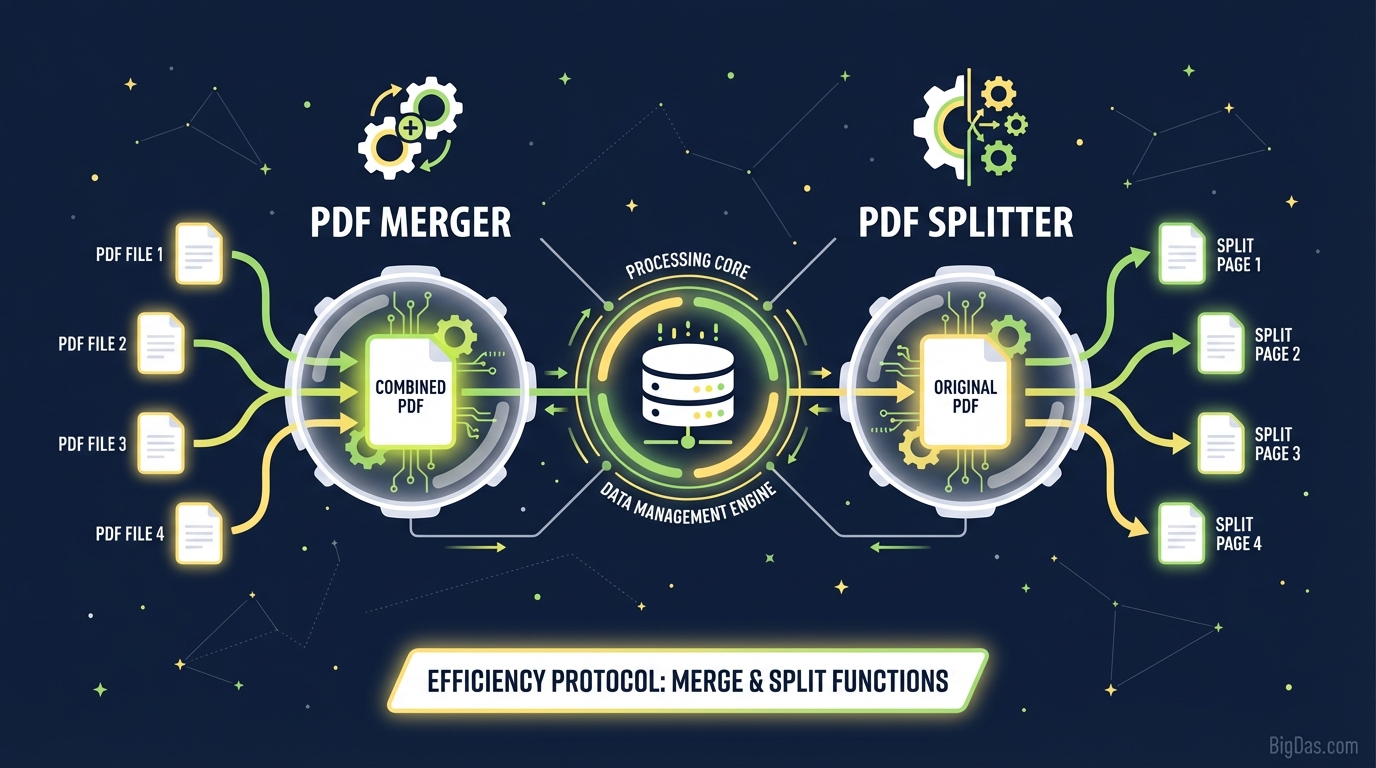 Modern scientific illustration of PDF Merger & Splitter
Master Your Documents: The Ultimate Guide to the Best PDF Merger & Splitter
In the modern digital landscape, the Portable Document Format (PDF) is the gold standard for sharing information. Whether you are a student submitting a dissertation, a lawyer handling contracts, or a business professional sending a portfolio, PDFs are inescapable.
However, the rigidity of PDFs often creates a significant workflow bottleneck. Have you ever needed to send a single report, but the data was scattered across five different files? Or perhaps you were sent a massive 200-page manual, but you only needed to share three specific pages with your team?
The frustration of disjointed files and bloated documents is a productivity killer.
Enter the PDF Merger & Splitter—the definitive, professional-grade solution designed to streamline your document management. This isn’t just about sticking pages together; it is about reclaiming control over your digital paperwork. In this guide, we will deep-dive into how this tool works, why it is the best in class, and how you can leverage it to optimize your workflow securely and efficiently.
What is the PDF Merger & Splitter?
At its core, the PDF Merger & Splitter is a dual-function digital utility designed to manipulate the structure of PDF documents without compromising their content integrity.
While most standard PDF readers allow you to view content, they rarely allow you to modify the file structure. This tool bridges that gap, offering two distinct but complementary functions:
1. The Merger (Consolidation)
The "Merge" function allows you to take multiple PDF files—reports, images converted to PDF, spreadsheets, and memos—and combine them into a single, cohesive document. It acts as a digital binder, stitching separate files together in the exact order you specify.
2. The Splitter (Extraction)
Conversely, the "Split" function allows you to deconstruct a PDF. You can take a large file and extract specific pages to create a new, smaller document, or separate every page into individual files. This is essential for removing confidential information from a larger report before sharing it or simply reducing file size by cutting out the fluff.
Why "Professional-Grade" Matters: Unlike basic free tools that watermark your documents or corrupt formatting, our PDF Merger & Splitter maintains the original quality, fonts, and layout of your source files. It is built for reliability, handling complex vector graphics and text layers with precision.
Key Features & Benefits
Why is this specific tool considered the best in class? It goes beyond simple file manipulation. Here are the features that set it apart:
1. Zero Quality Loss
A common fear when modifying PDFs is pixelation or broken formatting. Our engine processes files at the binary level, ensuring that the merged or split output is identical in resolution to the original. Text remains selectable, and images remain sharp.
2. Enterprise-Level Security
Your documents often contain sensitive data—financial records, legal agreements, or personal identification. We utilize 256-bit SSL encryption during the upload and processing stages. Furthermore, files are automatically purged from our servers after processing, ensuring your data never stays in the cloud longer than necessary.
3. Drag-and-Drop Interface
Complexity is the enemy of productivity. The interface is designed for intuition. You don't need technical skills; simply drag your files into the browser, rearrange them visually, and click a button.
4. Cross-Platform Compatibility
Whether you are on a Windows desktop at the office, a MacBook at a coffee shop, or reviewing files on a tablet, the PDF Merger & Splitter works seamlessly across all operating systems and browsers.
5. Batch Processing Power
Time is money. You shouldn’t have to merge files one by one. Our tool supports batch uploading, allowing you to queue up dozens of documents to merge instantly or split massive files in seconds.
Step-by-Step Guide: How to Use the PDF Merger & Splitter
Ready to organize your digital life? Here is how to use the tool for maximum efficiency.
How to Merge Multiple PDFs
- Upload Your Files: Click the "Select Files" button or drag and drop your PDFs into the tool area. You can select files from your computer, Google Drive, or Dropbox.
- Reorder and Organize: Once uploaded, you will see thumbnails of your documents. This step is crucial. Click and drag the thumbnails to arrange them in the exact order you want them to appear in the final document.
- Review: Check the file names to ensure you haven't missed any attachments.
- Merge: Click the "Merge PDF" button. The tool will stitch the files together instantly.
- Download: Save your new, single document to your device.
How to Split a PDF
- Upload the Master File: Drag your large PDF into the designated area.
- Choose Your Method:
- Extract Pages: Click on the specific pages you want to keep (e.g., Page 1, 5, and 10).
- Range Split: Type in a range (e.g., 1-10) to separate a chapter.
- Process: Click "Split PDF."
- Download: You will receive your extracted pages as a clean, new PDF file.
Why You Need This Tool: Real-World Use Cases
The PDF Merger & Splitter isn't just for techies; it is a vital utility for almost every industry. Here is how different professionals use it to stay ahead.
1. Legal and Finance Professionals
Lawyers often deal with dozens of scanned evidence files, affidavits, and contracts. Sending 20 separate attachments to a client is unprofessional and confusing.
- The Fix: Merge all relevant case files into one "Case_Bundle.pdf" with a logical flow. Use the splitter to extract a single signature page from a 50-page contract to send for signing.
2. Students and Academics
Research often involves downloading dozens of scholarly articles, but you may only need one relevant chapter from each.
- The Fix: Split the relevant chapters from five different textbooks and merge them into a single "Study_Guide.pdf." This keeps your research focused and portable.
3. HR and Recruitment
Recruiters receive resumes, cover letters, and portfolios as separate files.
- The Fix: Merge a candidate's resume, cover letter, and work samples into a single candidate profile. This makes sharing applicant details with hiring managers seamless.
4. Real Estate Agents
Property packets include floor plans, disclosures, photos, and contracts.
- The Fix: Combine all these disparate elements into a sleek "Property_Brochure.pdf" that looks professional and is easy for potential buyers to read.
5. Small Business Owners
Tax season is a nightmare of scattered receipts and invoices.
- The Fix: Scan your receipts monthly and merge them into "January_Expenses.pdf." When tax time comes, you have 12 neat files instead of a shoebox full of paper.
Pro Tips: Getting the Most Out of the Tool
To truly master the PDF Merger & Splitter, follow these expert best practices:
- Standardize Page Sizes: Before merging, try to ensure your documents are roughly the same page size (e.g., all A4 or Letter). While the tool handles mixed sizes, a uniform document looks more professional.
- Naming Conventions: Rename your files before uploading them (e.g., "01_Intro", "02_Body", "03_Appendix"). This helps you sort them quickly in the drag-and-drop interface.
- Compress After Merging: Merging several high-quality PDFs can result in a large file size. After merging, use a PDF Compressor (often found in our suite of tools) to optimize the file for email sharing without losing quality.
- Security Check: If splitting a document to share with a third party, always double-check that you have removed pages containing sensitive metadata or internal comments.
Frequently Asked Questions (FAQ)
Q1: Is my data safe when using the PDF Merger & Splitter? A: Absolutely. We prioritize user privacy. All file transfers are encrypted using SSL technology. Furthermore, we implement an auto-delete policy, meaning your files are permanently erased from our servers shortly after you download them. We do not read, store, or share your content.
Q2: Is there a limit on how many files I can merge at once? A: Our professional-grade tool handles high-volume tasks. While there may be reasonable limits to ensure server speed, you can typically merge dozens of files in a single session. For extremely large batches, we recommend processing them in groups.
Q3: Can I merge PDF files that are password protected? A: To merge a secured PDF, you will generally need to provide the password to unlock the file first. This is a security feature to prevent unauthorized modification of protected documents.
Q4: Will merging files mess up the page numbering? A: The tool preserves the visual content of the pages exactly as they are. However, it does not automatically re-paginate the footer. If your original files have page numbers (e.g., Page 1 of 5), those will remain on the page. For a truly seamless look, we recommend merging files that don't have hard-coded page numbers, or adding new page numbers after merging.
Q5: Can I use this on my mobile phone? A: Yes! The PDF Merger & Splitter is fully responsive and cloud-based. You can access it via the browser on your iPhone, iPad, or Android device to manage documents on the go.
Conclusion
In a world drowning in digital data, organization is the ultimate competitive advantage. The PDF Merger & Splitter is more than just a utility; it is a productivity powerhouse that turns chaos into order.
Whether you are streamlining business workflows, organizing academic research, or simply tidying up your personal records, this tool provides the security, speed, and precision you need. Stop wasting time opening twenty different attachments and start presenting your work with the professional polish it deserves.
Ready to take control of your documents?