YouTube Thumbnail Downloader
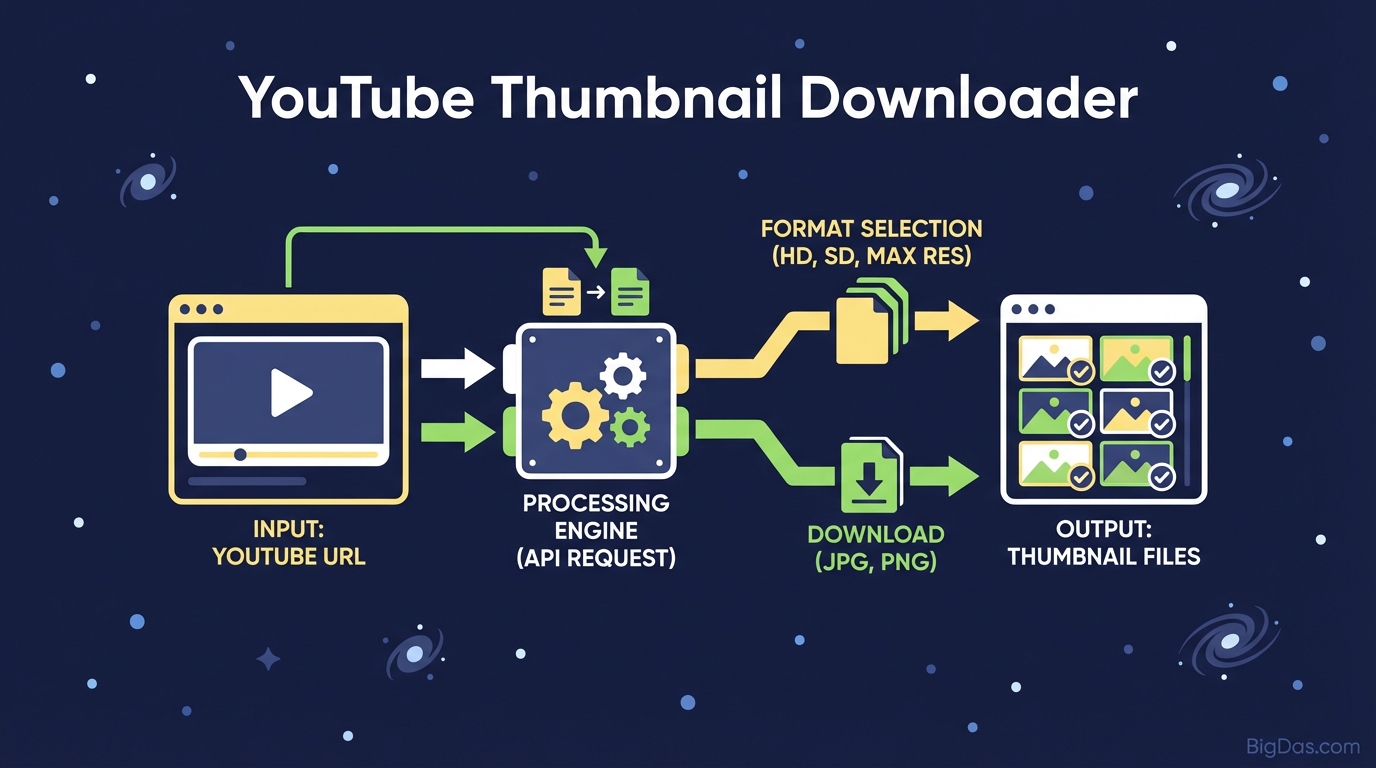 Modern scientific illustration of YouTube Thumbnail Downloader
The Ultimate YouTube Thumbnail Downloader: Get HD Images Instantly
In the digital ecosystem of video content, the thumbnail is your first impression, your handshake, and your elevator pitch all rolled into one. It is the single most critical factor in determining your Click-Through Rate (CTR). But what happens when you need to access that image file outside of YouTube?
Whether you are a content creator who lost their source file, a marketer analyzing competitor strategies, or a blogger needing a high-resolution preview image, you have likely hit a wall. YouTube does not provide a native "Save Image" button.
Enter the YouTube Thumbnail Downloader.
This guide explores the best-in-class tool designed to bridge that gap. We will dive deep into how this tool works, why it is an indispensable asset for digital professionals, and how you can download High Definition (HD), Standard Definition (SD), and Medium Quality (MQ) images with a single click.
What is a YouTube Thumbnail Downloader?
At its core, a YouTube Thumbnail Downloader is a specialized extraction utility. It is a web-based tool designed to scrape and retrieve the thumbnail image associated with a specific YouTube video ID.
When a video is uploaded to YouTube, the platform automatically generates several versions of the cover image to serve different devices (mobile, desktop, TV) and internet speeds. These images are stored on YouTube’s servers but are not easily accessible via the front-end interface.
Our tool acts as a bridge. By simply inputting the video URL, the tool communicates with YouTube's data API structure to locate the specific paths for:
- Max Resolution (HD/4K): The highest quality image available (usually 1280x720 or 1920x1080).
- High Quality (HQ): A standard 480x360 image.
- Medium Quality (MQ): A compressed version suitable for smaller displays.
- Standard Definition (SD): A balanced version for general web use.
Unlike taking a screenshot—which results in pixelation, play-bar overlays, and lower resolution—this tool extracts the original source file, ensuring crisp, professional-grade visuals every time.
Key Features & Benefits
Why use this specific YouTube Thumbnail Downloader over a generic screenshot tool? Here is why this tool is considered the gold standard for creators and SEO professionals.
1. 4K and Full HD Support
Quality is non-negotiable. If the original video creator uploaded a high-resolution thumbnail, our tool allows you to access the maxresdefault.jpg file. This is crucial for repurposing content on retina displays, large monitors, or print materials.
2. Instant Extraction
Time is money. There are no waiting queues, no processing bars, and no software to install. The extraction happens in milliseconds. As soon as you hit the button, the tool parses the URL and presents the images.
3. Cross-Platform Compatibility
Whether you are on an iPhone, an Android tablet, a Windows PC, or a Mac, the tool works seamlessly directly through your browser. It is fully responsive and requires no app downloads.
4. Zero Compression Loss
When you screenshot a video, you are capturing a compressed video feed. When you use this downloader, you are pulling the static image file directly from the server. This means zero compression artifacts, ensuring the colors remain vibrant and the text remains sharp.
5. Multi-Resolution Options
Sometimes, you don't want a 5MB 4K image. If you are building a lightweight website or an email newsletter, you might prefer a smaller, optimized file size. This tool gives you the choice between HD, SD, and MQ instantly.
How to Use the YouTube Thumbnail Downloader: A Step-by-Step Guide
Using the tool is incredibly intuitive, but following these steps ensures you get the best possible result.
Step 1: Find Your Video
Navigate to YouTube (app or browser) and open the video containing the thumbnail you wish to save.
Step 2: Copy the Link
- On Desktop: Highlight the URL in the address bar, right-click, and select "Copy," or click the "Share" button below the video and copy the link provided.
- On Mobile: Tap the "Share" arrow icon and select "Copy Link."
Step 3: Paste and Process
Open the YouTube Thumbnail Downloader tool. Paste the link into the designated input box. The tool should automatically detect the link, but if not, click the "Get Thumbnail Images" button.
Step 4: Choose Your Quality
You will be presented with a gallery of extracted images in various resolutions:
- HD (1280x720): Best for repurposing and editing.
- SD (640x480): Great for blog posts.
- Normal (480x360): Ideal for thumbnails or icons.
Step 5: Download
Right-click (or long-press on mobile) the version you want and select "Save Image As..." to download it directly to your device.
Why You Need This Tool: 5 Critical Use Cases
You might be wondering, "Why would I need to download a thumbnail?" The use cases extend far beyond simple curiosity. Here is how top-tier professionals utilize this tool.
1. recovering Lost Assets (The "Lost File" Nightmare)
It is a scenario every YouTuber has faced: You spent hours designing the perfect thumbnail in Photoshop. You uploaded the video. Months later, your hard drive crashes, or you accidentally delete the PSD file. The Fix: Use the downloader to retrieve your original artwork from YouTube, allowing you to archive your work or use it as a base for a remaster.
2. Competitor Analysis & SEO Strategy
Success leaves clues. If a competitor's video is ranking #1 for your target keyword, their thumbnail is likely doing something right. The Strategy: Download the thumbnails of the top 5 ranking videos in your niche. Place them side-by-side to analyze their color psychology, text placement, and facial expressions. Use this data to engineer a thumbnail that stands out.
3. Creating Content Archives and Blog Posts
If you are a blogger or a journalist writing about a specific video, embedding the full YouTube player (iframe) can significantly slow down your website's page load speed. The Solution: Download the thumbnail and use it as a static "featured image" for your blog post. Link the image to the video. This creates a fast-loading, visually appealing preview that doesn't drag down your Core Web Vitals.
4. Cross-Platform Promotion
You just dropped a new video on YouTube. Now you need to promote it on Instagram, LinkedIn, Pinterest, and Twitter. The Workflow: Download the HD thumbnail. Use it to create an Instagram Story background, a LinkedIn post header, or a Pinterest pin. Native uploads of the image usually perform better than simply pasting a link.
5. Mood Boards and Design Inspiration
Graphic designers often need references. By downloading high-quality thumbnails, you can build a mood board of typography styles, effects, and layouts that grab attention, helping you streamline your own creative process.
Expert Advice: Getting the Most Out of Your Thumbnails
Since we are discussing the best-in-class tool, here is some expert advice on how to handle these files once you have downloaded them.
- Always Check for "MaxRes": Not all videos have a 1920x1080 thumbnail. If the creator uploaded a low-quality image, the "MaxRes" version might not exist. The tool will default to the next highest quality (usually HQ).
- Respect Copyright: While downloading a thumbnail for analysis, parody, or archival purposes is generally acceptable, do not simply download another creator's thumbnail and upload it as your own. This is a violation of YouTube's Terms of Service and copyright law. Use this tool ethically.
- Optimization: Even though the tool downloads the image instantly, the file size of an HD thumbnail can be large. If you are uploading the downloaded image to your own website, run it through an image compressor (like TinyJPG) first to ensure your site remains fast.
Frequently Asked Questions (FAQ)
Is it legal to download YouTube thumbnails?
Yes, the act of downloading the image is legal, provided it is for personal use, fair use (commentary, criticism, news reporting), or if you own the content. However, re-uploading someone else's copyrighted image as your own without permission is illegal.
Does this tool work for YouTube Shorts?
Absolutely. YouTube Shorts utilize the same backend ID system as long-form videos. Simply copy the link to the Short, paste it into the downloader, and you will get the cover frame selected by the creator.
Why is the HD option sometimes unavailable?
The availability of the maxresdefault (HD) image depends on the quality of the original upload. If a user uploaded a video in 480p or used a low-resolution custom thumbnail, YouTube's servers will not have a generated HD version to retrieve.
Can I download thumbnails from age-restricted or private videos?
Generally, no. The tool relies on public API access. If a video is Private, the server blocks access to its assets. Age-restricted videos may sometimes work, but results vary based on YouTube's current security protocols.
Conclusion
In the visual-first world of the internet, access to high-quality imagery is power. The YouTube Thumbnail Downloader is more than just a simple script; it is a workflow enhancer for creators, marketers, and developers.
Whether you are salvaging your own lost work, analyzing market trends, or optimizing your blog for speed, having instant access to HD, SD, and MQ thumbnails is a game-changer. Stop settling for blurry screenshots and cropped approximations.
Ready to get the highest quality images from your favorite videos? Scroll up, paste your link, and download your HD thumbnail instantly.