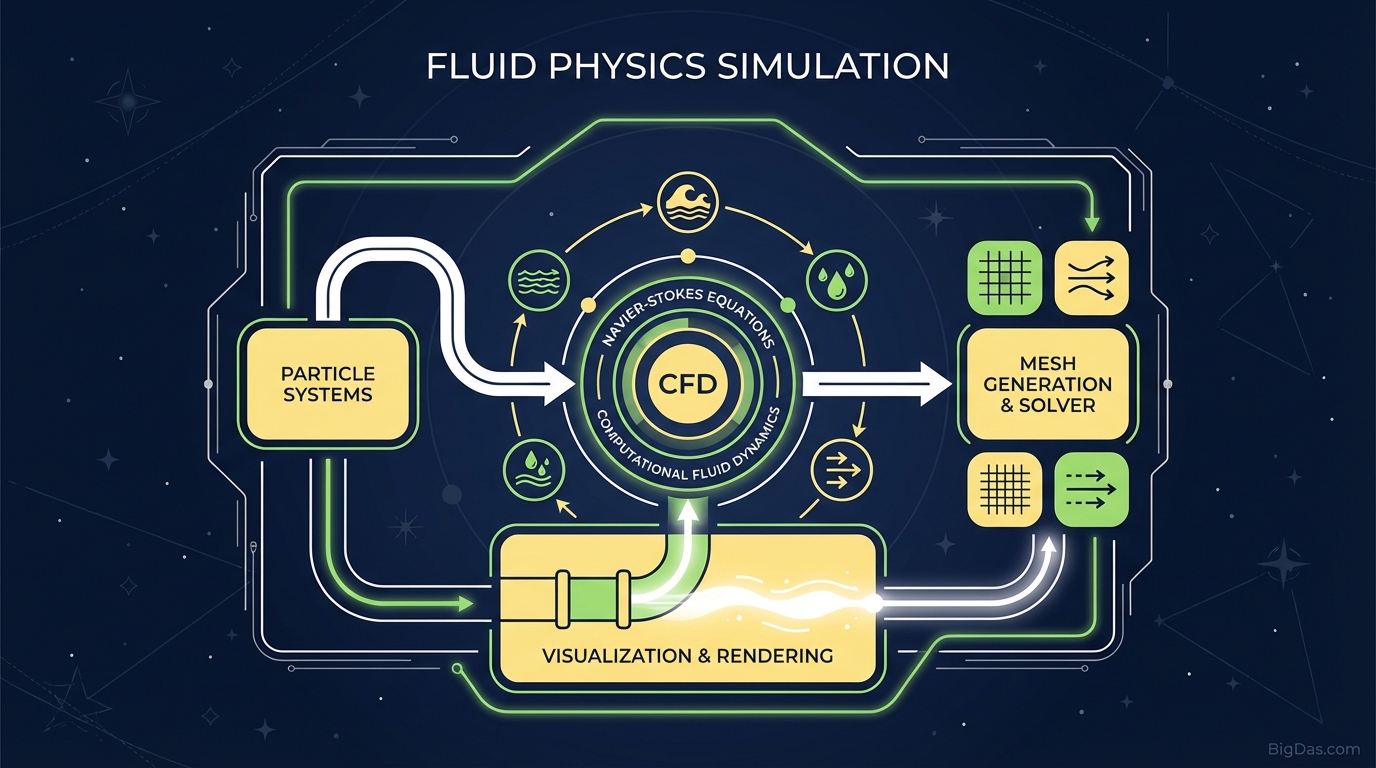
Fluid Physics Simulation
 Modern scientific illustration of Fluid Physics Simulation
Interactive Fluid Physics Simulation Guide
Fluid dynamics describes how liquids and gases move, from the swirl of cream in coffee to waves breaking on a cliff. These behaviors follow mathematical rules that usually require specialized software or advanced hardware to visualize.
This guide covers a browser-based, particle-based fluid simulation tool, how it works, and how to use it for education, development, and art.
What is Fluid Physics Simulation?
The Fluid Physics Simulation is a real-time, particle-based engine that calculates fluid behavior in the browser. Unlike pre-rendered videos, the output changes based on user input and active physics calculations.
The Science Behind the Screen
The simulation uses a method similar to Smoothed Particle Hydrodynamics (SPH). Traditional grid-based (Eulerian) simulations calculate flow at fixed points in space. This tool uses a Lagrangian approach instead, representing the fluid as discrete particles. Each particle carries:
- Mass
- Velocity
- Position
The engine calculates forces on every particle 60 times per second (or more on high-refresh-rate displays). These forces include:
- Gravity
- Pressure (keeps particles from overlapping)
- Viscosity (determines fluid thickness)
Key Features & Technical Benefits
1. High-Performance Particle Rendering
The tool uses WebGL or HTML5 Canvas to render thousands of particles at smooth frame rates. High-density simulations flow continuously rather than appearing as distinct, choppy blocks.
2. Dynamic Collision Detection
When particles hit the floor or walls, they reflect with energy loss (damping), calculated from the angle of incidence. This approximates real-world collisions.
3. Interactive Mouse Influence
The tool includes a "repel" or "attract" force vector tied to the cursor.
- Click and drag to introduce kinetic energy into the system.
- Swipe quickly to create vortices, waves, and splashes.
4. Gravity and Acceleration
A constant downward force (scaled from 9.8 m/s²) pulls particles toward the bottom. This demonstrates free-fall acceleration and the transition between potential and kinetic energy.
Step-by-Step Guide: How to Use the Fluid Physics Simulation
Step 1: Initialization
When the page loads, particles spawn from an emitter point and fall to the bottom. Note how they stack; this illustrates volume preservation, a core concept in hydrodynamics.
Step 2: Basic Interaction (The Splash)
Move the cursor into the particle mass.
- Click and hold to generate new particles or create a gravity well, depending on the mode.
- Swipe quickly through the water. The wake behind the cursor visualizes drag and turbulence.
Step 3: Testing Collision Integrity
Drag particles up the side of the browser window and release them. They slide back down, showing friction and gravity working together. Try throwing a cluster of particles against a wall to observe the bounce.
Step 4: Creating States of Equilibrium
Stop moving the mouse and let the simulation settle. The particles will jitter slightly before coming to rest. This jitter mimics Brownian motion and prevents stacking errors.
Use Cases
For STEM Educators and Students
Diagrams can't convey fluid dynamics, entropy, or conservation of momentum the way motion can.
- Lesson plan idea: Use the tool to explain Bernoulli's Principle or viscosity. Ask students to predict outcomes when the fluid is agitated versus stagnant.
For Game Developers and Programmers
The tool serves as a reference implementation for particle systems.
- Observe how particles behave at boundaries to inform your own collision scripts.
- Prototype interactive particle backgrounds for landing pages or UI elements.
For Digital Artists
Generative art relies on fluid-looking motion.
- Use the simulation as reference material. Simulate a splashing wave or pouring water, take a screenshot, and draw from that.
For Stress Relief and Mindfulness
The chaotic but rhythmic movement of particles can be soothing. The tool functions as an interactive visual fidget, useful for resetting focus during a long workday.
Expert Tips
- Manage resources: Particle physics is CPU-intensive. Close heavy background applications (video rendering, other browser tabs with heavy scripts) for the best performance on older hardware.
- Resize the window: The browser window acts as the container. Resizing forces the simulation to recalculate boundaries in real time, creating crushing or expanding effects.
- Observe surface tension: Look at the top layer of resting fluid. The top particles bind tighter than the internal ones, mimicking surface tension.
Frequently Asked Questions (FAQ)
1. Does this tool require a dedicated graphics card (GPU)?
No, but a dedicated GPU improves performance and allows for higher particle counts at smooth frame rates.
2. Can I use this simulation on mobile devices?
Yes. The tool is built with responsive HTML5. On mobile, your finger acts as the cursor. Older phones may struggle with high particle counts.
3. Is the fluid modeled as water or oil?
Default parameters (viscosity and damping) approximate water. The physics engine treats them as generic fluid particles, so they exhibit properties common to most non-Newtonian fluids under stress.
4. Why do the particles sometimes pass through each other?
When a particle's velocity exceeds the simulation step size, it can "tunnel" through another object. The tool uses sub-stepping to reduce this, but extreme velocities may still cause minor visual overlaps.
Summary
The Fluid Physics Simulation runs real-time particle physics calculations directly in the browser. It uses a Lagrangian approach with gravity, pressure, and viscosity to produce responsive fluid behavior, plus collision detection and cursor interaction for user control.
- Scroll up and start interacting with the simulation.