Laser Harp
 Modern scientific illustration of Laser Harp
Master the Virtual Laser Harp: Create Music with Light and Motion
Digital music creation usually comes with a high barrier to entry. Expensive hardware, complex DAWs, and a steep learning curve can stall creativity before it starts. The Laser Harp skips all of that: move your cursor across the screen and produce sound.
Music is about interaction as much as sound. The physical feel of a string or a key is part of the expression, and that tactile connection is often missing in software. The Laser Harp brings it back.
The Laser Harp is a browser-based instrument that uses your cursor to trigger notes by crossing a series of vertical beams. It works for music producers looking for a new sound source, streamers who want interactive visuals on screen, and anyone who wants a quick audio-visual break.
This guide covers what the Laser Harp does, what sets it apart from other web instruments, and how to play it.
What is the Laser Harp?
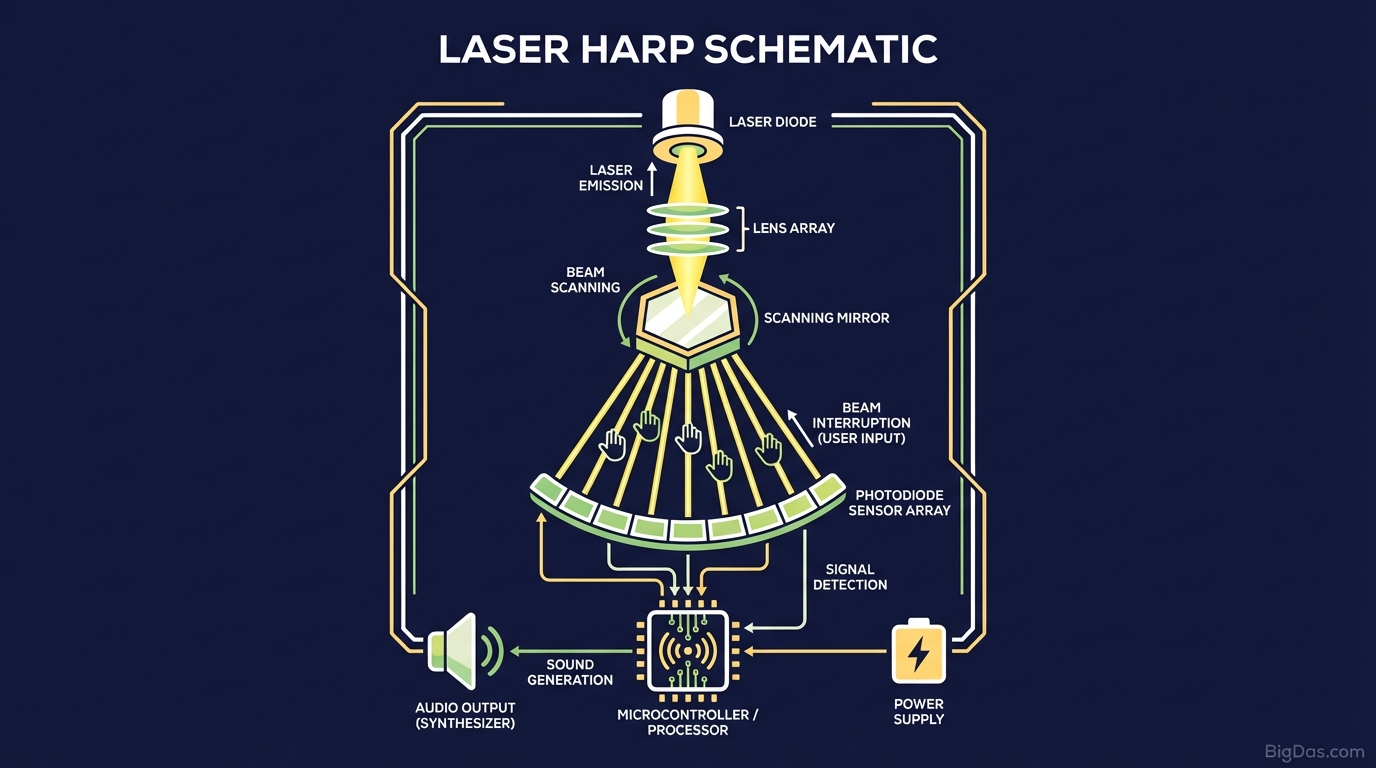
The Laser Harp is a web-based tool that simulates a physical laser harp, an electronic instrument popularized by Jean-Michel Jarre in the 1980s. The original hardware was expensive and required careful safety planning; this version uses cursor tracking instead, so there is no risk and no setup.
The interface shows a set of vertical glowing beams. When your mouse cursor (or a finger on a touch device) crosses a beam, the tool triggers a note.
The audio engine is built on the Web Audio API, so the response between cursor and sound is direct, with no preloaded sample files. This allows the engine to respond to how the cursor moves, not just where it goes.
The Science Behind the Sound
The tool generates sound in real time based on the speed and direction of your cursor. A slow pass through a beam produces a soft, swelling pad. A fast strike produces a sharp, staccato pluck. The combination of motion-driven synthesis and the on-screen visuals creates a feedback loop that feels closer to playing a physical instrument than clicking a button.
Key Features & Benefits
1. Zero-Latency Responsiveness
Lag kills digital instruments. A half-second delay between input and sound breaks any rhythm. The Laser Harp is tuned for instant trigger response, which supports rapid arpeggios and rhythmic playing without audio ghosting.
2. Dynamic Visual Feedback
When a beam is struck, it reacts: it glows, vibrates, and emits particles that match the pitch and intensity of the note. The visuals make it easier to track what you are playing without looking at a keyboard or sheet music.
3. Polyphonic Capabilities
The tool supports polyphony. Sweeping across multiple beams quickly produces chords. Moving in a figure-eight pattern sustains a harmony.
4. Customizable Soundscapes
The default preset is "Synth Harp," but the tool includes other options:
- Ambient Pads: Slow, evolving tones for relaxation.
- Retro Wave: 80s-style synth leads.
- Plucked Strings: Acoustic-style plucks, similar to a koto.
5. Cross-Platform Compatibility
The sensitivity settings adapt to your input device, whether you use a high-DPI gaming mouse, a laptop trackpad, or a touchscreen tablet.
Step-by-Step Guide: How to Play the Laser Harp
Step 1: Calibration and Setup
Open the tool in your browser. Headphones are recommended to hear the stereo separation in the samples.
- Pro Tip: If your mouse has adjustable DPI, set it to medium-high. This lets you cover the full octave with a wrist movement rather than reaching across the desk.
Step 2: The Basic Strike
Start your cursor on the left side of the screen and move horizontally to the right. Each beam you pass through triggers a note. The beams are tuned to a Pentatonic or Major scale, so every note fits the key.
- The motion: Treat it like strumming a guitar. Move with intent.
Step 3: Controlling Dynamics
The tool reads the velocity of your cursor.
- Soft Notes: Move slowly through a beam. Good for ambient intros.
- Hard Notes: Move quickly through a beam. Produces a louder, brighter sound with a sharper attack.
Step 4: Playing Chords and Arpeggios
Sweep back and forth rapidly over three adjacent beams. Because each note has a decay tail, the sounds overlap into a chord.
- The Technique: Try circular cursor movements. A continuous circle hits specific intervals on repeat, which works well for rhythmic loops.
Step 5: The "Scrubbing" Technique
Stop your cursor directly on a beam and wiggle it slightly. This triggers a tremolo or rapid repetition of the note, which is useful for adding tension.
Why You Need This Tool (Use Cases)
For Musicians and Producers
If you are stuck in a standard piano-roll workflow, gesture-based input can push you toward different melodic choices. Use the Laser Harp to sketch ideas, then record the output as a sample for your DAW.
For Streamers and Content Creators
The visuals work well as a "Just Chatting" or waiting-screen overlay. It is also interactive: you can take requests from chat or jam while you talk.
For Educators and STEM Learning
The tool is a clear way to show the link between motion, frequency, and musical intervals. It works well for students who do not read sheet music.
For Stress Relief and Focus
The combination of glowing beams and ambient sound is meditative for many users. Ten minutes of playing can serve as a mental reset during a long workday.
How to Get the Most Out of the Laser Harp (Expert Advice)
Use a Graphics Tablet:
- If you have a Wacom or Huion tablet, use the stylus. Absolute positioning lets you tap individual beams with precision, similar to playing a real piano key.
Browser Performance:
- Close unused tabs. Real-time audio synthesis depends on JavaScript, and freeing up CPU helps maintain a smooth frame rate for the laser animations.
Screen Real Estate:
- Press
F11on Windows orCmd+Ctrl+Fon Mac to enter full screen. This keeps the cursor inside the play area and prevents it from drifting out of the window mid-performance.
- Press
Frequently Asked Questions (FAQ)
1. Do I need to know music theory to use the Laser Harp?
No. The beams are tuned to quantized scales, usually Pentatonic. Every note fits the key, so it is impossible to play a wrong note.
2. Can I use the Laser Harp on my mobile phone?
Yes. Multi-touch is supported. On a tablet or phone, use multiple fingers to trigger several beams at once for full polyphonic chords, which a single mouse pointer cannot do.
3. Is there a way to record my performance?
The tool itself does not record, but any system audio recorder (OBS, Audacity, etc.) can capture the output. This is a common way to sample the Laser Harp for use in other productions.
4. Why is there no sound when I load the page?
Browsers block autoplay audio by default. Click anywhere on the page once to unlock the audio engine.
Conclusion
The Laser Harp is a browser-based instrument that combines visual art and audio synthesis into a single interface. It is useful for sketching melodies, teaching the basics of sound, or just relaxing with a few minutes of neon and synth.
Move your cursor, cross the beams, and let the light sing.