Mass-Spring Simulator
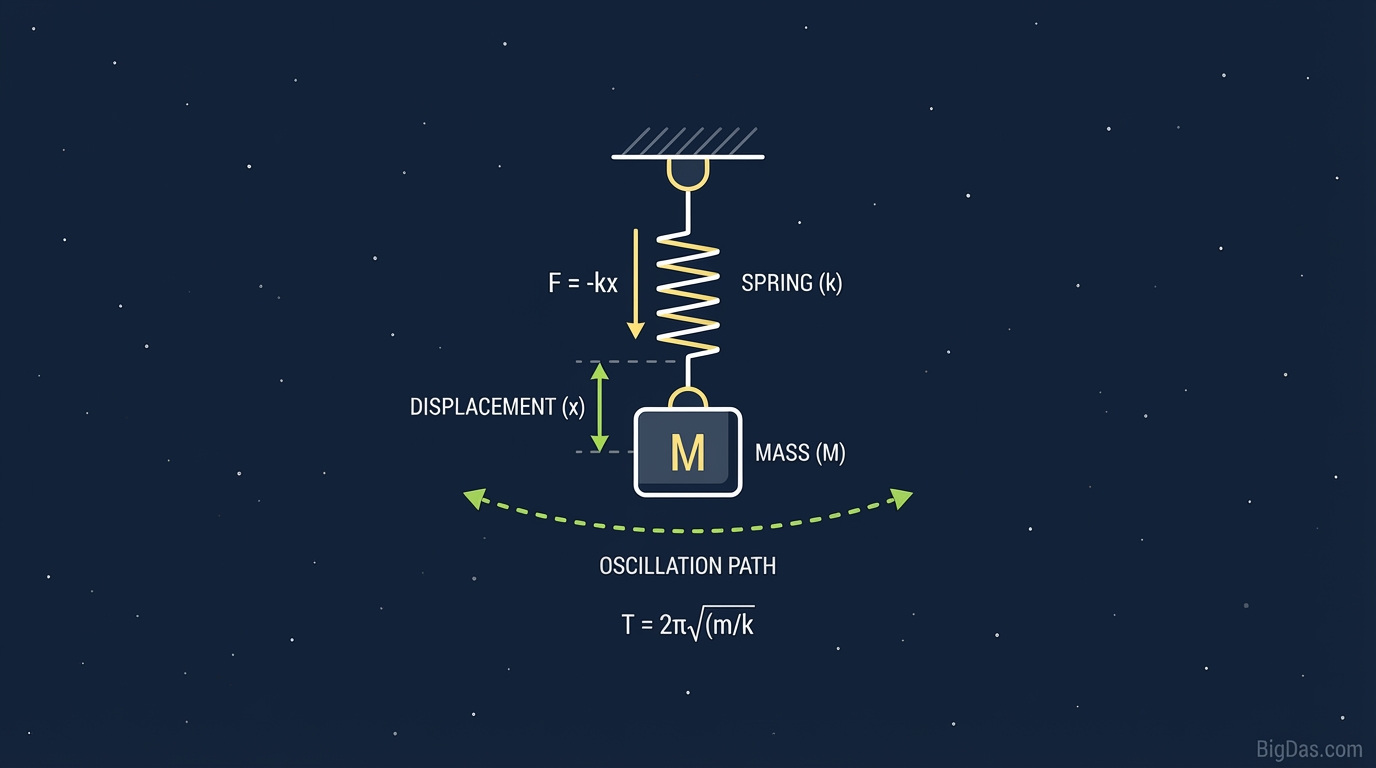
 Modern scientific illustration of Mass-Spring Simulator
Master Simple Harmonic Motion with a Mass-Spring Simulator
Textbooks show a block attached to a squiggly line. That static picture doesn't capture how a mass on a spring actually behaves, and it doesn't show what damping or varying stiffness do to the motion.
This guide covers the math behind the Mass-Spring Simulator and how to use it to explore oscillating systems.
What the Mass-Spring Simulator Does
The Mass-Spring Simulator solves the differential equation of motion for a mass on a linear spring with optional damping. It plots the position over time and animates the motion so you can see how the system responds to changes in parameters.
Governing Equation
The simulation solves Newton's Second Law combined with Hooke's Law and a linear damping term:
$$m \frac{d^2x}{dt^2} + c \frac{dx}{dt} + kx = 0$$
Where:
- m (Mass): The inertia of the object.
- c (Damping Coefficient): Friction or air resistance that removes energy from the system.
- k (Spring Constant): The stiffness of the spring.
- x (Displacement): The distance from the equilibrium point.
Damping Regimes
The simulator lets you adjust damping to explore three regimes of motion:
- Under-damped: The mass oscillates with gradually decreasing amplitude.
- Critically damped: The mass returns to equilibrium as quickly as possible without oscillating. This is the target for car shock absorbers and similar systems.
- Over-damped: The mass returns to equilibrium slowly without oscillating.
Key Features
1. Real-Time Interaction
Adjust sliders for mass, stiffness, or damping while the simulation runs. Changes to the period (T) and frequency (f) appear immediately.
2. Numerical Integration
The engine uses a Runge-Kutta method to integrate the equation of motion. The displayed position matches the analytical solution for linear systems.
3. Dual-View Visualization
- Physical view: The mass and spring animate on screen.
- Analytical view: A synchronized graph plots displacement versus time. Use it to measure the decay envelope in damped systems.
4. Parameter Control
- Mass (m): Heavier objects increase the period.
- Spring constant (k): Stiffer springs increase the frequency.
- Damping (c): Simulates energy loss to friction or drag.
5. Performance
The simulation runs in the browser without installation and works on desktop and mobile devices.
How to Use the Simulator
Step 1: Set Initial Parameters
- Mass: Start at 1.0 kg.
- Spring constant: 10 N/m.
- Damping: Set to 0 to observe undamped simple harmonic motion.
Step 2: Displace the Mass
Drag the mass away from equilibrium to load the spring with elastic potential energy, then release.
Step 3: Observe the Motion
The displacement graph shows a sine wave with constant amplitude. The mass moves fastest at equilibrium (maximum kinetic energy) and stops momentarily at the turning points (maximum potential energy).
Step 4: Add Damping
Increase the Damping Coefficient gradually.
- Low damping: The sine wave is enclosed by a decaying envelope. The system is under-damped.
- High damping: The mass creeps back to equilibrium without crossing it. The system is over-damped.
Step 5: Measure the Period
Pause the simulation. Measure the time between two consecutive peaks on the graph. This is the Period (T). Compare your measurement to the formula:
$$T = 2\pi \sqrt{\frac{m}{k}}$$
Change the mass or spring constant and confirm that the period changes as predicted.
Use Cases
Students and Educators
Project the simulator in class to demonstrate Hooke's Law without a physical lab setup. Students can test how parameters interact: for example, confirming that doubling the spring constant changes the frequency by a factor of $\sqrt{2}$, not 2.
Mechanical and Civil Engineers
Real systems are damped. Engineers design for specific damping ratios in:
- Vehicle suspensions: Critical damping returns the chassis to a stable position after a bump.
- Tall structures: Tuned mass dampers reduce sway from wind or seismic activity.
- Prototyping: Use the simulator to estimate damping ratios before running FEA or multi-body dynamics simulations.
Game Developers
Spring physics drives suspension models, character hair, cloth, and UI bounce effects. The simulator provides a quick way to tune spring constants and damping values for the desired feel.
Hobbyists and Makers
3D printers and CNC machines have belts and frames that act as springs. Use the simulator to understand resonance and damping so you can reduce ringing and ghosting in prints and cuts.
Experiments to Try
1. Find the critical damping point The critical damping coefficient is:
$$c_{crit} = 2\sqrt{mk}$$
Calculate this value, enter it, and confirm that the mass returns to equilibrium in the shortest time without overshooting.
2. Test parameter extremes Set the spring constant very high with a small mass, or very low with a large mass. Note the resulting frequencies.
3. Track energy With damping on, observe the decaying amplitude. That decay represents energy leaving the system as heat.
Frequently Asked Questions (FAQ)
1. What is the difference between specific stiffness and spring constant?
The spring constant (k) is the stiffness of the spring in the simulation. Higher values mean a stiffer spring and a higher oscillation frequency.
2. Why does the oscillation amplitude decrease over time?
When the Damping Coefficient is greater than zero, energy is lost to friction, air resistance, or internal heat. This is damped harmonic motion. Set damping to zero for perpetual oscillation.
3. Can this tool simulate resonance?
This module models free vibration from an initial displacement. It does not apply a periodic external force. The natural frequency $\omega_n = \sqrt{k/m}$ it produces is the basis for analyzing resonance, which occurs when an external driving force matches this frequency.
4. Is the simulator accurate for engineering calculations?
The simulator uses the standard linear equation of motion. It is a 1-D model with one degree of freedom, so it applies directly to linear systems but not to large-deflection or multi-degree-of-freedom problems.
5. What determines the period of the oscillation?
The period depends only on mass and spring constant:
$$T = 2\pi \sqrt{\frac{m}{k}}$$
The amplitude does not affect the period in simple harmonic motion. You can verify this in the simulator by pulling the mass to different starting positions and comparing the measured periods.
Summary
The Mass-Spring Simulator lets you adjust mass, stiffness, and damping and watch the resulting motion in real time. It is useful for physics coursework, engineering prototyping, game physics tuning, and hobbyist projects where understanding oscillation and damping matters.