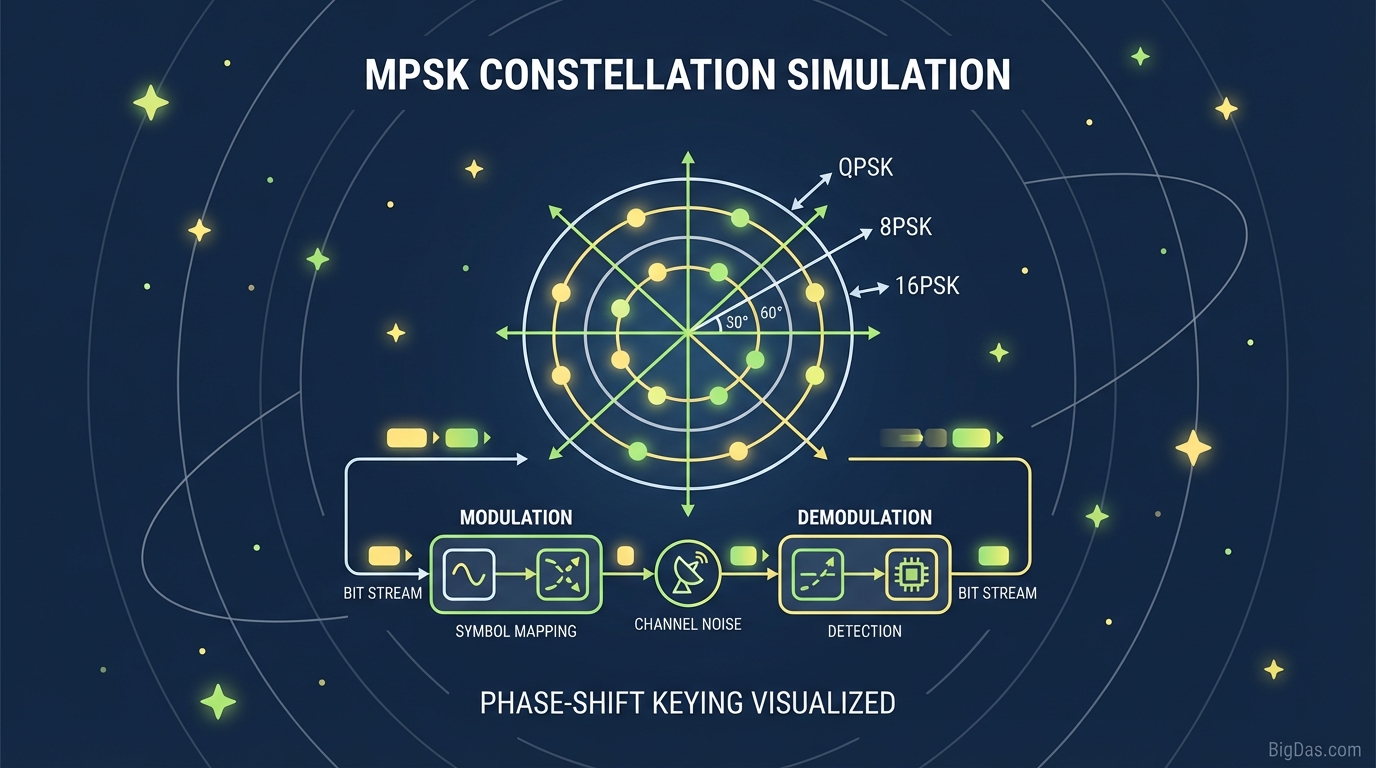
MPSK Constellation Simulation
 Modern scientific illustration of MPSK Constellation Simulation
MPSK Constellation Simulation Guide
A constellation diagram shows a signal modulated by a digital scheme like QAM or PSK. It plots the signal in the complex plane:
- Horizontal axis: In-Phase (I) component.
- Vertical axis: Quadrature (Q) component.
Each point is a symbol. The distance from the center represents amplitude (constant in PSK), and the angle represents phase. This tool generates random data, modulates it using BPSK, QPSK, 8PSK, or 16PSK, adds adjustable noise, and plots the result in the browser.
Supported Modulation Schemes
1. BPSK (Binary Phase Shift Keying)
- Basics: The simplest PSK form. It uses two phases separated by 180°, also called 2-PSK.
- In the simulation: Two distinct clusters appear on the left and right of the graph.
- Why it matters: BPSK is the most robust PSK modulation. It requires a high noise level to cause a demodulator decision error.
2. QPSK (Quadrature Phase Shift Keying)
- Basics: QPSK uses four equispaced points around a circle. With four phases, it encodes two bits per symbol.
- In the simulation: Four clusters, one in each quadrant.
- Why it matters: QPSK doubles the BPSK data rate at the same bandwidth, making it common in modern wireless systems.
3. 8PSK (8-Phase Shift Keying)
- Basics: Uses eight phases. Each symbol carries 3 bits.
- In the simulation: Eight clusters arranged in a circle.
- Trade-off: Higher data rate means shorter distance between symbols, increasing error-correction difficulty in noisy channels.
4. 16PSK (16-Phase Shift Keying)
- Basics: The densest scheme in this tool, using 16 phases to encode 4 bits per symbol.
- In the simulation: Clusters are close together.
- Challenge: Requires a high Signal-to-Noise Ratio (SNR). At low SNR, clusters overlap, simulating bit errors.
Key Features
1. Real-Time Noise Adjustment (AWGN)
The tool injects Additive White Gaussian Noise (AWGN). Adjusting the noise or SNR slider scatters the constellation points, showing the Bit Error Rate (BER) threshold where the receiver can no longer distinguish symbols.
2. High-Resolution Rendering
The simulation renders thousands of symbol samples per second, producing a dense "cloud" effect similar to a spectrum analyzer view.
3. Immediate Modulation Switching
Switching between QPSK and 16PSK takes milliseconds. At a fixed noise level, a stable QPSK signal can become unusable as 16PSK, providing a quick A/B comparison.
4. Zero-Setup Environment
The tool runs in the browser. No MATLAB, Python libraries, or GNU Radio installation required.
How to Use the Simulation
Step 1: Select a Modulation Scheme
Start with BPSK. Choose it from the selector and observe the two clean points on the graph.
Step 2: Establish a Clean State
Move the Noise/SNR slider to minimum noise (highest SNR). The dots should appear tight and distinct, representing an interference-free channel.
Step 3: Introduce Interference
Increase the noise level. Watch the dots expand into fuzzy clouds.
- Observation: BPSK remains distinct even with some noise. The clouds do not touch.
Step 4: Scale Up Complexity
Switch to 8PSK or 16PSK without changing the noise level.
- Observation: The same clouds now overlap. The receiver cannot determine which symbol was sent, visualizing packet loss and data corruption.
Step 5: Find the Breaking Point
For each modulation type, adjust the noise until clusters just begin to touch. This boundary is the practical limit of that scheme at the current power level.
Use Cases
For Students and Educators
The math ($s(t) = A_c \cos(2\pi f_c t + \phi(t))$) can be hard to follow. This tool translates the math into geometry, showing why adding more phases does not always yield faster speeds, eventually, the noise floor prevents reliable decoding.
For Systems Engineers
Link budget design requires balancing throughput and reliability. Use this tool for quick visualizations before running full simulations, and to explain why a system might drop from 16PSK to QPSK during rain fade or interference.
For Compliance and Testing
The spread of dots serves as a visual proxy for Error Vector Magnitude (EVM). Testers can observe what passing or failing EVM looks like on a constellation graph.
Experiments
1. Shannon Limit Visualization
Shannon's theorem defines the maximum data rate over a noisy channel.
- Try this: Set 16PSK and increase noise until symbols blur. Switch to QPSK; the symbols become distinct again. This shows the trade-off between data rate and reliability.
2. Phase Error Test
AWGN scatters points in all directions, but in MPSK, phase noise matters more than amplitude noise.
- Try this: Focus on the angular spread. Compare the rotational margin in QPSK versus 16PSK before symbols cross a decision boundary.
3. Stress Testing
Max out the noise on BPSK. The structure often persists, showing why BPSK is used for deep-space telemetry (e.g. Voyager probes) and long-range control signals.
Frequently Asked Questions (FAQ)
1. Why does the 16PSK constellation look like a circle of dots?
16PSK places 16 points around a constant-amplitude circle. Since PSK modulates only phase, all points stay at the same distance from the center. QAM, which changes both phase and amplitude, produces a grid-like shape.
2. What does "SNR" mean in the context of this tool?
SNR stands for Signal-to-Noise Ratio. It is the ratio of the clean symbol's power (cluster center) to the noise power (scatter). High SNR means a clean signal; low SNR means a fuzzy signal.
3. Why would anyone use BPSK if 16PSK is faster?
16PSK transmits 4 bits per symbol, but requires high power and low noise. BPSK transmits 1 bit per symbol and works with weak signals, long distances, or high interference. The tool demonstrates this trade-off visually.
4. What is the difference between QPSK and 4-PSK?
There is no difference. QPSK and 4-PSK both use four phases ($0^\circ, 90^\circ, 180^\circ, 270^\circ$) to represent data.
Summary
MPSK schemes are the basis of LTE, Wi-Fi, and other wireless systems. The MPSK Constellation Simulation provides a noise-adjustable environment for visualizing BPSK, QPSK, 8PSK, and 16PSK, turning theory into practice.
Select a modulation scheme, adjust the noise, and start simulating.