Pendulum Wave
 Modern scientific illustration of Pendulum Wave
What is a Pendulum Wave?
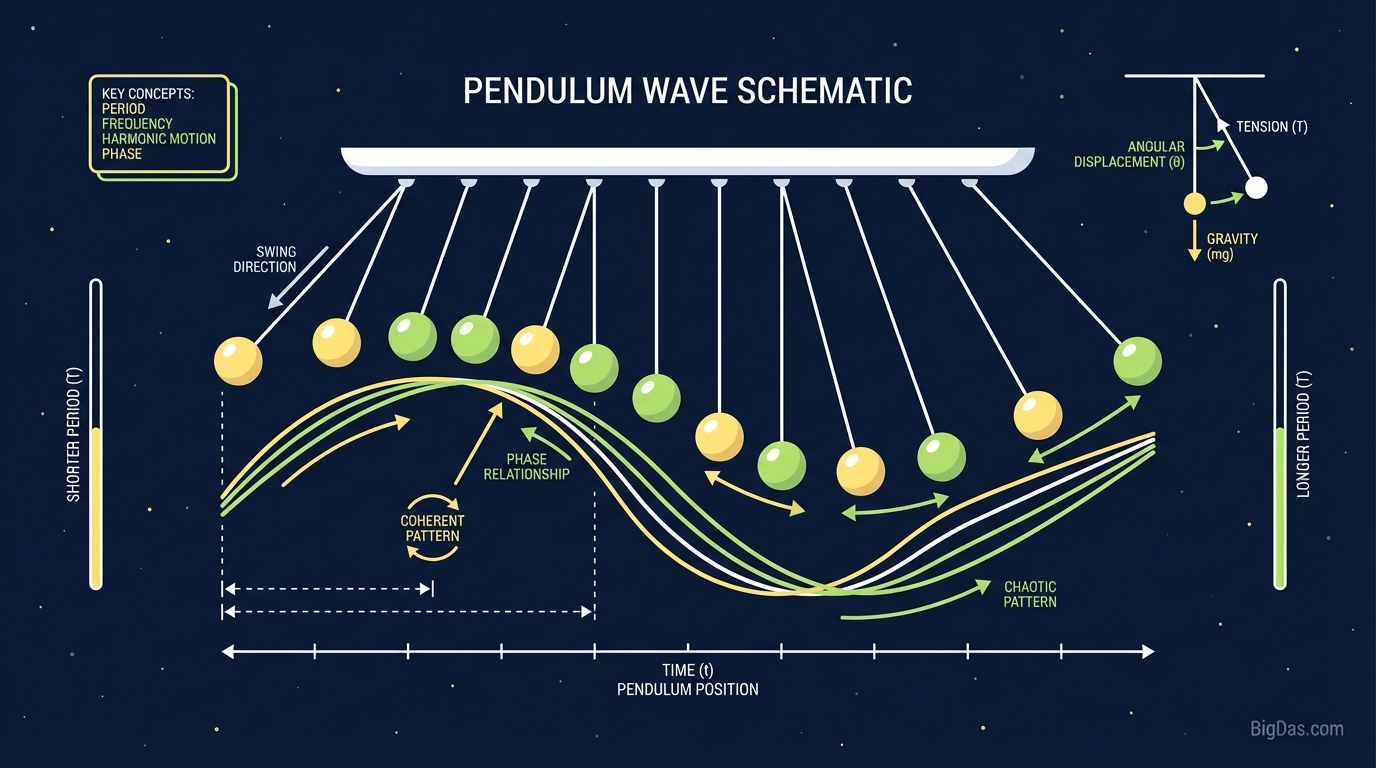
A Pendulum Wave is a physical effect produced by a series of uncoupled pendulums arranged in a line, each with a progressively increasing length. Although it looks complex, it is a direct result of Simple Harmonic Motion (SHM).
The Relationship Between Length and Time
The period of a pendulum is determined by its length and the acceleration due to gravity. The formula is:
$T = 2\pi \sqrt{(L/g)}$
Where:
- T = Period (time)
- L = Length of the pendulum
- g = Acceleration due to gravity
A shorter pendulum swings faster; a longer pendulum swings slower.
The Choreography of Cycles
In a standard setup, the lengths are calibrated so that within a fixed time frame (often 60 seconds), the first pendulum completes 51 oscillations, the second 52, the third 53, and so on. Because each pendulum oscillates at a slightly different frequency, the system passes through several distinct phases:
- The Traveling Wave: The pendulums appear to ripple like a snake slithering across the screen.
- The Chaos: As phase differences accumulate, the motion appears random and disorganized.
- The Split: The pendulums group into two or three opposing waves.
- The Reunion: At the end of the total cycle, all pendulums complete their target number of swings simultaneously, realigning before the cycle restarts.
Key Features
1. High-Fidelity Physics Engine
The simulation calculates mass, gravity, and angle directly. The motion matches how the objects would behave in a vacuum, making it suitable for classroom demonstrations of phase relationships and oscillation.
2. Customizable Parameters
- Adjust Gravity: Simulate the Moon, Mars, or Jupiter.
- Modify Damping: Introduce air resistance to see how energy bleeds out of the system.
- Pendulum Count: Add more bobs to increase the density of the wave.
3. Trails and Color Gradients
Trails trace the path of each bob, while color palettes shift based on velocity or position. This turns the simulation into a generative art canvas.
4. Real-Time Performance
The engine handles 50+ independent physics objects at 60+ FPS without stuttering.
How to Use the Tool
Step 1: Launch
Load the tool. The pendulums will align in their starting position.
- Action: Press Play.
- Observation: Watch the first 10 seconds to see the traveling wave effect clearly.
Step 2: Adjust Variables
Locate the control panel and modify the parameters.
- Length Delta: The difference in length between the first and last pendulum. A small delta produces slow, lazy waves; a large delta produces rapid, tight patterns.
- Trails: Enable to trace the path of each bob.
Step 3: Study the Phases
Let the full cycle run to see the transition from traveling wave to chaos to split to reunion.
- Antiphase: Halfway through the cycle, the pendulums typically split into two groups moving in opposite directions.
Step 4: Reset
Click Reset before changing parameters and pressing Play again. This zeroes the velocity and recalculates the timing.
Use Cases
For Educators and Students
Formulas like $T = 2\pi\sqrt{L/g}$ remain abstract until visualized.
- Classroom Demos: Project the tool to demonstrate phase shifts and harmonic frequencies without setting up physical strings.
- Homework Aid: Predict periods mathematically and verify the results against the simulation.
For Mindfulness
The predictable, cyclic nature of the patterns makes the Pendulum Wave a form of kinetic meditation. A full 60-second cycle (order → chaos → order) serves as a short mental reset during coding blocks or study sessions.
For Artists and Designers
- Inspiration: Use Trails mode to study natural curves and color blending.
- Reference: Analyze acceleration and deceleration curves for animation easing.
FAQ
1. Why does the pattern look like it is snaking?
This is caused by phase lag. Each adjacent pendulum is slightly shorter and therefore slightly faster than its neighbor, creating the appearance of a continuous wave.
2. Does the weight of the pendulum bob matter?
No. In ideal simple harmonic motion, the mass of the bob does not affect the period. Only the length of the string and gravity determine the swing speed. Changing the bob size in the tool will not alter the wave pattern.
3. How long is one full cycle?
In a standard "Harvard Pendulum Wave" setup, the cycle is calibrated to 60 seconds. After exactly one minute, all pendulums sync up again.
4. Why do the pendulums eventually stop in real life, but not in the tool?
In reality, air resistance and pivot friction drain energy from the system. The tool allows you to toggle friction off for a perpetual motion simulation, or on to model realistic decay.
5. What is the "Aliasing" effect I see?
When pendulums appear to spin backward or freeze, it is a stroboscopic effect. The swing frequency interacts with your screen's refresh rate.