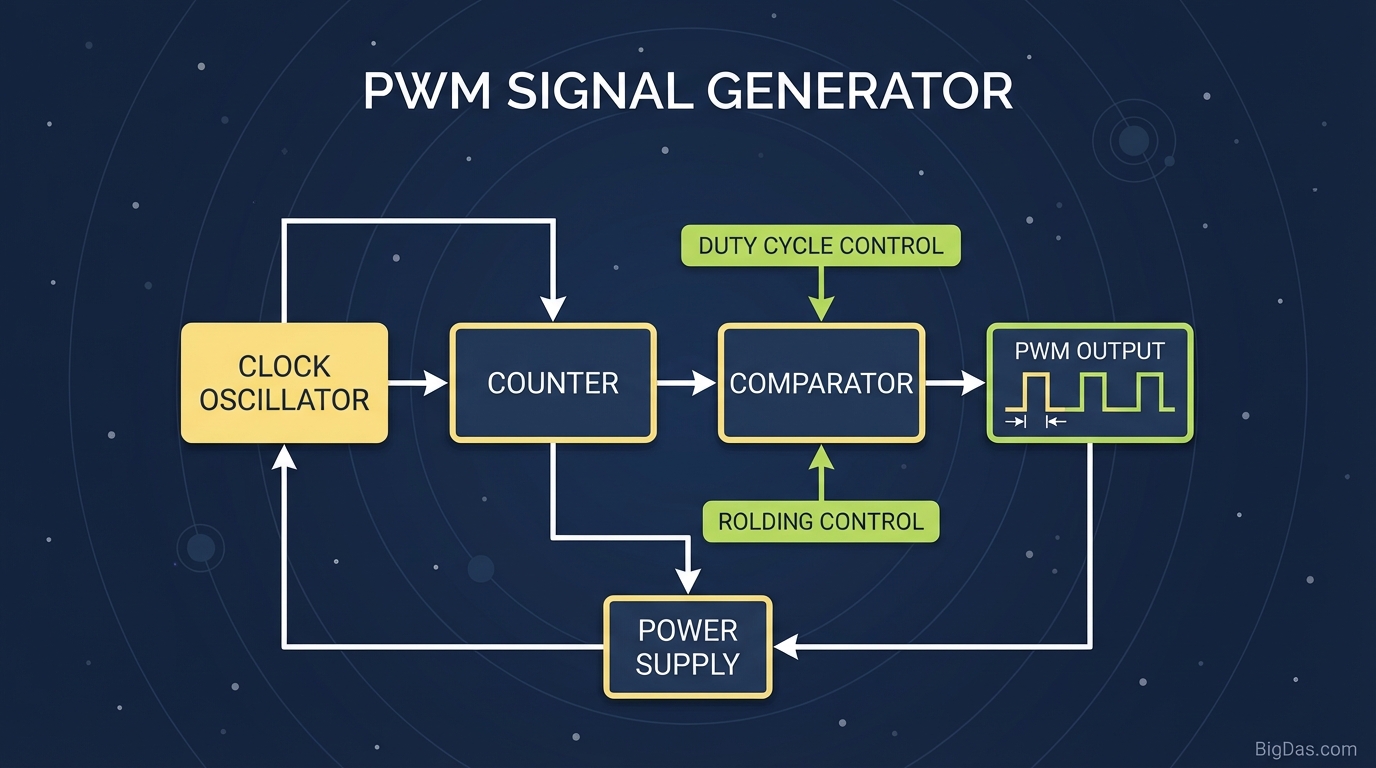
PWM Signal Generator
 Modern scientific illustration of PWM Signal Generator
Pulse-Width Modulation: An Online PWM Signal Generator
Pulse-Width Modulation (PWM) is the standard method for controlling LEDs, DC motors, servos, and switching power supplies. Calculating the relationship between frequency, duty cycle, and the resulting waveform by hand is error-prone, and an oscilloscope is overkill for checking a theoretical signal.
This PWM Signal Generator is a browser-based simulator that lets you set frequency and duty cycle and watch the waveform update in real time. This guide covers the underlying theory and how to apply the tool to your projects.
What is a PWM Signal Generator?
Pulse-Width Modulation (PWM) is a modulation technique that encodes information into a pulsing digital signal. Although the output switches between fully ON and fully OFF, the average voltage delivered to a load simulates an analog output.
A PWM Signal Generator produces this waveform from user-defined parameters so you can see how the signal's properties affect the electrical output.
The Anatomy of the PWM Waveform
- Duty Cycle
- The percentage of one period in which the signal is HIGH.
- 0% Duty Cycle: Signal is always LOW (0 V).
- 50% Duty Cycle: Signal is HIGH half the time, LOW half the time (square wave).
- 100% Duty Cycle: Signal is always HIGH (max voltage).
- Frequency
- Measured in Hertz (Hz), this determines how fast the PWM completes one full cycle (one HIGH and one LOW state).
- At high frequencies, the load (motor, LED, heating element) responds to the average voltage rather than individual pulses, producing smooth operation.
The "Average Voltage" Concept
The generator demonstrates Average Voltage ($V_{avg}$) in real time:
$$V_{avg} = V_{in} \times \text{Duty Cycle}$$
Adjust the duty cycle slider to see how the effective voltage delivered to a component changes.
Key Features
1. Real-Time Waveform Visualization
The plot updates as you change parameters. You can watch the pulse width expand and contract, which builds intuition faster than reading a static diagram.
2. Frequency Control
The tool supports frequencies from sub-Hz values up to the MHz range, covering low-frequency servo control (typically 50 Hz) and high-frequency switching power supplies.
3. Floating-Point Duty Cycle Precision
Duty cycle accepts fractional values. This matters for RGB LED color mixing, PID motor loops, and any application where a coarse 0 to 100% step is too large.
4. Pre-Hardware Simulation
Verify frequency, period, and duty cycle values in the simulator before applying power to a MOSFET, motor, or microcontroller pin.
How to Use the PWM Signal Generator
Step 1: Define Your Goal
- LED / DC motor: Focus on the average voltage to verify brightness or speed.
- Servo / RC control: Focus on pulse width (typically 1 to 2 ms within a 20 ms period).
Step 2: Set the Frequency
- Visual inspection: 1 to 5 Hz makes the HIGH/LOW states visible without instrumentation.
- Realistic simulation: 1 kHz or higher shows the waveform density seen by real loads.
Step 3: Adjust the Duty Cycle
Move the slider from 0% to 100%.
- Watch the HIGH portion of the square wave widen with increasing percentage.
- At 25%, the signal stays LOW for three-quarters of each cycle.
Step 4: Read the Output
The tool calculates:
- Period ($T$): Time for one cycle, $T = 1/f$.
- Pulse Width: Time the signal stays HIGH, $T \times \text{Duty Cycle}$.
Common Use Cases
1. Embedded Systems Development
When writing firmware for Arduino, ESP32, STM32, or PIC microcontrollers, you need to configure hardware timers for PWM. Use the generator to verify the relationship between timer prescalers, compare-match registers, and the resulting waveform before flashing the chip.
2. DC Motor Control
If the PWM frequency is too low, the motor hums or vibrates. If it is too high, the switching transistors overheat. The generator helps you pick a frequency and duty cycle that produce smooth torque without excess switching loss.
3. LED Dimming
LEDs are current-driven devices and cannot be dimmed by lowering voltage. They must be flashed on and off rapidly. The tool shows how a 20% duty cycle produces a dimmer light to the human eye without reducing the drive current.
4. Audio Synthesis
A square wave is a core waveform in synthesizers. Modulating pulse width changes the harmonic content and timbre. The generator provides a quick way to see how duty cycle affects the waveform shape feeding a filter or speaker.
5. Switch-Mode Power Supplies (SMPS)
Buck and Boost converters regulate output voltage through PWM. Use the generator to visualize the basic switching behavior before moving to SPICE or LTspice simulations.
Practical Tips
- Period vs. Frequency: Remember the inverse relationship. A standard servo expects a pulse every 20 ms (50 Hz). At 1 kHz, the period is only 1 ms, which most servos will ignore.
- PWM Resolution: Microcontrollers quantize duty cycle into discrete steps, 256 steps for 8-bit, 1024 for 10-bit. Find the ideal percentage here, then map it to your hardware's bit depth (e.g.
analogWrite(pin, 128)for ~50% on an 8-bit channel). - Mechanical Inertia: For a motor, the HIGH pulses are "pushes" and the LOW periods are "rests." Inertia averages the pushes into continuous motion. Higher frequency means smoother motion because the pulses are closer together.
Frequently Asked Questions (FAQ)
1. Can this tool replace an oscilloscope?
No. An oscilloscope measures real electrical signals from physical hardware. This tool is a simulator for planning and visualizing theoretical signals before you build the circuit. Use it for design, not diagnostics.
2. Why does frequency matter if I only care about dimming an LED?
Below roughly 100 Hz, the eye detects the flicker, which causes discomfort and stroboscopic artifacts. Above that threshold, the eye integrates the pulses and perceives a steady brightness. The duty cycle sets the brightness; the frequency sets whether the flicker is visible.
3. What is the difference between a true analog output and PWM?
A DAC produces a steady voltage (e.g. a constant 2.5 V). PWM produces a rapid stream of 0 V and 5 V pulses that average to 2.5 V. Motors and LEDs often don't care which method you use, but the underlying physics differ. This tool visualizes the digital pulse nature of PWM.
4. Is a 50% duty cycle the same as an AC sine wave?
No. A 50% duty cycle PWM signal is a square wave with instantaneous transitions. A sine wave transitions gradually. Filtered PWM can approximate a sine wave, this is how class-D audio amplifiers and some inverters work, but the raw PWM signal is not a sine.
Summary
PWM is the standard control method for LEDs, motors, servos, switching regulators, and audio stages. Visualizing the relationship between frequency, duty cycle, period, and average voltage is faster than working it out on paper and safer than probing a live circuit.