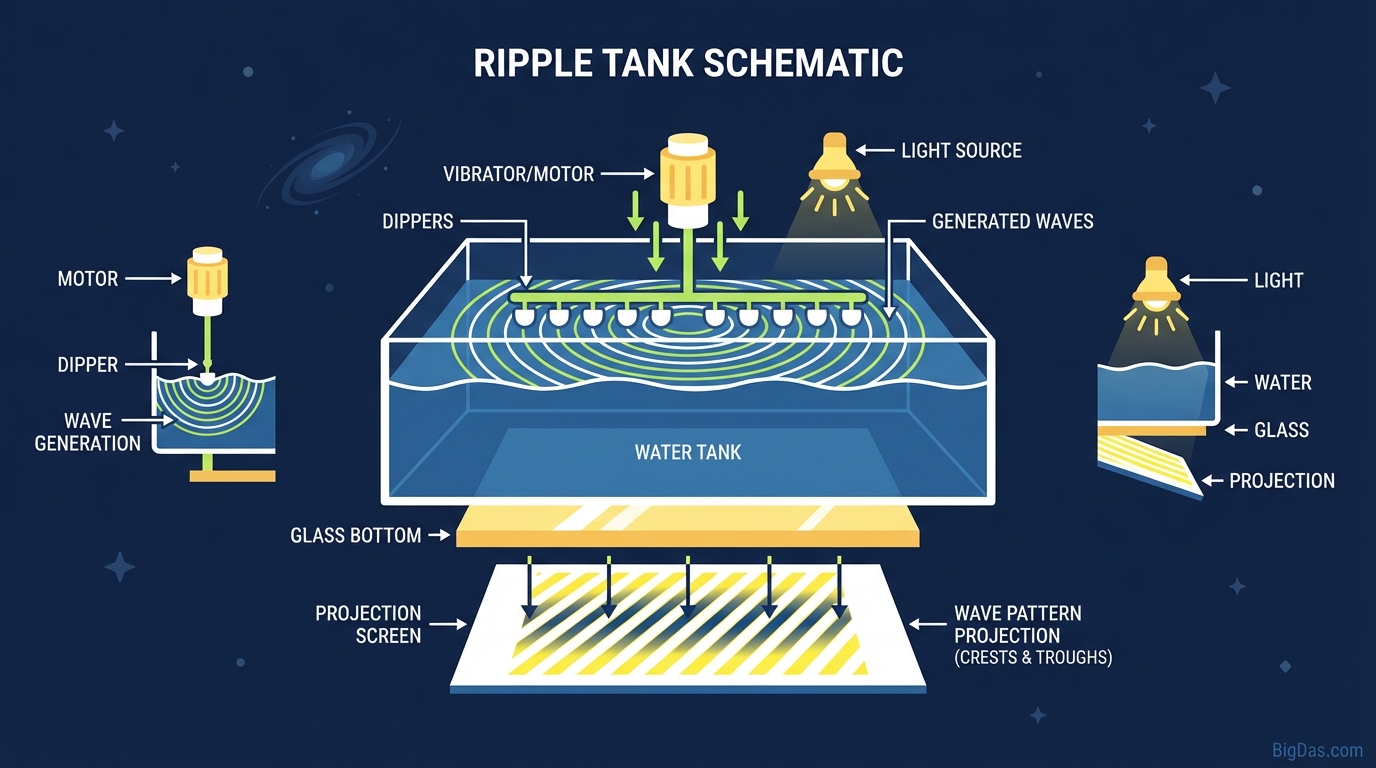
Ripple Tank
 Modern scientific illustration of Ripple Tank
Master Wave Physics: A Practical Guide to the Ripple Tank Simulation
Waves are hard to visualize. Static diagrams in textbooks do not show how a crest reflects off a wall, how two sources interfere, or how a slit bends a wavefront. A physical ripple tank solves this, but the hardware is bulky, leaks, and takes time to set up.
A browser-based Ripple Tank removes that friction. It solves the 2D wave equation on a grid using WebGL, so you can draw sources, build walls, and watch the surface respond in real time. The same simulation works as an analog for sound, light, and other scalar wave fields.
What is the Ripple Tank?
The Ripple Tank is a real-time solver for the two-dimensional wave equation. It maps a scalar field (water height, sound pressure, or light amplitude) onto a grid and updates each cell every frame.
The interface looks like water, but the math is general. You can use it to study:
- Acoustics (sound waves in a 2D plane)
- Optics (light waves, including diffraction and refraction)
- General wave phenomena such as interference and the Doppler effect
The simulation runs in HTML5 and WebGL, so calculations happen on the GPU. You can add sources, move obstacles, and change parameters without lag.
Key Features
1. High-Resolution Rendering
Waves are drawn with color or 3D height mapping, so crests and troughs are easy to distinguish. You can view high- and low-frequency waves at the same time and observe constructive and destructive interference directly.
2. Multiple Source Types
The tool includes:
- Point sources: circular waves from a single point (a stone in water, a point of sound).
- Plane waves: straight, parallel wavefronts (ocean swells, collimated light).
- Moving sources: for demonstrating the Doppler effect.
- Multi-frequency sources: useful for beats and harmonic analysis.
3. Interactive Obstacles and Walls
You can draw geometry directly on the surface:
- Solid walls for reflection.
- Slits (gaps in a wall) for diffraction.
- Lenses or prisms (regions where wave speed differs) for refraction.
4. Parameter Control
Sliders adjust:
- Frequency: wave oscillation rate.
- Amplitude: wave height or strength.
- Damping: energy loss over time (analog of viscosity or absorption).
How to Use the Ripple Tank
Step 1: Initialize the Surface
When the page loads, you usually see a default animation. Click Clear or Reset to stop all waves and remove obstacles. You should start with a flat surface.
Step 2: Add a Source
- Mouse drag: Click and drag across the canvas to make ripples under the cursor (a temporary disturbance).
- Continuous source: Select Single Source or Dipole from the menu for a rhythmic, oscillating generator. Place it at the center to see concentric circles.
Step 3: Build Geometry
- Pick the Wall or Bar tool.
- Draw a line across the tank.
- For a slit, use the eraser (or leave a gap) to open a small hole in the wall. This is the standard setup for observing diffraction.
Step 4: Adjust the Physics
- Low frequency: wavefronts are widely spaced, good for basic demos.
- High frequency: wavefronts are tightly packed, good for showing interference fringes and ray-like behavior.
- Pause/Freeze: stop time to inspect the phase of a wave at a specific instant.
Step 5: Switch to 3D View
Toggle from 2D (top-down) to 3D. The surface renders as a terrain, which makes it clearer that the wave is energy moving up and down through a medium, not horizontally.
Common Use Cases
For Teachers
Young's double-slit experiment is awkward to draw on a whiteboard. With this tool, place two point sources side by side, and the nodal lines (cancellation) and antinodal lines (amplification) appear immediately.
For Students
- Refraction: Draw a "slow medium" (a lens shape) and send plane waves through it. The waves slow down inside and bend, converging at a focal point.
- Doppler effect: Drag a source across the screen. The wavefronts bunch up in front and spread out behind.
For Acoustics Engineers
Before running a full CFD or ray-tracing simulation, you can use the Ripple Tank to test a basic geometry: a barrier, a curved wall, a room corner. It is a fast sanity check on diffraction and reflection.
For Technical Artists
The height maps and interference patterns work as textures for 3D scenes, motion graphics, or generative art.
Advanced Tips
1. Resolution vs. Speed On a slower device, lower the grid resolution to keep the frame rate up. For cleaner diffraction patterns and less numerical dispersion (pixelated artifacts), raise the resolution as high as the hardware allows.
2. Visualizing Phase If the tool has a Stroboscope mode, use it. Syncing the color or contrast shifts with the wave frequency makes moving waves appear stationary, which makes it easier to read the structure.
3. Reflection-Dominant Shapes Draw angled walls to scatter reflected energy in different directions. This is a simple way to see why certain shapes reflect waves away from the source, similar to how stealth aircraft are designed to reduce radar return.
Frequently Asked Questions (FAQ)
1. Is the Ripple Tank accurate enough for scientific research?
The solver is a discrete grid approximation of the wave equation. It is accurate enough for education and qualitative work, and it is fast. For publication-grade results, you should still use specialized CFD or wave software.
2. Can I simulate sound waves with this?
Yes. In 2D, the wave equation behaves the same for water height, sound pressure, or light amplitude. Treat crests as high pressure and troughs as low pressure.
3. Why do the waves eventually die out?
Damping. Real systems lose energy to friction, heat, or absorption. The damping slider reproduces this. Set it to zero for an idealized, lossless simulation.
4. What is the difference between a Point Source and a Plane Wave?
A point source emits circular waves from a single point. A plane wave emits straight, parallel wavefronts. Use plane waves when you want to study reflection and refraction laws against flat surfaces.
Conclusion
The Ripple Tank is a direct, interactive solver for the 2D wave equation. It replaces a leaky glass tray and a strobe with a browser tab, and it lets you change frequency, geometry, and damping in a few clicks.
For teachers, it turns equations into moving pictures. For students, it makes interference, diffraction, refraction, and the Doppler effect observable. For engineers and artists, it is a fast sandbox for testing ideas and generating wave-based textures.