Connect Four
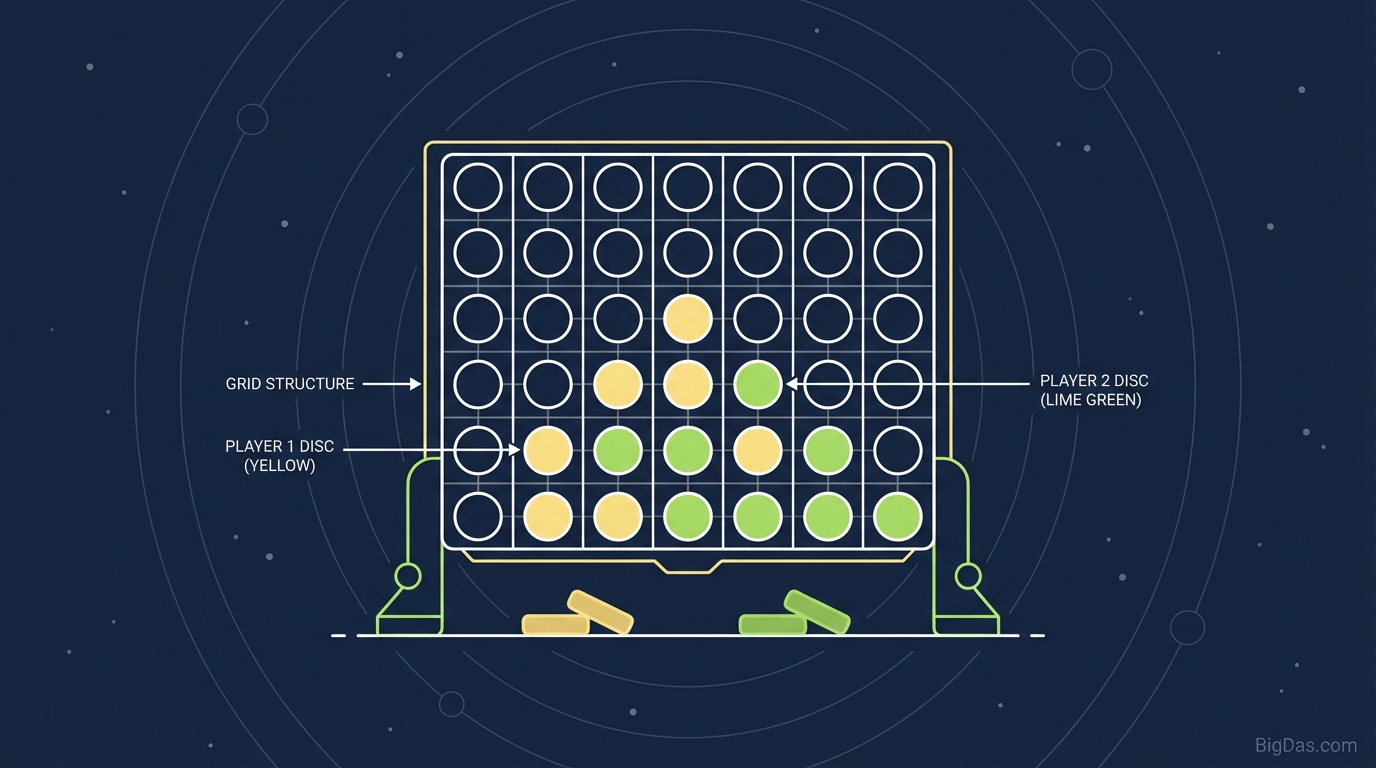
 Modern scientific illustration of Connect Four
Connect Four: A Two-Player Strategy Game
Connect Four is a two-player connection game played on a seven-column, six-row vertical grid. Players take turns dropping colored discs from the top; each disc falls to the lowest available row in the chosen column. The first player to form a horizontal, vertical, or diagonal line of four of their own discs wins.
This guide covers the mechanics, the math behind the solved game, and practical strategies for using our browser-based Connect Four tool.
The Rules
- Grid: 7 columns × 6 rows (42 positions total)
- Players: 2 (human vs. human, or human vs. AI)
- Turn order: Red (or Black) moves first
- Gravity rule: A disc can only be placed in the lowest empty row of a column
- Win condition: First to align four discs horizontally, vertically, or diagonally
The Mathematics of the Grid
Connect Four is a solved game. Game theory classifies it as a zero-sum, perfect information game, which means both players see the entire board at all times and one player's gain equals the other's loss.
The 7×6 grid produces 4,531,985,219,092 possible board positions. If the first player plays perfectly, they can force a win. A perfect AI requires only 7 moves of look-ahead to guarantee a win, but human players rely on pattern recognition and tactical planning rather than brute-force calculation.
Unlike Tic-Tac-Toe, where the small grid leads to frequent draws, Connect Four's larger board and gravity mechanic ensure that most games end with a win for one side.
Tool Features
1. Responsive Gameplay
The tool runs on lightweight JavaScript, providing instant drop animation with no perceptible input lag on desktop or mobile.
2. AI Opponent
The built-in AI uses a minimax algorithm with alpha-beta pruning. Difficulty levels range from "Beginner" (random play with basic threat detection) to "Grandmaster" (full-depth search with heuristic evaluation).
3. Ghost Piece Preview
Hovering or tapping a column shows a translucent "ghost" disc at the landing position, so you can confirm placement before committing the move.
4. Automatic Win Detection
The engine checks for four-in-a-row after every move. The winning line is highlighted, and the score counter updates immediately.
5. Cross-Platform Support
The tool is pure HTML5 and runs in any modern browser. Touch targets are sized for fingers on tablets and phones; mouse input is precise on desktop. No installation required.
6. Cognitive Benefits
Regular play exercises the following skills:
- Pattern Recognition: Spotting non-linear threats
- Forward Planning: Thinking 3 to 4 moves ahead
- Opponent Modeling: Inferring intent from move choice
- Focus: The structured rules reduce cognitive load and screen fatigue
How to Use the Tool
Step 1: Select a Mode
On load, the tool defaults to your last session mode. Use the settings toggle to switch between:
- Player vs. AI
- Player vs. Player (local hot-seat)
Step 2: Claim a Color
The first player is assigned the primary color (Red or Black); the second player takes the secondary color (Yellow or White). The active turn is indicated by a highlighted border around the color indicator.
Step 3: Drop a Disc
- Desktop: Move the mouse over a column to display the ghost piece. Left-click to drop.
- Mobile: Tap a column to preview, then tap again to confirm.
Step 4: Win or Reset
When a player connects four, the winning line glows and the score updates. Click Play Again to reset the board without reloading the page.
Strategy Guide
1. Control the Center
The center column (Column 4) is the highest-value position on the board. A disc in the center participates in more potential winning lines than a disc in any edge column.
- Center column: participates in 24 distinct winning lines
- Edge column: participates in 8 distinct winning lines
Drop your first disc in the center whenever possible.
2. Create a Double Threat
A "double threat" is any setup that gives you two ways to win on your next turn. Your opponent can only block one.
The classic "7 Trap" uses three horizontal discs plus one diagonal disc branching off the end:
. . X X X
. . . X
This creates two winning lines simultaneously. Always scan for setups like this after each opponent's move.
3. Block Before You Build
Defense is as important as offense. Before placing your own disc, scan the board for opponent threats:
- Three in a row with an open space on either end → immediate block required
- Two in a row with open space on both sides → block preemptively
Tunnel vision on your own line of four is the most common way to lose.
4. Exploit Gravity
Gravity makes this game unique among connection games. A common tactic is to stack a winning threat directly above an opponent's piece:
O O O . .
X X X . .
If the column above your opponent's stack is empty, you can win on your turn by dropping into the space they would have wanted.
5. Use Zugzwang
Zugzwang is a position where any move your opponent makes worsens their own position. The most common form in Connect Four is forcing your opponent to fill a column that completes your vertical or diagonal line.
Use Cases
- Remote Teams: A 5-minute game before a video call to reset attention.
- Educators: Teach coordinates, logic, and consequence on a smartboard.
- Developers: A 10-minute spatial reasoning break helps reset focus during debugging.
- Competitive Players: Use the AI to practice threat detection and speed.
Frequently Asked Questions (FAQ)
1. Is there a guaranteed way to win Connect Four every time?
Connect Four is a solved game. With perfect play, the first player wins 100% of the time. For human players, controlling the center column gives the best practical advantage.
2. How does this tool differ from the physical board game?
The tool prevents illegal moves (such as placing a disc in a full column), eliminates setup and cleanup, and provides an AI opponent for solo practice.
3. Does playing Connect Four actually make you smarter?
Regular play engages the prefrontal cortex, which handles planning and decision-making. It strengthens short-term memory and pattern recognition over time.
4. Can I play on my phone without installing an app?
Yes. The tool uses HTML5 and runs natively in Chrome, Safari, Firefox, and Edge. No app download or storage space is required.
Drop your first disc in the center and start connecting.