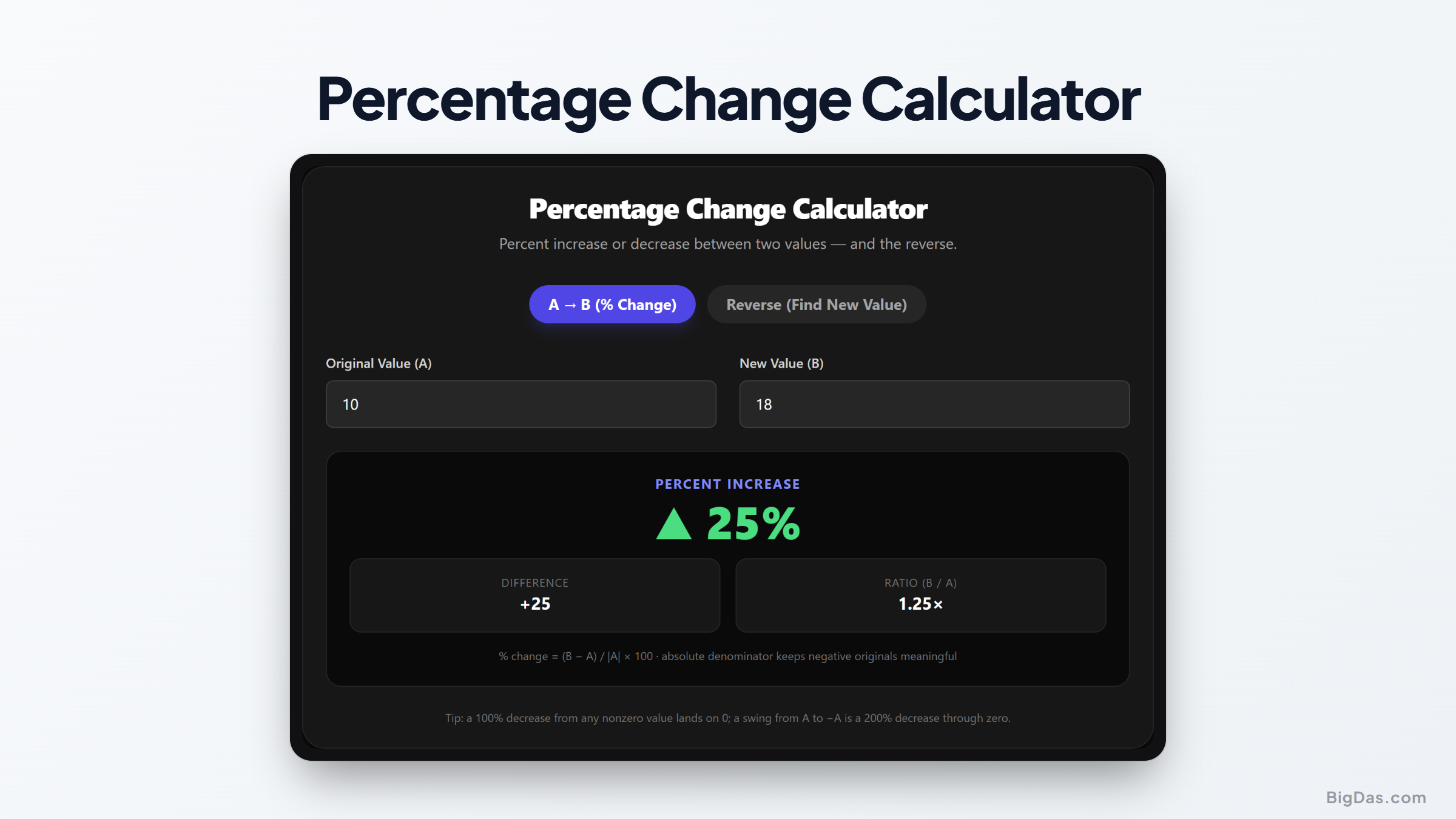
Percentage Change Calculator
 Generated infographic and interface snapshot for Percentage Change Calculator
Percentage Change Calculator: Master Percent Increase, Decrease, and Reverse Calculations
Numbers are constantly in motion. Whether you are tracking your monthly household budget, reviewing the performance of a stock portfolio, or analyzing website traffic growth, you deal with shifting values every single day. Understanding how much these values rise or fall is vital for making smart choices. However, doing these calculations in your head or on a standard pocket calculator can lead to errors, especially when you are in a hurry.
This is where a specialized percentage change calculator becomes an essential tool. It eliminates the guesswork, helping you determine the exact percentage of growth or decline between any two numbers instantly. It also works in reverse, helping you find a final value based on a known starting point and a specific percentage shift.
Understanding these mathematical shifts helps you interpret data accurately. Let us explore how this tool works, why it is so valuable, and how you can apply it to your everyday personal and professional life.
What is a Percentage Change Calculator?
A percentage change calculator is a dedicated digital tool designed to measure the relative difference between an original value and a new value. Instead of simply showing the raw numerical difference, it displays that difference as a percentage of the starting amount. This gives you a much better sense of scale. For example, a ten dollar increase on a twenty dollar item is a massive fifty percent jump, whereas a ten dollar increase on a thousand dollar item is a tiny one percent change.
The tool is versatile because it handles three distinct types of calculations:
Percent Increase
When the final value is larger than the starting value, the tool calculates the rate of growth. This is known as a percent increase. It is commonly used to track salary raises, rising stock prices, or growing customer bases.
Percent Decrease
When the final value is smaller than the starting value, the tool determines the rate of decline. This is a percent decrease. You see this when analyzing business losses, tracking budget cuts, or calculating discounts during a store sale.
Reverse Percentage
Sometimes, you already know the starting value and the percentage change, but you need to find the final number. This is called a reverse percentage calculation. For example, if you know that a product costing eighty dollars is getting a fifteen percent markup next month, the tool can instantly tell you the new price.
The Mathematical Formulas Behind the Calculator
While the tool automates the process in a fraction of a second, understanding the math behind it can help you grasp what the results actually mean.
To calculate percentage growth or decline manually, you use the following formula:
Percentage Change = ((New Value - Original Value) / Original Value) * 100
Here is a breakdown of how this formula works step by step:
First, you subtract the original value from the new value. This gives you the absolute change.
Second, you divide that absolute change by the original value. This gives you a decimal representation of the change relative to the starting point.
Third, you multiply that decimal by one hundred to convert it into a percentage.
If the resulting number is positive, you have a percent increase. If the resulting number is negative, you have a percent decrease.
For reverse percentage calculations, the formula shifts depending on whether you are dealing with an increase or a decrease.
To find a new value after a percent increase, use this formula:
New Value = Original Value * (1 + (Percentage Increase / 100))
To find a new value after a percent decrease, use this formula:
New Value = Original Value * (1 - (Percentage Decrease / 100))
Using a reliable online tool prevents simple arithmetic mistakes, ensuring you always work with correct numbers.
Key Features and Benefits of the Tool
Using an online percentage change calculator offers several distinct advantages over manual pen and paper calculations. Here is why this tool is so helpful:
Speed and Efficiency: You do not need to hunt for a formula sheet or open a spreadsheet. You simply type in your numbers and get an instant result. This is incredibly useful during fast paced business meetings or quick budget reviews.
Error Prevention: Even minor calculation mistakes can lead to major issues, especially in financial planning or scientific research. The automated system ensures total accuracy every single time.
Bidirectional Computation: Most people can easily calculate basic increases, but doing reverse calculations is much harder to do in your head. This tool handles both directions with equal ease.
Simple Interface: The tool is designed to be straightforward and easy to use. There are no complicated menus or advanced settings to navigate. Anyone can use it without any training.
Device Compatibility: You can access the tool on your computer, tablet, or smartphone. It works on any modern web browser, making it accessible whether you are at your office desk or shopping on the go.
Step by Step Guide: How to Use the Calculator
To get the most out of this tool, it helps to understand the different ways you can input your data. Here is how to perform both standard and reverse calculations.
Calculating Percent Increase or Decrease
To find the percentage change between two known numbers, follow these simple steps:
Locate the fields for the original value and the new value.
Enter your starting number into the original value field.
Enter your ending number into the new value field.
Click the calculate button.
The tool will immediately display the percentage difference. It will also specify whether the change is an increase or a decrease, removing any confusion.
Performing a Reverse Percentage Calculation
If you know your starting number and the rate of change, but you need to find the final number, use these steps:
Locate the reverse calculation section of the tool.
Enter your original starting value.
Enter the percentage of change you want to apply.
Select whether this change is an increase or a decrease.
Click the calculate button to see your final value.
This two way flexibility makes the tool highly useful for a wide variety of tasks.
Real World Use Cases: Why You Need This Tool
This tool is not just for math students. It has practical applications across many different careers and daily scenarios. Here are some of the most common ways people use it:
Personal Finance and Budgeting
Managing money requires constant tracking. If your monthly rent goes from one thousand dollars to one thousand one hundred dollars, you need to know the percentage increase to adjust your budget. Similarly, if you want to reduce your grocery spending by fifteen percent, you can use the reverse calculation feature to find your new spending target based on last month's bills.
Retail and Ecommerce Shopping
Shoppers encounter percentages daily. When a store offers a twenty five percent discount on a sixty dollar coat, you can quickly find the sale price. Conversely, if you are a business owner selling products online, you might need to calculate a price increase to cover rising shipping costs without hurting your sales volume.
Investing and Portfolio Management
Investors rely heavily on percentage growth to measure success. If you purchase a stock at fifty dollars and it rises to sixty five dollars, calculating the percentage change tells you your exact return on investment. This is far more meaningful than just knowing you made fifteen dollars, as it allows you to compare different investments on an equal playing field.
Professional Career Planning
When negotiating a salary, percentage changes are the standard benchmark. If an employer offers you a salary increase from sixty thousand dollars to sixty five thousand dollars, you can use the calculator to see that this represents an eight point three percent raise. This information helps you decide if the offer is competitive.
Business Analytics and Marketing
Digital marketers and business analysts track performance using metrics like website traffic, click rates, and conversion numbers. If your website visitors drop from ten thousand to eight thousand five hundred over a month, you need to know that this represents a fifteen percent decrease so you can investigate the cause immediately.
Frequently Asked Questions
What is the difference between percentage change and percentage difference?
Percentage change is used when there is an obvious before and after state, meaning you have an original value and a final value. It tracks how a single value changes over time. Percentage difference is used when you are comparing two different numbers that are equal in status, where neither number is the starting point.
How do you find a reverse percentage manually?
To find the original value before an increase occurred, you divide the final value by one plus the percentage increase written as a decimal. For example, if a price is one hundred ten dollars after a ten percent tax, you divide one hundred ten by one point one to find the original pre tax price of one hundred dollars.
Can a percentage decrease be larger than one hundred percent?
No, a percentage decrease cannot exceed one hundred percent if you are dealing with physical quantities or prices. A one hundred percent decrease means the value has dropped to zero. You cannot lose more than one hundred percent of what you originally started with. However, a percentage increase can easily exceed one hundred percent, representing a value that has more than doubled.
Why does the direction of change matter when using the calculator?
The direction matters because the starting point changes the math. For instance, going from one hundred to one hundred fifty is a fifty percent increase. However, going backward from one hundred fifty to one hundred is a thirty three point three percent decrease. The calculator automatically adjusts the base value to ensure your results are mathematically correct.
Can I use negative numbers in the percentage change calculator?
Yes, the calculator can process negative numbers. This is particularly useful in financial contexts where you might be tracking changes in debt, negative cash flow, or temperatures.
Summary of Key Value Points
To wrap up, calculating percentage shifts does not have to be a slow or frustrating chore. Whether you are managing personal investments, tracking business metrics, or simply shopping for the best deals, having access to a reliable percentage change calculator simplifies your life.
By automating both forward and reverse calculations, this tool helps you avoid common mathematical mistakes, saves you time, and provides clear insights into your data. Bookmark this tool to keep your calculations fast, accurate, and completely stress free.