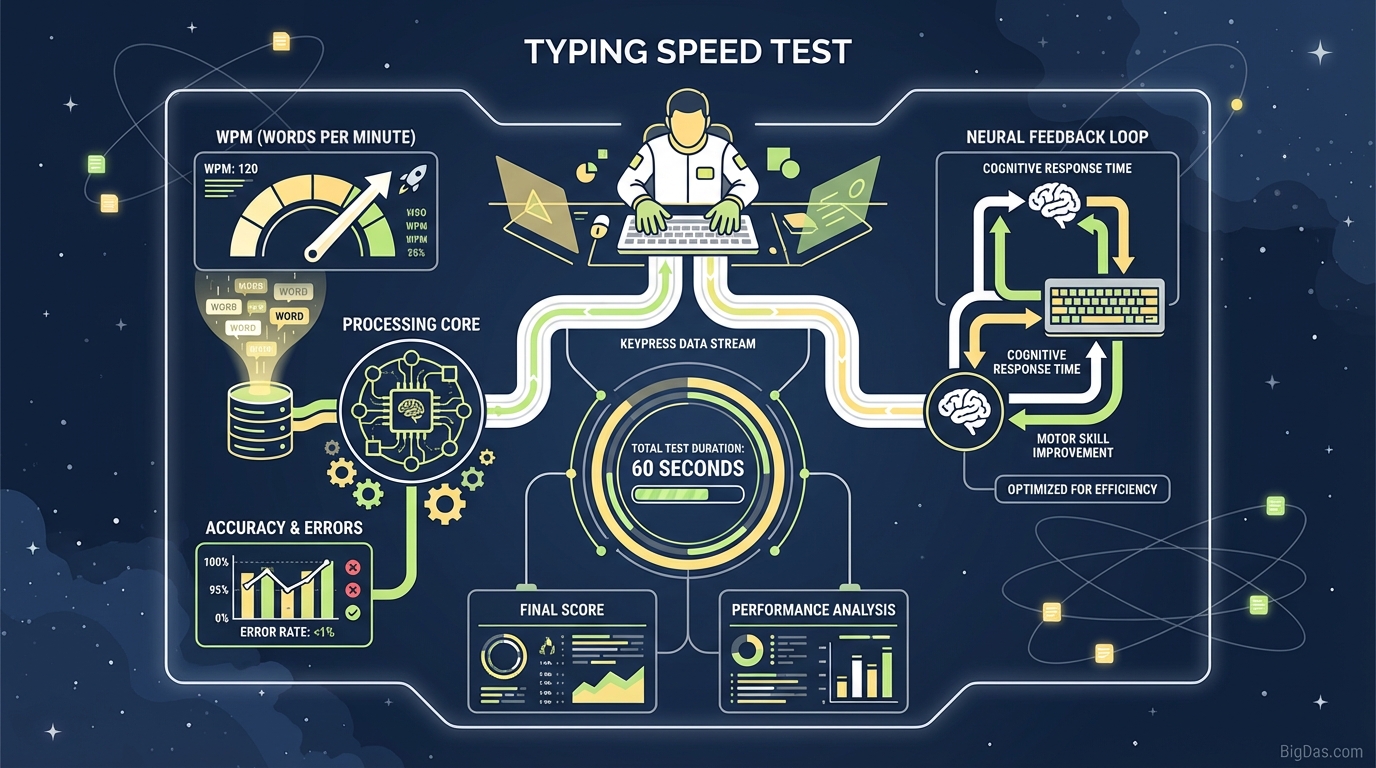
Typing Speed Test
 Modern scientific illustration of Typing Speed Test
Typing Speed Test: Measure WPM and Accuracy
The keyboard is a primary input device for coding, writing, and daily communication. Typing speed directly affects how quickly you can move thoughts onto the screen. A 20 WPM difference adds up to hundreds of hours over a year, so measuring your baseline is a practical first step toward improvement.
This guide explains how a typing speed test works, what the metrics mean, and how to use the results.
What Is a Typing Speed Test?
A typing speed test benchmarks keyboarding proficiency. A useful test measures two metrics together: speed and accuracy.
Core Metrics
WPM (Words Per Minute) Standard typing speed. A "word" is defined as 5 characters, including spaces. This prevents longer words from skewing results.
CPM (Characters Per Minute) Total keystrokes registered in 60 seconds.
Accuracy Percentage Ratio of correct keystrokes to total keystrokes.
Net Speed Gross WPM minus errors. This is the practical measure of throughput.
Formula:
WPM = ((Total Characters / 5) − Errors) / Time (in minutes)
Why It Matters
Typing is a motor skill built on muscle memory. As you improve, finger placement becomes automatic, which frees up mental bandwidth for content rather than mechanics.
Key Features
1. Real-Time Analytics
The test displays pace as you type, so you can see where you slow down or lose rhythm.
2. Error Tracking
Errors are highlighted as they occur, making it easy to spot missed keys, transpositions, or rhythm breaks.
3. Adaptive Difficulty
Passages range from conversational English to technical prose, so results reflect realistic typing conditions rather than repeated pangrams.
4. Cross-Platform Compatibility
Works on mechanical keyboards, laptops, and mobile devices. Input latency is consistent across platforms.
Core Benefits:
- Productivity: Identify speed plateaus and improve throughput.
- Focus: Faster typing reduces context switching and helps maintain flow.
- Career Requirements: Many administrative, data entry, and writing roles list 60+ WPM as a baseline.
How to Use the Test
Step 1: Set Up Your Workspace
- Sit upright with feet flat on the floor.
- Keep elbows at roughly 90 degrees.
- Position the screen at eye level.
- Let wrists hover above the keyboard to reduce strain and maintain agility.
Step 2: Pick a Duration
- 1-Minute Test: Quick sprint for raw speed.
- 3-Minute Test: Checks endurance and consistency.
- 5-Minute Test: Most accurate for work-day typing since it accounts for hand fatigue.
Step 3: Take the Test
Click the input field to start. Type the highlighted text as it appears.
- Keep your eyes on the screen, not the keyboard.
- Maintain a steady cadence. Bursts followed by error corrections lower Net WPM.
Step 4: Review the Results
Check Accuracy first. Below 95%, the WPM is unreliable because real-world editing time would cancel out the speed gain.
Use Cases
Developers and Programmers
Precision matters. A missing semicolon or misspelled variable breaks code. High WPM with strong accuracy lets you think in syntax rather than hunt for keys.
Writers and Content Creators
Slow typing creates friction between thought and output. Raising WPM reduces that friction and makes drafting smoother.
Administrative and Data Entry Roles
Speed and accuracy are direct performance metrics. 70+ WPM is a common hiring threshold, and this test is a good way to practice for assessments.
Gamers
Dexterity and muscle memory transfer between WPM and APM (Actions Per Minute). Fast, accurate fingers help in both arenas.
Students
A 60 WPM typist finishes a 2,000-word essay roughly twice as fast as a 30 WPM typist, freeing time for editing and research.
Tips for Improvement
Prioritize Accuracy Slow down to 100% accuracy first. Speed follows once muscle memory is reliable.
Learn Touch Typing Using all ten fingers is necessary to push past 50 to 60 WPM. Practice returning to the home row (ASDF. JKL;) after each keystroke.
Track Your Average Take the test once daily for a week. The seven-day average is a more stable baseline than any single result.
Identify Trouble Keys Note which letters cause pauses or errors. The pinky and ring fingers are common weak points.
Frequently Asked Questions (FAQ)
What is a "good" typing speed?
The global average is roughly 40 WPM.
- Beginner: 0 to 30 WPM
- Intermediate: 31 to 50 WPM
- Proficient: 51 to 70 WPM (typical office requirement)
- Advanced: 71 to 90 WPM
- Elite: 90+ WPM
How often should I take a typing speed test?
Once daily as a warm-up is enough to track progress without becoming a distraction.
Does the test count spaces as characters?
Yes. Spaces count as characters, and a "word" is defined as five keystrokes including spaces.
Can I fail the typing test?
There is no pass or fail. Results below 90% accuracy are flagged as "Low Accuracy" to encourage a focus on precision.
Is touch typing necessary for high speed?
Hunt-and-peck typists can reach 50 to 60 WPM, but breaking past that usually requires touch typing with all ten fingers.
Conclusion
Typing speed reflects how efficiently you translate thought into output. Measuring it gives you a baseline, and the test data shows where to focus practice. Whether you need it for work, writing, or gaming, the bottleneck is rarely your ideas, it's the speed at which you can get them on screen.