Business Days Calculator
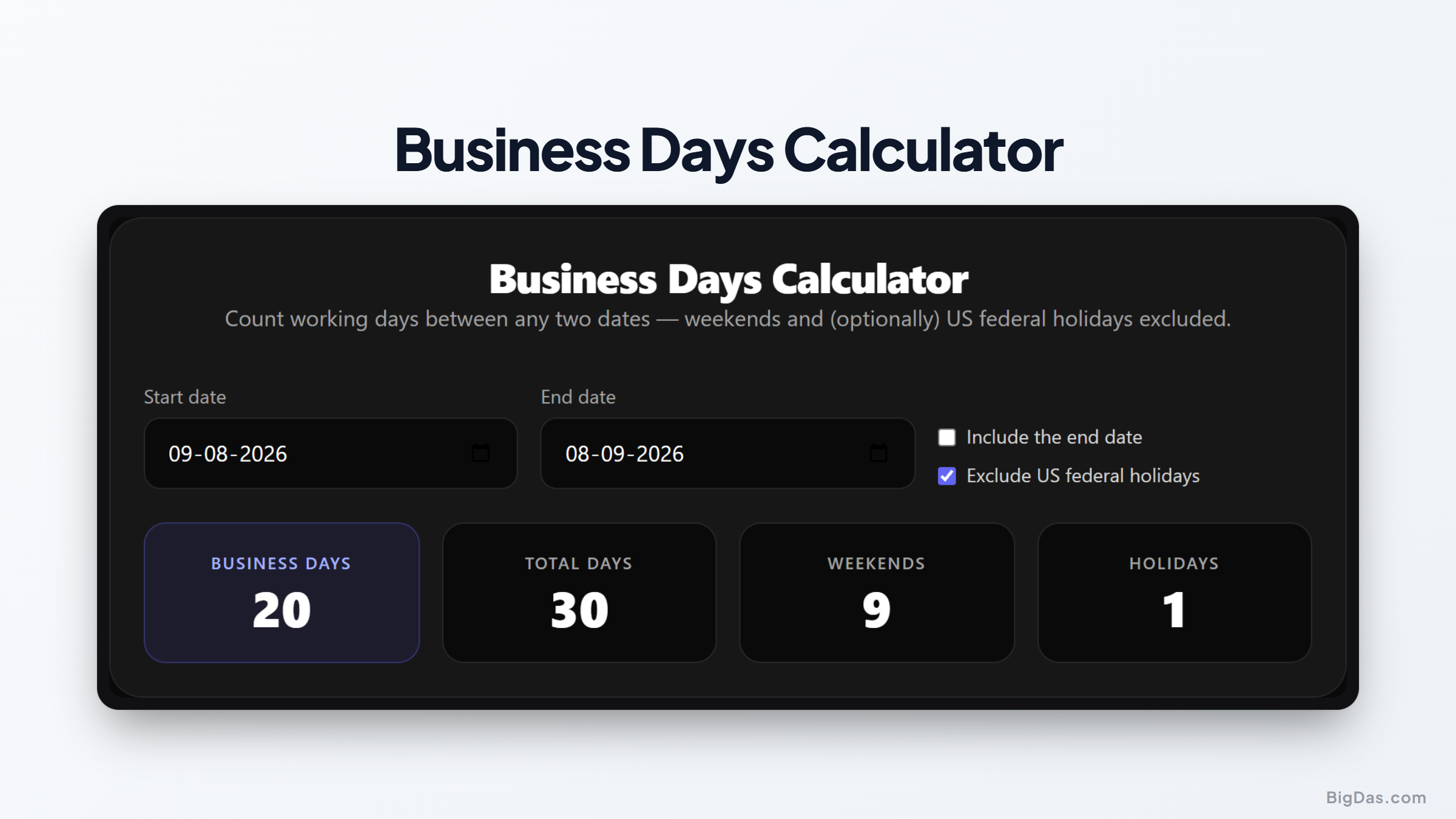
 Generated infographic and interface snapshot for Business Days Calculator
Count Working Days Accurately: How to Use a Business Days Calculator
Counting working days between two dates is a common task in project management, contract administration, and delivery scheduling. Doing it by hand is slow and error-prone: months have different lengths, weekends break the pattern, and holidays shift the total in ways that are easy to miss. One miscounted day can cause a missed deadline, a delayed deliverable, or a contract penalty.
A business days calculator automates the process. You enter a start date and an end date, and the tool returns the number of working days after removing weekends and (optionally) US federal holidays.
What is a Business Days Calculator?
A business days calculator is an online utility that counts working days between two dates. A standard date counter returns the total number of calendar days. A workday counter goes further: it filters out non-working days so the result reflects actual productive time.
Most professional environments follow a five-day work week, which means Saturdays and Sundays are excluded. Public holidays can also halt operations. A working calculator combines a weekend filter with a federal holidays calculator, and lets you adjust the parameters to match your own schedule.
Enter a start date and an end date, and the tool processes the calendar span, strips out weekends, accounts for major holidays, and returns the number of working days.
Key Features and Benefits
Automatic Weekend Exclusion: The tool removes every Saturday and Sunday in the selected range. This is the default behavior for standard business calculations.
US Federal Holidays Integration: A built-in federal holidays database lets you toggle US federal holidays on or off. When enabled, the tool subtracts observed holidays such as Thanksgiving, Independence Day, and New Year's Day from the total.
Flexible Date Range Selection: The tool handles short sprints and multi-year contracts. You can select dates across different months, years, or decades.
Instant and Accurate Results: Manual counting and basic spreadsheet formulas often miss leap years and shifted holiday observances. An online calculator returns results in real time without those errors.
Simple Interface: No Excel formulas or scripts required. Select the dates and read the result.
The Mathematics Behind the Calculation
The core formula is:
Total Working Days = Total Calendar Days - Weekend Days - Public Holidays
The algorithm follows these steps:
- Calculate the total number of calendar days between the start date (Date A) and the end date (Date B).
- Count the number of full weeks in the range. Each full week contains two weekend days.
- Account for the remaining days at the start or end of the range. Check whether any of those fall on a Saturday or Sunday.
- Compare each weekday in the range against a federal holidays database and flag any matches.
- Subtract the weekends and holidays from the total calendar days to get the final workday count.
Step by Step Guide
Step 1: Choose Your Start Date
Click the start date field. Type the date directly in the standard format, or use the calendar popup to select the day, month, and year.
Step 2: Choose Your End Date
Select the final date of your target period. The calculator accepts past dates for historical analysis and future dates for planning.
Step 3: Decide on Weekend Exclusion
By default, the tool excludes Saturdays and Sundays. Leave this enabled for standard working day counts.
Step 4: Toggle Federal Holidays
If your business observes US federal holidays, check the box to exclude them. Memorial Day, Labor Day, Christmas, and other observed holidays will be removed from the total.
Step 5: Review Your Results
The tool displays the total number of business days, along with the total calendar days, the number of weekends skipped, and the specific holidays that were removed.
Why You Need This Tool: Primary Use Cases
Project Management and Milestones
When a client requests a deliverable in thirty business days, you cannot count forward thirty calendar days. Weekends and holidays must be excluded. A business days calculator lets you set milestones that reflect actual working time.
Legal and Contractual Agreements
Contracts frequently use business days for response windows. A clause might give a party ten business days to respond to a formal notice, or require payment within five business days. A workday counter provides an objective timeline both parties can verify.
Finance and Payroll Operations
Payment terms sometimes reference working days rather than calendar days. Net 30 usually means calendar days, but some corporate agreements specify payment within fifteen working days. Accurate counts matter for interest accrual, payroll processing, and invoice management.
Human Resources and Employee Leave
HR departments track leave in working days. A Monday-to-Friday leave request is five working days, not seven calendar days. If a federal holiday falls inside that range, the employee should not be charged a vacation day for it. A federal holidays calculator handles this automatically.
Shipping, Logistics, and Supply Chain
Three-day shipping usually means three business days, excluding Sundays and postal holidays. Showing the correct window in checkout reduces customer inquiries and disputes.
Frequently Asked Questions
What is the difference between calendar days and business days?
Calendar days include every day on the calendar, including weekends and holidays. Business days cover only the days when standard operations run, typically Monday through Friday, excluding weekends and public holidays.
How does the calculator handle holidays that fall on a weekend?
In the United States, a federal holiday that falls on a Saturday is usually observed on the preceding Friday. A holiday that falls on a Sunday is observed on the following Monday. The calculator applies these observed dates automatically.
Does this tool support international holiday calendars?
The current version focuses on US federal holidays. For other countries, you can still use the weekend exclusion and subtract local holidays manually.
Is a leap year calculated automatically?
Yes. February 29 in a leap year is included in the calendar day count, and the algorithm checks whether it falls on a weekday or a weekend.
Can I include weekends if my business operates seven days a week?
Yes. Disable the weekend exclusion toggle to use the tool as a general day counter. The federal holiday exclusion can remain active or be turned off independently.
Final Thoughts
Calculating working days between two dates is a basic task for project management, legal compliance, financial planning, and logistics. Manual counting is slow and easy to get wrong. A business days calculator removes the guesswork by applying weekend exclusions and US federal holiday schedules automatically, returning results in real time. Whether you are tracking contract deadlines, planning sprints, or managing employee leave, the tool keeps your counts consistent and your timelines defensible.