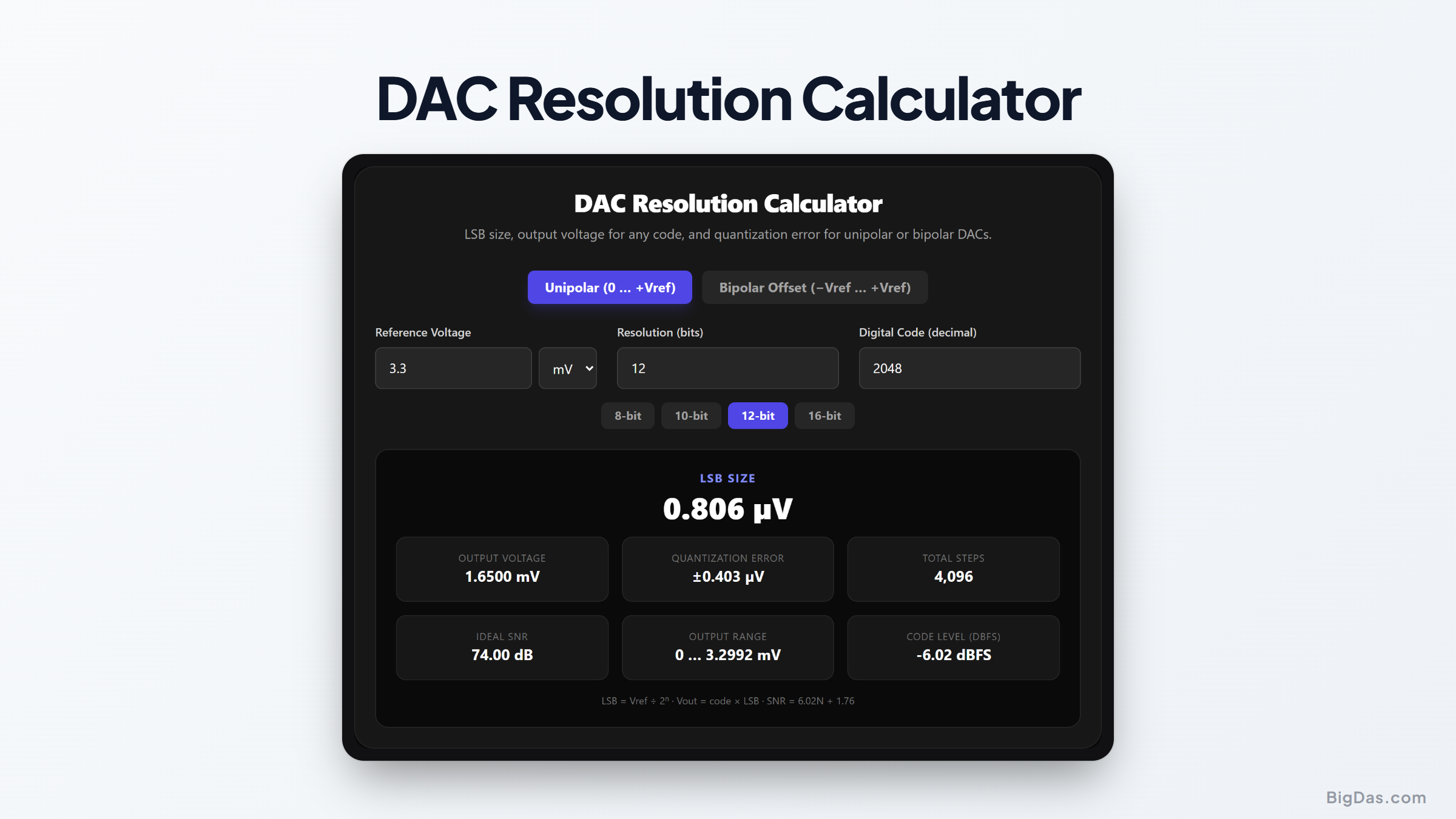
DAC Resolution Calculator
 Generated infographic and interface snapshot for DAC Resolution Calculator
Turn a digital code into an exact output voltage for any DAC.
Free DAC Resolution Calculator Online. Big Das
Digital-to-analog converters sit at the heart of audio players, function generators, motor drivers, and control loops. The Big Das DAC Resolution Calculator computes the LSB size, exact output voltage for any digital code, quantization error, and ideal signal-to-noise ratio for 8/10/12/16-bit (or any custom-resolution) DAC, all in your browser.
What Is DAC Resolution?
A DAC converts a binary number into an analog voltage. Its resolution, measured in bits, tells you how many discrete output levels it can produce:
- An 8-bit DAC has 2⁸ = 256 steps.
- A 12-bit DAC has 2¹² = 4 096 steps.
- A 16-bit DAC has 2¹⁶ = 65 536 steps.
The size of the smallest step is the LSB (least significant bit). It equals the reference voltage divided by the number of steps: LSB = Vref / 2ᴺ. Any requested voltage between steps is rounded to the nearest level, introducing a maximum quantization error of ±½ LSB.
Unipolar vs Bipolar Outputs
A unipolar DAC outputs 0 … +Vref; a bipolar offset DAC outputs −Vref … +Vref. The step size is the same, but the code-to-voltage formula gains an offset.
How to Use the DAC Resolution Calculator
- Choose the output mode: Unipolar (0 … +Vref) or Bipolar Offset (−Vref … +Vref).
- Enter the reference voltage: in volts or millivolts.
- Enter or pick the resolution: type a bit count or tap an 8/10/12/16-bit preset.
- Enter a digital code in decimal.
- Read the live results: LSB size, exact output voltage, ±½ LSB error bound, total step count, ideal SNR, and the code's level in dBFS appear instantly.
The Formulas Used
LSB = Vref / 2^N
Vout (unipolar) = code × LSB
Vout (bipolar) = code × LSB − Vref
Quantization error = ±LSB / 2 = ±Vref / 2^(N+1)
Ideal SNR (full-scale sine) = 6.02 × N + 1.76 dB
Code level (dBFS) = 20 × log₁₀(code / (2^N − 1))
Worked Example
You are driving a 12-bit DAC from a 3.3 V reference in unipolar mode and write code 2048:
- Steps: 2¹² = 4 096
- LSB = 3.3 / 4 096 = 805.66 µV
- Vout = 2 048 × 805.66 µV = 1.6500 V (exactly half of Vref, as expected at mid-scale)
- Worst-case quantization error = ±805.66 / 2 = ±402.83 µV
- Ideal SNR = 6.02 × 12 + 1.76 = 74 dB
If 1.65 V must be accurate to within 100 µV, the calculator shows immediately that 12 bits are insufficient, you would need at least 16 bits (50.35 µV LSB at 3.3 V).
Common Use Cases
- Audio output sizing: Check whether a DAC's SNR meets your dynamic-range target.
- Sensor excitation: Find the exact voltage a code will produce for a bridge or reference input.
- Motor and actuator control: Verify that the smallest speed increment matches your specification.
- Test equipment: Convert waveform-generator bit depth into output granularity.
- Firmware debugging: Confirm that a code value in code maps to the oscilloscope reading you expect.
Frequently Asked Questions
Why is the ideal SNR 6.02N + 1.76 dB?
Quantization noise for an ideal converter is uniformly distributed with RMS value LSB/√12. Comparing a full-scale sine wave (peak = (2ᴺ/2)·LSB) to that noise power gives 6.02 dB per bit plus 1.76 dB from the sine-to-noise ratio of 3:2 in power.
What does dBFS mean?
dBFS stands for decibels relative to full scale. Full-scale code (all bits set) is 0 dBFS; lower codes are negative. It lets you compare digital code levels across converters of different resolutions.
My 12-bit DAC reads slightly off at code 0. Is that normal?
Yes. Real DACs have offset and gain errors beyond quantization error. The calculator shows the ideal transfer function; datasheet INL/DNL specifications describe the deviations.
Can I enter fractional codes?
No, a physical DAC accepts only integer codes. The calculator rejects non-integer codes to keep the model physically accurate. For intermediate voltages, compute the two adjacent codes and interpolate.
Does temperature or Vref drift matter?
The formulas assume a perfect, stable reference. A Vref that drifts 1% shifts every output by 1% as well. Dividing the reference error by the LSB tells you how many codes of error that represents.
What is the difference between resolution and accuracy?
Resolution is the number of steps (set by bits). Accuracy is how close the actual output is to the ideal value, limited by INL, DNL, offset, and gain error. A 16-bit DAC with poor linearity can be less accurate than a good 12-bit part.