SGPA Calculator
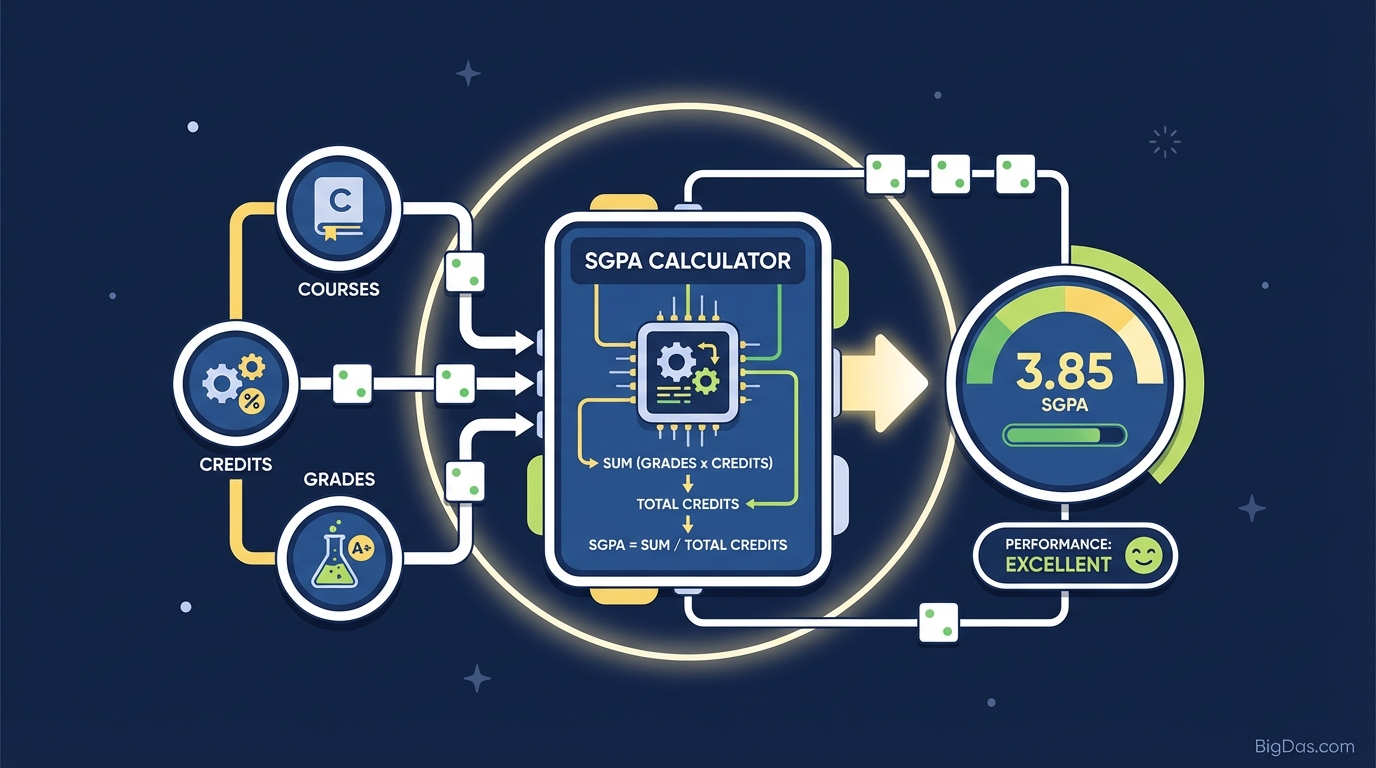
 Modern scientific illustration of SGPA Calculator
Calculate Your Semester Grade Point Average
Your SGPA (Semester Grade Point Average) is the number that defines your academic standing for a single semester. It matters for Dean's List eligibility, scholarship applications, major requirements, and resume entries.
Calculating it by hand means juggling credit weightings, grade points, and a weighted-average formula. One arithmetic mistake can shift your result by several tenths. This calculator runs the math for you.
What is an SGPA Calculator?
SGPA stands for Semester Grade Point Average. It is a credit-weighted average that universities use to measure your performance in one term.
A simple average treats every course the same. SGPA does not: a 4-credit Engineering Mathematics course affects your SGPA more than a 1-credit elective does. The weight comes from the course's credit value.
The formula
$$ \text{SGPA} = \frac{\sum (\text{Course Credit} \times \text{Grade Point})}{\sum \text{Total Credits}} $$
The math is straightforward but tedious, and small errors are common. A digital calculator removes the risk.
What the tool does
The SGPA Calculator takes your course credits and grade points as inputs and returns the weighted average instantly. It runs entirely in your browser and produces the same number your registrar would, assuming your inputs match your transcript.
Features
1. Precision
The calculation engine is tested against common 4.0 and 10.0 grading systems. Given accurate inputs, the output matches the standard formula exactly.
2. Dynamic course entry
Add or remove rows as needed. The tool handles a 3-course semester and an 8-course overload with the same logic.
3. Mobile-responsive layout
The interface works on phones, tablets, and desktops. You can run a calculation on your phone immediately after an exam.
4. Local-only processing
Grade data stays in your browser. No inputs are sent to a server, stored in a database, or tied to an account.
5. Scale-agnostic input
Enter any grade point value that matches your university's rubric, whether that is a 4.0, 10.0, or custom scale.
How to Use the Calculator
Step 1: Gather your data
For each course in the semester, you need:
- Credit hours: the value assigned by your registrar (e.g. 3, 4).
- Grade point: the numerical value of the letter grade you earned.
Step 2: Enter credit hours
Type the credit value for your first course into the Credits column. Do not confuse contact hours with credit hours.
Step 3: Enter grade points
Type the grade point for that course into the Grade column. Example: on a 10-point scale, an A might be 9 or 10 depending on the institution. On a 4.0 scale, an A is usually 4.0.
Step 4: Add remaining courses
Use the Add Row or Add Course button to create input fields for each additional class. Repeat Steps 2 and 3.
Step 5: Calculate
Click Calculate SGPA. The result appears instantly, typically rounded to two decimal places.
Common Use Cases
1. Forecasting ("what-if" scenarios)
Enter the grades you expect to earn in remaining courses. The output tells you what SGPA each grade combination produces, which helps you prioritize study time.
2. Scholarship applications
Some scholarships ask for your current standing before official transcripts are released. A calculator gives you a defensible number on the spot.
3. Internship and job applications
Recruiters often ask for your latest SGPA. A value like 3.54 is more credible than "around 3.5."
4. Academic probation planning
If you are close to a probation threshold, run the numbers for different grade outcomes. You can identify the minimum grade in each course needed to stay above the cutoff.
5. CGPA tracking
CGPA is derived from your semester SGPAs. Accurate SGPAs are a prerequisite for an accurate cumulative number.
Tips for Accurate Results
- Verify credit values. A 4-credit course carries twice the weight of a 2-credit course. Entering the wrong number skews the result.
- Use the right scale. Some institutions use a flat scale (A=4, B=3); others use plus/minus (A−=3.7, B+=3.3). Enter the specific decimal.
- Include failed courses. A failing grade (F = 0) must be entered with full credit value. Omitting it inflates your SGPA.
Frequently Asked Questions (FAQ)
1. What is the difference between SGPA and CGPA?
SGPA covers one semester. CGPA covers all completed semesters and is calculated from your SGPAs weighted by semester credit totals.
2. Does this work for all universities?
Yes, as long as you know your credit values and grade points. The weighted-average formula is universal. The logic is the same in the US, India, the UK, and Canada: (Credits × Grade Points) ÷ Total Credits.
3. Can I convert a percentage to SGPA directly?
No. First convert the percentage to a grade point using your university's conversion table. Then enter that grade point into the calculator.
4. What counts as a "good" SGPA?
It depends on your field and institution. Generally, above 3.0 (on a 4.0 scale) or 7.5 (on a 10.0 scale) is considered good. Above 3.5 or 9.0 is typically considered excellent and may qualify for the Dean's List.
5. Why is my SGPA lower than the simple average of my grades?
You likely earned lower grades in higher-credit courses. Because SGPA is weighted, a C in a 4-credit class pulls the average down more than an A in a 1-credit class lifts it.