UART Baud Rate Error Calculator
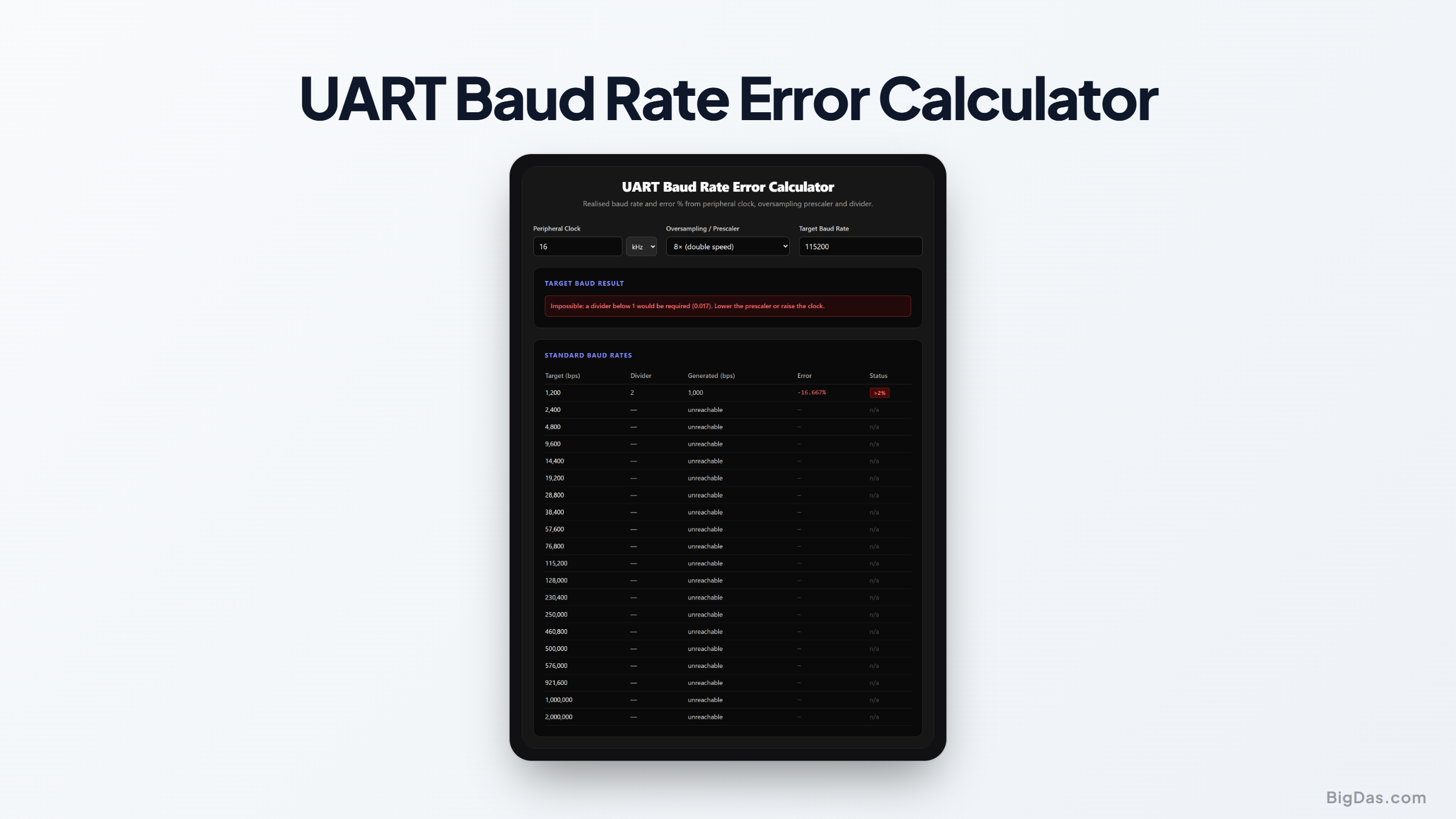
 Interface snapshot for the UART Baud Rate Error Calculator
Will your UART actually hit 115200? Find out before you flash the firmware.
UART Baud Rate Error Calculator
You configure the UART for 115200 baud, open the serial terminal, and get a stream of garbled characters. Most of the time, the cause is baud rate error: the peripheral clock does not divide evenly into the baud rate you asked for, so the UART runs slightly fast or slightly slow. This calculator shows the divider, the actual generated baud, and the error percentage for any clock.
Why Baud Rate Error Matters
Inside the microcontroller, the UART is clocked from a peripheral clock (the system clock, APB bus clock, or PCLK) through a prescaler and an integer divider. The realised baud rate is:
Baud = fCLK / (prescaler × divider)
Because the divider must be an integer, most clock/baud combinations cannot be produced exactly. The resulting mismatch between transmitter and receiver shifts the sampling point of each bit. Over one 10-bit frame (start + 8 data + stop), errors accumulate, and beyond roughly ±2% total mismatch, frames start to corrupt. Both ends contribute error, so a budget of 4% total leaves 2% per side: the threshold this tool flags.
How to Use the Tool
- Enter your peripheral clock (with Hz/kHz/MHz units).
- Choose the oversampling prescaler: 16× is the standard; 8× (double speed, OVER8, BRGH=1) halves the clock requirement.
- Enter a target baud rate to see its divider, generated value, and error.
- Scan the standard baud table (1200 bps through 2 Mbps), which updates live with green OK / red >2% status flags.
Worked Example: 16 MHz AVR at 115200
An ATmega328P (Arduino Uno) runs at 16 MHz with 16× oversampling:
- Ideal divider: 16,000,000 / (16 × 115200) = 8.6805
- Rounded divider: 9 → actual baud = 16,000,000 / (16 × 9) = 111,111 bps
- Error: (111,111 − 115,200) / 115,200 = −3.55% → FAIL
Switching to 8× oversampling gives a divider of 17, an actual 117,647 bps, and an error of +2.12%, still marginal. That is why Arduinos at 115200 sometimes drop characters with cheap USB-serial cables. By contrast, 9600 baud from the same clock gives −0.16% (or exactly 0% with double speed): rock solid.
Common Use Cases
- Choosing a crystal: 7.3728 MHz, 11.0592 MHz, and 18.432 MHz are common "baud rate crystals" because they divide into standard bauds with 0% error.
- HAL configuration: verify the BRR register value computed by STM32CubeMX or avr-libc's
UBRRmacro. - Debugging framing errors: confirm the baud error before blaming noise, level shifters, or RS-485 termination.
- Custom bauds: CAN-FD-adjacent rates like 500000 or proprietary links like 76800.
Frequently Asked Questions
How much baud error is acceptable?
The usual rule is less than 2% per node, so two worst-case nodes stay under the ~4 to 5% a 16× oversampled receiver tolerates across one frame. Above 2% the tool flags the combination as risky; below it, you are safe in normal conditions.
What does 8× vs 16× oversampling actually do?
The receiver samples each bit 16 (or 8) times to find its centre. 8× halves the required clock and improves achievable baud rate, but it places fewer samples per bit, making the link slightly less tolerant of jitter. Many MCUs (AVR U2X, STM32 OVER8) offer both.
My error is 0.00%, am I guaranteed a clean link?
Baud matching is necessary, not sufficient. Noise, impedance, cable length, level shifters, and interrupt latency (at high baud) still matter. But 0% removes the most common and most invisible failure mode.
Why are 9600 and 115200 the canonical rates?
9600 divides from almost every low-frequency crystal with tiny error and is the default of decades of firmware. 115200 is the fastest rate classic PC serial (16C550 UART, 1.8432 MHz clock) supports exactly. Both became defaults by compatibility, not physics.
Can fractional baud rate generators give exact bauds?
Yes. Newer MCUs (STM32 USART with 4-bit fraction, LPC17xx, ESP32) resolve 1/16 of a divider step or better, turning a −3.5% error into −0.0008%. Enter the prescaler and check the table to see whether you need fractional mode.
Should I prefer a higher clock or a lower prescaler?
Both reduce error the same way: by shrinking the divider's quantisation step. 8× oversampling halves the granularity cost; a faster peripheral clock divides it by the clock ratio. Pick whichever your power budget and silicon allow.