VLAN Subnet Planner
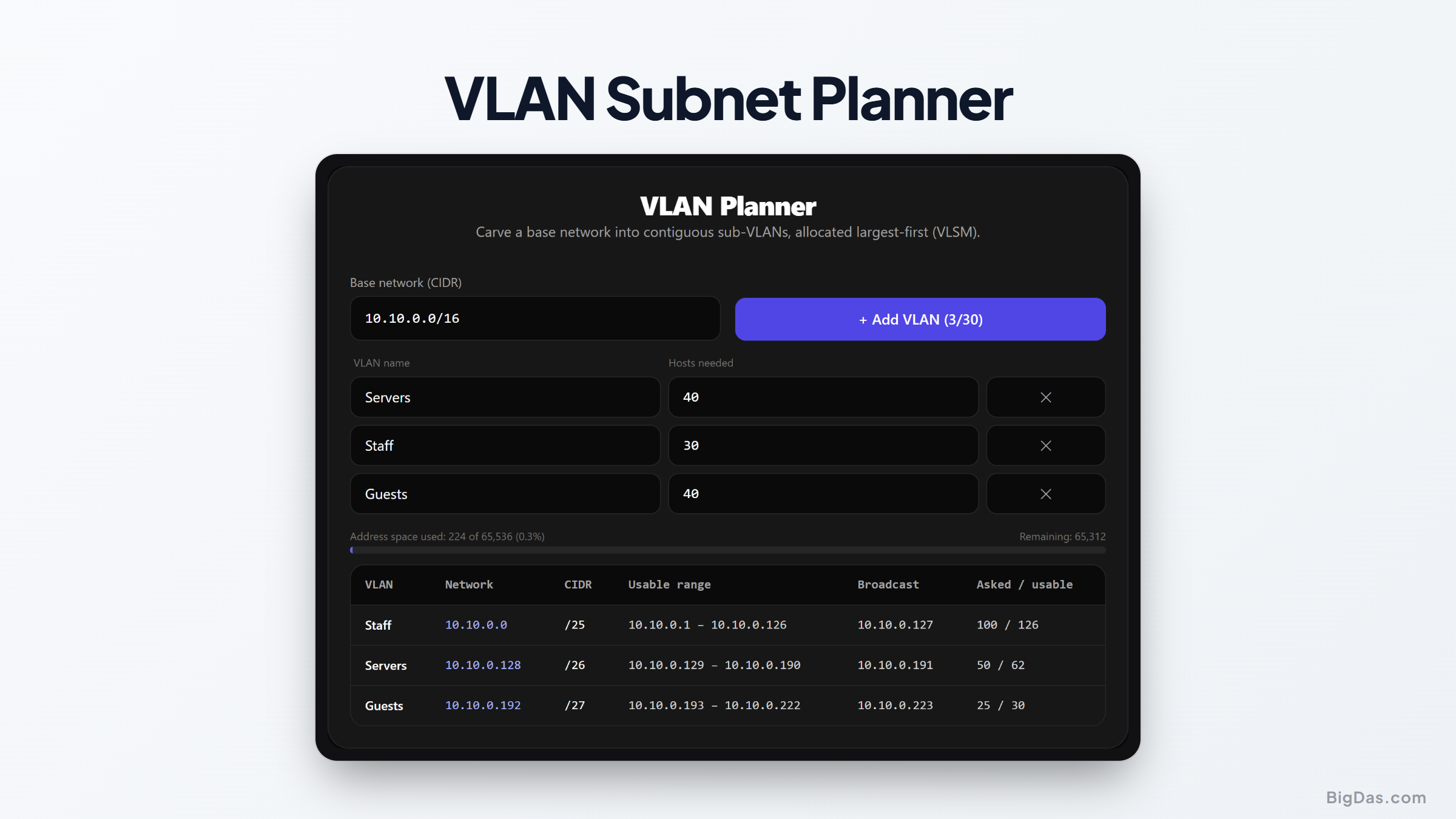
 Generated infographic and interface snapshot for VLAN Subnet Planner
How to Plan VLAN Subnets: Efficient IP Allocation for Network Design
Manual IP address management gets messy fast. Overlapping ranges, fragmented allocations, and off-by-one mistakes show up as routing failures, dead gateway addresses, and unexpected IP exhaustion. Sizing subnets by hand takes time, and each calculation has to account for binary boundaries. A subnet planner removes that error path by carving a base CIDR block into right-sized, non-overlapping segments automatically.
What is VLAN Subnet Planner?
The VLAN Subnet Planner is a CIDR splitter built for network design. You enter a base IP block and a list of host requirements. The tool rounds each requirement up to the smallest power-of-two block that fits and assigns the subnets sequentially inside your base range.
For example, a request for 50 hosts returns a /26 (64 addresses). A request for 10 hosts returns a /28 (16 addresses). Every subnet lands on a standard binary boundary, and no two segments share address space.
Key Features
Power-of-Two Sizing
A 50-host segment cannot be exactly 50 addresses. It must round up to 64, which is a /26. The planner handles this rounding, so you only enter the practical host counts.
Conflict-Free Assignment
Subnets are placed in order within the parent CIDR. Nothing overlaps. Each block maps cleanly to an 802.1Q VLAN tag.
Variable-Length Allocation
Large segments get large blocks. Point-to-point links and small device networks get small blocks. The parent address pool stays efficient.
Fast Recalculation
Re-partitioning an enterprise allocation takes seconds, which makes redesigns and rebalancing quick.
How to Use the Planner
1. Set the Base CIDR
Pick your parent network. Common choices are 10.0.0.0/16 for a private corporate block or 192.168.1.0/24 for a small site.
2. List the Segments
Identify each VLAN you need: workstations, VoIP phones, management, servers, guest Wi-Fi, security cameras, and so on.
3. Enter Host Counts
For each segment, enter the usable IP addresses you need. Include room for growth. Skip the binary math, the tool rounds for you.
4. Review the Output
The planner returns a table with network address, broadcast address, subnet mask, prefix length, and usable range for every segment.
5. Map to VLANs
Copy the table into your documentation and assign each subnet to its 802.1Q VLAN ID on the switches and routers.
Use Cases
Corporate Offices
Offices typically need separate VLANs for desktops, Wi-Fi, cameras, and building sensors. The planner keeps the high-density Wi-Fi block large while avoiding over-allocation on printer and sensor segments.
Managed Service Providers
MSPs onboarding new tenants need predictable subnet blocks for firewall interfaces, branch links, and local servers. The planner produces deployment-ready templates without the risk of address collision.
Data Centers and Cloud
Microsegmentation requires non-overlapping pools for application tiers, database clusters, and storage networks. The planner produces consistent CIDR blocks for both cloud VPCs and physical rack switches.
VoIP Deployments
Voice traffic needs an isolated path to avoid jitter. A planner carves out clean subnets for voice gateways, SIP trunks, and handsets, with enough room for QoS configuration.
Frequently Asked Questions
How does the tool calculate unusable IP addresses?
Every IPv4 subnet reserves two addresses: the network ID and the broadcast address. The planner accounts for both when rounding your host count up to the nearest power-of-two block.
Why is power-of-two rounding necessary?
Subnet masks operate on binary bits. A block of 4, 8, 16, 32, 64, 128, or 256 addresses fits a clean prefix length. A request for 30 usable hosts rounds to 32 total addresses, which is exactly a /27.
How does this help with 802.1Q VLAN configuration?
802.1Q tags Layer 2 traffic, but each VLAN still needs a Layer 3 subnet. The planner gives the network address, gateway range, and mask for each VLAN so you can configure SVIs and routed interfaces correctly.
What if the requested subnets exceed the base CIDR?
The planner flags the overflow. You then reduce a host count, increase the parent block, or reorder the segments until the total fits.
Summary
A VLAN Subnet Planner replaces manual binary math with deterministic, sequential block allocation. You get non-overlapping subnets, correct power-of-two sizing, and a table ready to paste into your network documentation. For any environment using 802.1Q segmentation, office, data center, MSP, or VoIP deployment, it shortens planning time and removes the most common sources of subnet error.