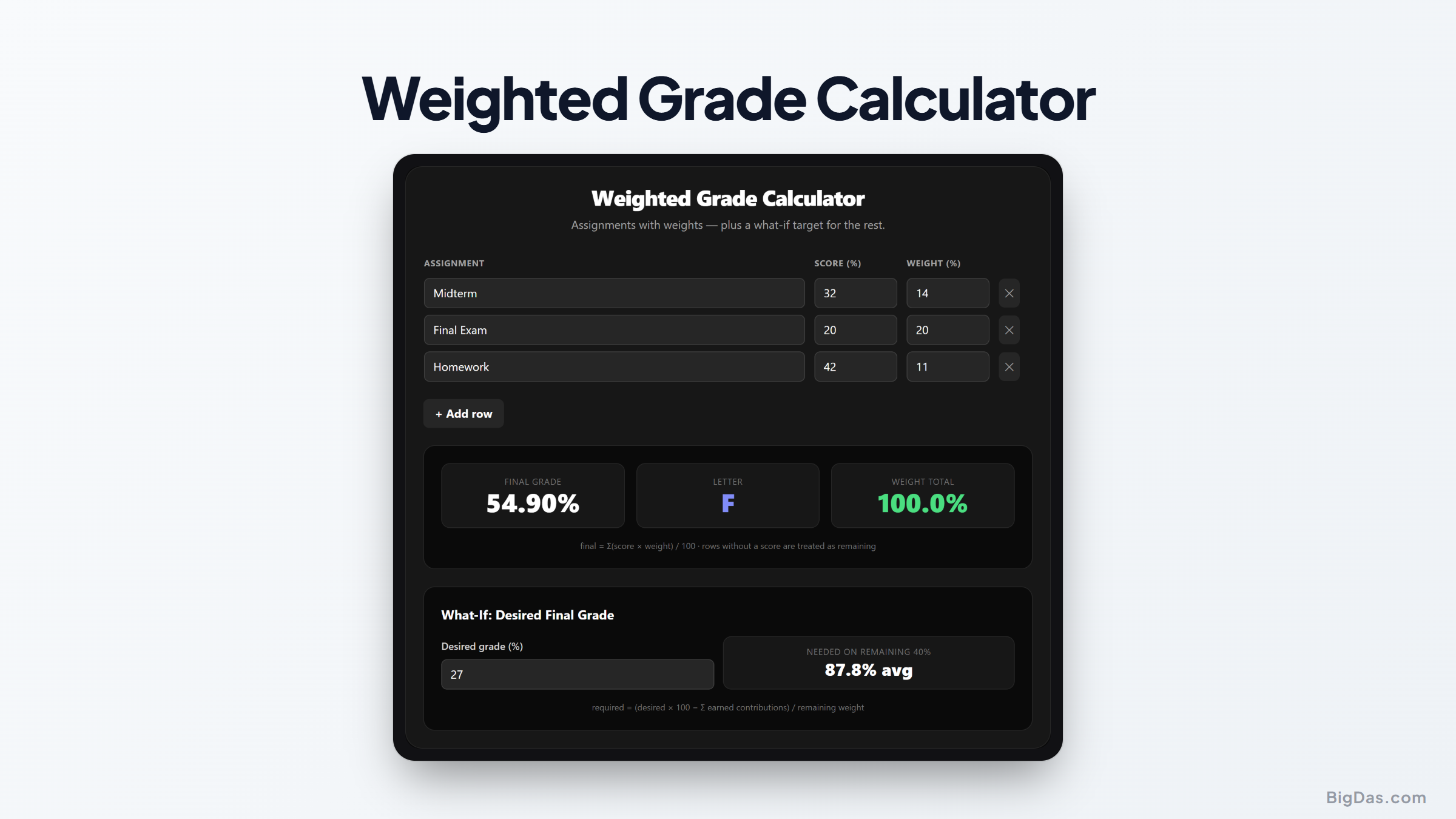
Weighted Grade Calculator
 Generated infographic and interface snapshot for Weighted Grade Calculator
How to Calculate Your Weighted Grade and Determine What Score You Need on Your Final
As the end of the term approaches, students need to know where they stand. A low quiz score might drop your overall average, and a final exam can push your grade up or pull it down. Calculating that manually takes time and is easy to get wrong.
A weighted grade calculator handles the math for you. You enter your category weights and current scores, and it shows your standing instantly.
What is a Weighted Grade Calculator?
A weighted grade calculator computes your standing in a course based on assignment categories and their percentage weights.
In a standard system, you add points earned and divide by points possible. In a weighted system, categories carry different importance. A syllabus might look like this:
- Homework: 20%
- Quizzes: 20%
- Midterm Exam: 25%
- Final Exam: 35%
A perfect homework score with a weak midterm hurts you more, because the midterm has the higher weight.
To calculate by hand, convert each score to a percentage, multiply by the category weight, and add the results:
Weighted Grade = (Score 1 × Weight 1) + (Score 2 × Weight 2) + .. + (Score N × Weight N)
The sum of all weights equals 100%, or 1.00 as a decimal.
Take a college biology course with three categories:
- Laboratory Work: 30%
- Midterm Exam: 30%
- Final Exam: 40%
Your current scores:
- Laboratory average: 90%
- Midterm exam: 80%
To find your grade before the final, multiply each score by its weight:
- Laboratory: 90 × 0.30 = 27
- Midterm: 80 × 0.30 = 24
Total: 51 out of 60 points earned. Scaling to a percentage: 51 ÷ 60 × 100 = 85%.
A final grade calculator handles this in seconds and reduces arithmetic errors.
Key Features and Benefits
What-If Grade Projection
Enter a target course grade, and the calculator shows the score you need on remaining work to hit that target. You can test different scenarios before the final exam.
Support for Multiple Categories
Add as many categories as your syllabus requires, from three exams to a dozen homework sets.
GPA Estimation
Once you know your final grade in a class, you can feed it into a GPA calculator to see how the semester affects your cumulative average. This matters for scholarships, admissions, and academic standing.
Instant Calculations
Adjust a score and the projected grade updates immediately, so you can run through multiple scenarios quickly.
Step by Step Guide
Step 1: Gather Your Syllabus and Current Grades
Open your syllabus and find the grading policy section. Note the percentage weight for each category. Then log into your student portal and pull up your current scores.
Step 2: Input Your Assessment Categories
Type the name of your first category (e.g., Homework) into the calculator. Enter your current grade in that category as a percentage. If you have multiple grades, average them first, or enter them individually if the tool supports it.
Step 3: Assign the Category Weights
Next to the grade, enter the category weight. If homework is 20% of your grade, type 20. Use the format (whole number or decimal) that the tool asks for.
Step 4: Add More Rows as Needed
Click to add another category. Repeat for quizzes, midterms, participation, and anything else in your syllabus.
Step 5: Use the What-If Feature for Your Final Exam
To find the score you need on the final, enter the final exam weight and your target course grade. The calculator returns the exact score required.
Why You Need This Tool
Prioritizing Study Time During Finals Week
With five exams to prep for, you can't spend equal time on each. A final grade calculator might show you need only 60% on history to keep your grade, but 95% in chemistry. Spend your hours accordingly.
Relieving Academic Anxiety
Some students panic over a class they were already passing, while others assume they're safe and get caught by a heavily weighted final. Hard numbers replace guesswork with clarity.
Planning Your Semester Goals
At the start of the term, you can use the calculator to set targets. Decide you want an A in a tough class, then work backward to see what scores you need on each midterm and project.
High school grading often splits into formative work (homework, practice quizzes) and summative work (unit tests, projects). Formative might be weighted at 40% and summative at 60%. Tracking these helps high schoolers hold the grades they need for college applications.
In college, weights can be even more extreme. A single final may count for 50% of your grade, with one midterm and a paper making up the rest. A final grade calculator keeps you from being blindsided by a high-stakes exam.
Frequently Asked Questions
How do you calculate a weighted grade if the weights do not add up to 100 percent?
When your completed work covers less than 100% of the course, divide your current weighted points by the sum of the weights you've completed. A good calculator does this automatically and shows your standing based only on finished work.
What is the difference between a weighted grade and an unweighted grade?
An unweighted grade treats every point equally. A 10-point quiz and a 10-point homework assignment have the same impact. A weighted grade assigns different values to different categories. A 10-point quiz might belong to a category worth 30% of your grade, while the homework category is worth only 10%.
Can I use this tool to calculate my overall GPA?
This tool calculates your grade in a single course. Take those final grades and feed them into a GPA calculator along with each course's credit hours to find your cumulative GPA.
What do I do if my teacher uses points instead of percentages?
Convert to a percentage first. Divide points earned in a category by points possible, then multiply by 100. Enter that percentage and the category weight into the calculator.
How do I handle extra credit in a weighted grade system?
It depends on how your instructor set it up. If extra credit points are added to a specific category, raise your score in that category (e.g., 105 out of 100 means 105% for that category). If extra credit is added to the final course grade, calculate your weighted grade first, then add the extra credit on top.
Summary
A weighted grade calculator gives you a clear view of where you stand and what you need to reach your target grade. Enter your weights and scores, test scenarios, and make informed choices about your study time.