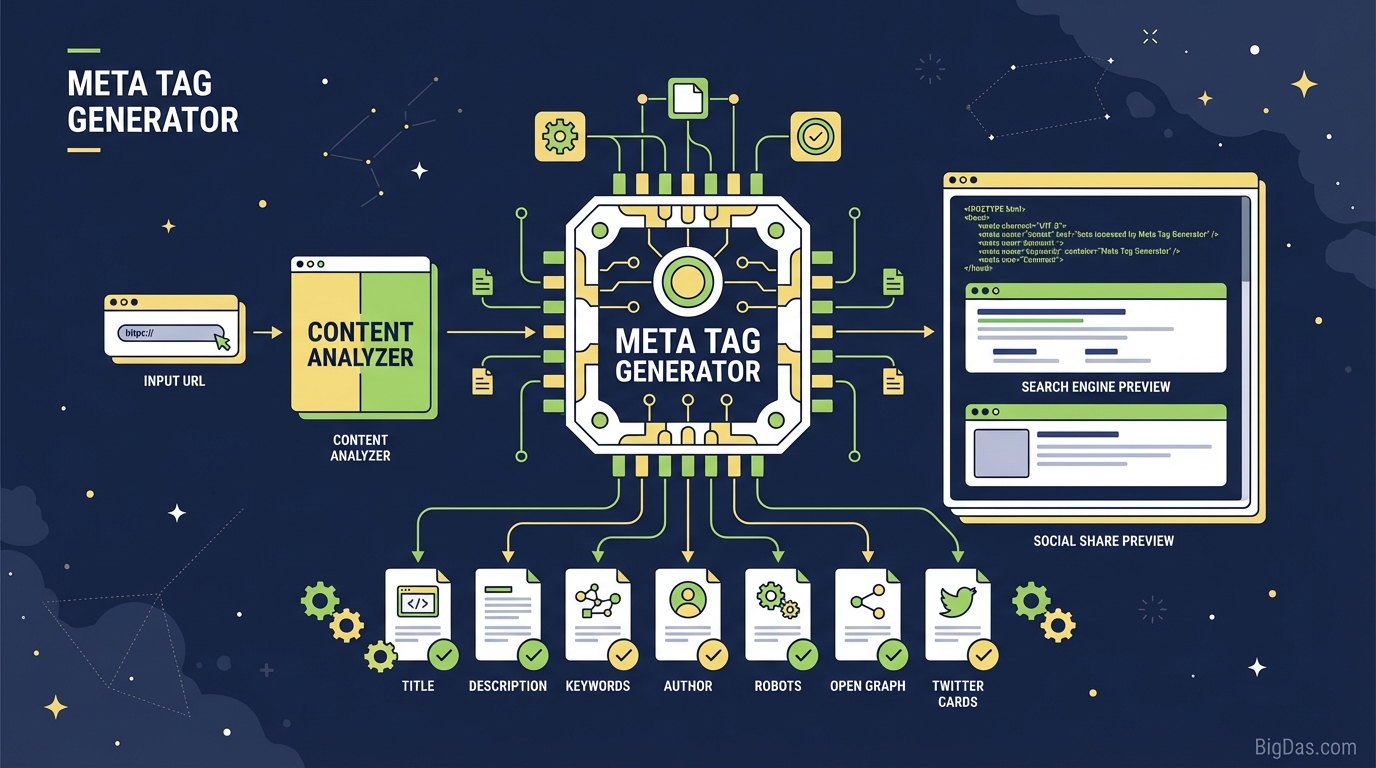
Meta Tag Generator
 Modern scientific illustration of Meta Tag Generator
Boost Your SEO Rankings with a Meta Tag Generator
Good content is only half the battle. You can write a strong article or build a useful product page, but if search engines cannot parse it and users skip past it in the results, the page will not perform.
The fix is in the invisible code inside your page header: Meta Tags.
Writing these tags by hand for every page is repetitive and easy to mess up. A Meta Tag Generator automates the work and produces clean HTML.
This guide covers what meta data does, how the tool works, and how to use it to improve Click-Through Rate (CTR) and rankings.
What Is a Meta Tag Generator?
Meta tags are short text snippets that describe a page's content. They do not show up on the page itself, only in the source code. Search engines read them to understand what a page is about.
A Meta Tag Generator is a form-based tool that builds these snippets for you. Instead of typing <meta name=".."> by hand, you fill in fields and the tool outputs valid HTML.
Why It Matters
A basic generator might only output a title and a description. A complete one also handles character limits, Open Graph tags for social sharing, and mobile viewport settings.
Key Features
1. Zero Syntax Errors
A missing quote or bracket can break your <head> block or confuse crawlers. The generator outputs well-formed code every time.
2. Character Counting
Google typically shows the first 50 to 60 characters of a title and 150 to 160 characters of a meta description.
- Too long: Text gets cut off with an ellipsis.
- Too short: You waste space and miss keyword opportunities.
The tool tracks this in real time.
3. SEO and CTR Preview
By showing how your snippet will look in Google, the tool helps you split the work: put keywords in the title for ranking, and persuasive copy in the description for clicks.
4. Full Tag Coverage
The tool generates the common tags you need:
- Title Tag: primary ranking signal.
- Meta Description: the ad copy under your link.
- Meta Keywords: used by some smaller engines and internal site search.
- Meta Robots: Index/NoIndex, Follow/NoFollow.
- Meta Author and Copyright: ownership info.
- Viewport: required for mobile rendering.
How to Use the Meta Tag Generator
Step 1: Site Identity
- Site Title: Your website name.
- Page URL: The specific URL. This feeds into the canonical tag to prevent duplicate content issues.
Step 2: Title Tag
- Put your main keyword near the start.
- Keep it under 60 characters.
- Example: "Best Coffee Beans 2024 - Reviews & Buying Guide | [YourBrand]"
Step 3: Meta Description
- Summarize the page.
- Use active voice and include a Call to Action.
- Matching query keywords get bolded in search results, which draws the eye.
- Example: "Looking for the freshest roasts? Discover our top picks for the best coffee beans of 2024. Free shipping on orders over $50. Shop now!"
Step 4: Keywords and Author
Google ignores meta keywords, but Yandex, Baidu, and many internal site searches still use them.
- Keywords: Comma-separated phrases, e.g. coffee beans, organic coffee, arabica roast.
- Author: Your name or brand.
Step 5: Robots and Viewport
- Robots: Default to "Index, Follow." Switch to "NoIndex" for thank-you pages, admin screens, or staging URLs.
- Viewport: The tool adds
width=device-width, initial-scale=1automatically.
Step 6: Generate and Deploy
Click Generate Meta Tags, copy the output, and paste it between <head> and </head> in your CMS or HTML file.
Strategy Tips
Front-Load Keywords
Eye-tracking studies show users scan the first two words of a headline. Lead with the keyword.
- Bad: "Welcome to our website where we sell Blue Widgets."
- Good: "Blue Widgets for Sale | High Quality & Affordable."
Match Search Intent in the Description
- Informational queries: Use "Learn," "Guide," "How-to."
- Transactional queries: Use "Buy," "Shop," "Discount," "Free Trial."
The preview lets you test phrasings before exporting.
Check the Robots Tag
It's easy to leave a "NoIndex" tag on a live page after development. Set it explicitly to "Index, Follow" for any page you want indexed.
Who This Tool Is For
SEO Specialists
Auditing a 500-page site? Draft, preview, and rewrite meta descriptions without logging into the CMS each time.
Web Developers
Building a new site? Generate the boilerplate <head> block once and reuse it across views, including Charset and Viewport tags.
Bloggers and Content Writers
If HTML is not your thing, draft the snippets here, check the length, and paste the text into Yoast, RankMath, or your CMS meta box.
Frequently Asked Questions (FAQ)
Q1: Do Meta Keywords still matter for SEO?
A: Google stopped using the meta keywords tag in 2009. Some smaller search engines, directories, and internal site searches still read it. Including 3 to 5 relevant keywords is harmless, but stuffing them is not.
Q2: How does the Meta Description affect rankings?
A: It is not a direct ranking factor. It is an indirect one: a stronger description raises CTR, and higher CTR can lead to better rankings over time.
Q3: What happens if I skip meta tags?
A: Search engines will pull text from your page on their own. They might grab a menu item or a generic sentence as the description, and use the file name as the title. This usually looks bad and reduces clicks.
Q4: Should every page have unique meta tags?
A: Yes. Duplicate descriptions are an SEO issue. Each page serves a different purpose, and its snippet should reflect that. The generator makes producing a unique set for every page straightforward.
Conclusion
Meta tags are the handshake between your site and search engines. A clear one starts a conversation; a missing or sloppy one gets you ignored.
A Meta Tag Generator produces the code, but the real value is in the snippet itself: the ad copy that appears in search results, the mobile compliance, and the click-friendly phrasing.
Take control of how your pages appear in the SERPs.