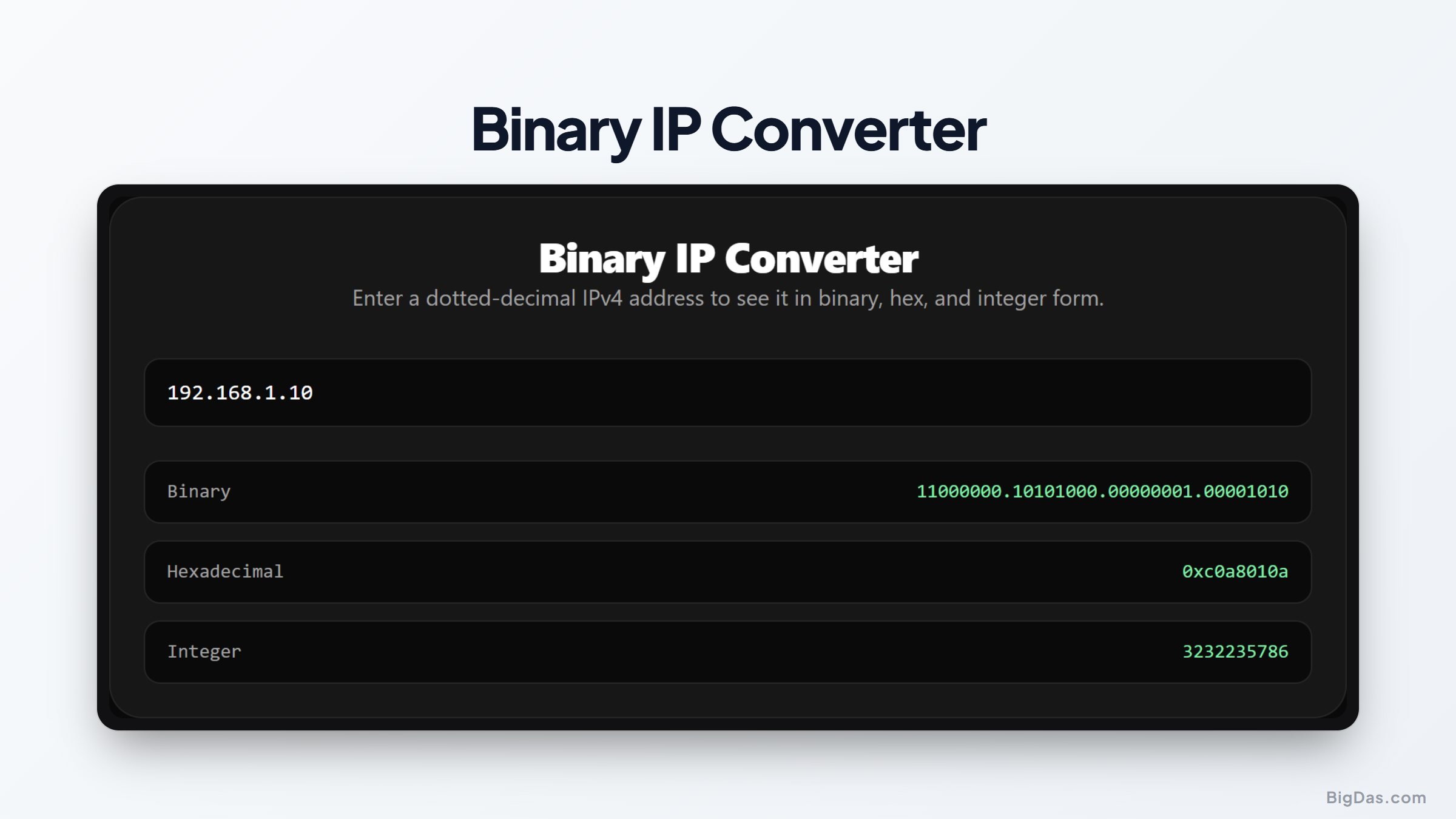
Binary IP Converter
 Generated infographic and interface snapshot for Binary IP Converter
Mastering Network Math: How to Convert IPv4 to Binary, Hex, and Decimal
Computer networks run on numbers. Every time you access a website, send an email, or stream a video, your device communicates using numerical addresses. While humans prefer reading these addresses as dotted decimal numbers, computers process them as long sequences of ones and zeros.
Bridging this gap requires a solid understanding of how network addresses translate across different formats. A binary IP converter is an essential tool that simplifies this translation, making it easy to convert dotted decimal IPv4 addresses into binary, hexadecimal, and 32 bit integer formats.
Whether you are configuring a router, studying for a network certification, or writing software that processes web traffic, understanding these conversions is crucial. Here is a comprehensive look at how IP conversion works, why it matters, and how to use a converter tool to make your workflow more efficient.
What is a Binary IP Converter?
A binary IP converter is a digital utility designed to translate standard IPv4 addresses into alternative numerical bases.
Typically, an IPv4 address is written in dotted decimal notation, such as 192.168.1.1. This format exists solely for human readability. Computers and network hardware do not see these numbers. Instead, they process them as a continuous stream of 32 binary bits.
A standard IPv4 address consists of four sections called octets. Each octet represents 8 bits of data, allowing for a value range from 0 to 255. When you use an IP to binary tool, it takes each of these four decimal numbers and converts them into their 8 bit binary equivalents.
Beyond binary conversion, advanced converters also provide the hexadecimal and 32 bit integer representations of the IP address. This helps engineers view the same address through different mathematical lenses depending on their specific tasks.
Key Features and Benefits of an IP Converter
Using an online conversion tool offers several advantages over manual binary math. Below are the primary features and benefits that make these utilities indispensable.
Instant Multi Format Outputs
A reliable converter does not just perform one task. When you input a dotted decimal IP address, the tool instantly generates three distinct representations:
Binary format: A series of 32 bits divided into four groups of eight, which is essential for understanding subnet masks.
Hexadecimal format: A base 16 representation that condenses the IP address into an eight character alphanumeric string, often used in low level programming and packet analysis.
32 bit integer format: A single decimal number representing the entire IP address, which is highly useful for database storage and sorting.
Error Reduction
Converting numbers between decimal, binary, and hexadecimal manually is prone to human error. A single misplaced bit can completely change a network address, leading to incorrect routing configurations or failed subnet calculations. Utilizing an automated converter ensures absolute accuracy every time.
Educational Value
For students and newcomers to network engineering, seeing the immediate relationship between 192.168.1.1 and its binary equivalent, 11000000.10101000.00000001.00000001, reinforces the logic of binary math. It makes abstract concepts tangible and easier to grasp.
No Installation Required
Most modern converters are web based, meaning they run directly in your browser. This allows you to perform conversions on any device, whether you are working on a desktop computer in an office or troubleshooting a router from a mobile phone in a server room.
Step by Step Guide on How to Use a Binary IP Converter
Using an online converter is incredibly straightforward. You do not need any programming knowledge or advanced math skills to get results.
Step 1: Input Your Decimal IP Address
Locate the input field in the converter tool. Type in the standard dotted decimal IPv4 address you wish to convert. An example of a valid input is:
172.16.254.1
Step 2: Run the Conversion
Most modern tools will calculate the results automatically as you type. If not, simply click the convert button. The tool will parse the four octets and perform the mathematical translations.
Step 3: Analyze the Outputs
The converter will display the results in three clean formats. For the IP address 172.16.254.1, the output will look like this:
IPv4 Binary:
10101100.00010000.11111110.00000001IP to Hex:
AC10FE01IP to Integer:
2886794753
Step 4: Copy and Use
You can now copy any of these formats directly to your clipboard for use in configuration files, database queries, subnetting worksheets, or source code.
Why You Need This Tool: Primary Use Cases
Different professions interact with IP addresses in unique ways. Here are the most common scenarios where converting IP addresses is highly beneficial.
1. Subnetting and Network Planning
To divide a large network into smaller, manageable segments, network administrators must work with a subnet mask binary. Subnetting requires looking at the individual bits of an IP address to determine where the network portion ends and the host portion begins.
By converting both the IP address and the subnet mask to binary, you can perform bitwise logical AND operations to find the network address, broadcast address, and range of usable host addresses. This process is the foundation of efficient IP address management.
2. Database Optimization
Storing IP addresses as standard text strings (such as "192.168.100.150") in a database is inefficient. A text string requires up to 15 bytes of storage.
By converting the IP to integer format, you can store the entire address as a single 4 byte unsigned integer. This reduces database storage requirements by more than 70 percent and significantly speeds up indexing, searching, and sorting operations.
3. Cybersecurity and Packet Analysis
Security analysts often inspect raw network packets using tools like Wireshark. In raw packet headers, IP addresses are not formatted as dotted decimals. Instead, they appear as hexadecimal values or binary data streams.
Using an IP to hex conversion tool helps analysts quickly match hex strings found in log files or packet payloads with the actual human readable IP addresses of the devices involved in a security incident.
4. Software Development and API Integration
Developers who write networking software, web firewalls, or geolocation services frequently need to manipulate IP addresses. Many programming languages and APIs require IP addresses to be formatted as integers or binary arrays for socket programming and routing logic. An IP converter serves as a quick reference tool to verify that code logic is converting addresses correctly.
Frequently Asked Questions
What is the maximum value of an IPv4 octet in binary?
The maximum value of a single octet in an IPv4 address is 255 in decimal, which translates to 11111111 in binary. Because an IPv4 address has four octets, the highest possible address is 255.255.255.255, represented in binary as thirty two consecutive ones.
How do you convert a decimal IP octet to binary manually?
To convert a decimal number to binary manually, you can use the subtraction method with powers of two: 128, 64, 32, 16, 8, 4, 2, and 1.
For example, to convert the number 192:
Does 128 fit into 192? Yes. Write down a 1. Remaining: 192 - 128 = 64.
Does 64 fit into 64? Yes. Write down a 1. Remaining: 64 - 64 = 0.
Since the remainder is 0, write down 0 for the remaining positions (32, 16, 8, 4, 2, 1).
The result for 192 is 11000000. Repeating this process for all four octets gives you the full binary IP.
Why does the hexadecimal representation of an IP not contain dots?
Hexadecimal notation is a compact way to represent binary data. Since each hex character represents exactly 4 bits, an entire 32 bit IP address can be written as an 8 character hex string. Dots are omitted because the hex format is typically used in programming and system memory contexts where continuous data streams are preferred over human friendly formatting.
What is the difference between IPv4 and IPv6 binary conversion?
IPv4 addresses are 32 bits long, resulting in a binary string of 32 characters. IPv6 addresses are much larger, consisting of 128 bits. While an IPv4 converter works with four 8 bit octets, an IPv6 converter manages eight 16 bit blocks, usually represented in hexadecimal rather than binary due to the sheer length of the address.
Summary of Key Values
To wrap up, a binary IP converter simplifies the complex mathematical relationships that govern computer networks. By providing quick, accurate translations between dotted decimal, binary, hexadecimal, and integer formats, this tool assists network administrators, database managers, and security professionals in their daily tasks. Instead of spending time on manual calculations, you can use an automated tool to get precise data instantly, allowing you to focus on system configuration, code optimization, and network security.