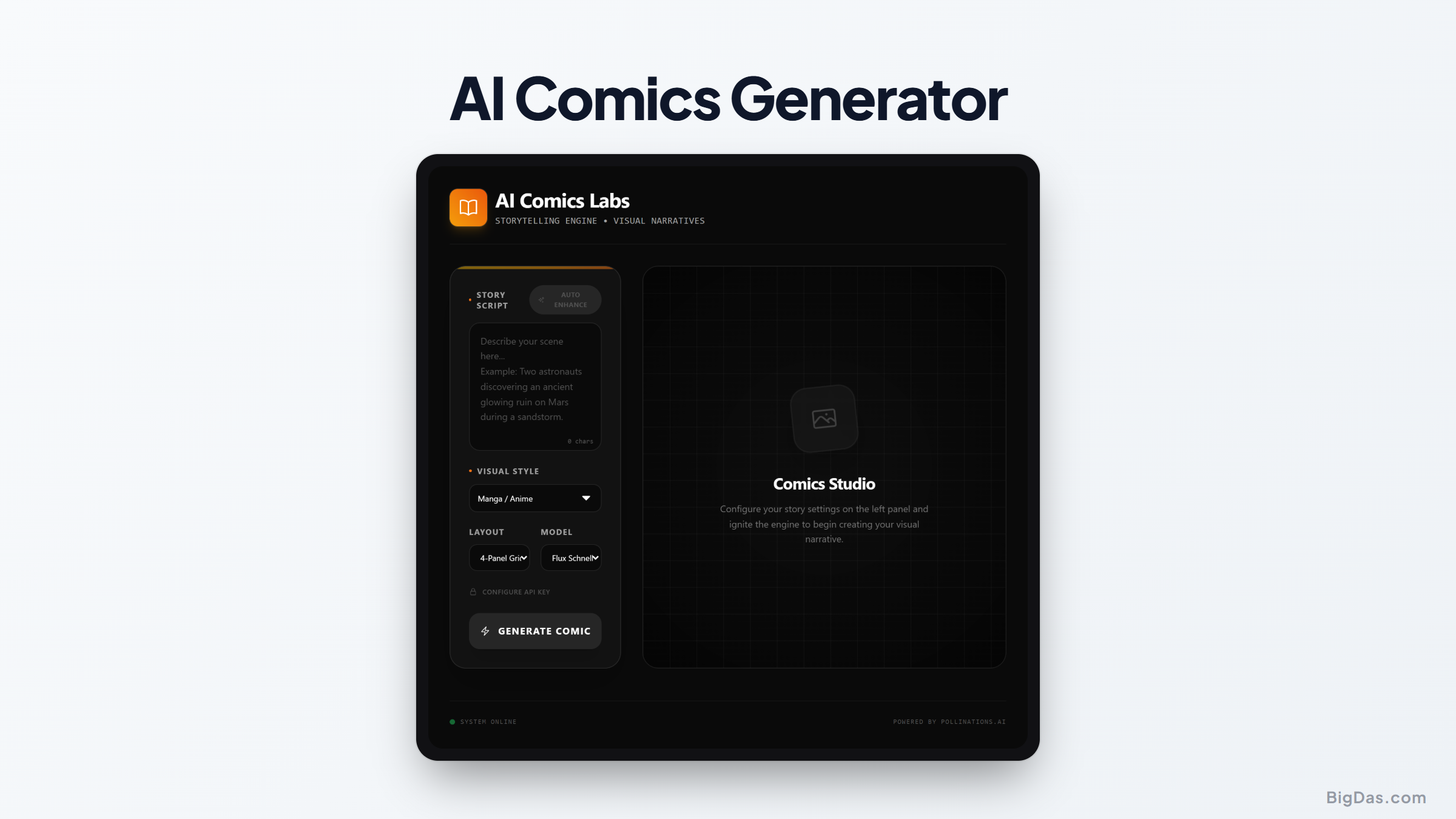
AI Comics Generator

Transform Stories into Art: A Guide to the AI Comics Generator
Visual storytelling, comics, graphic novels, and manga, has historically required real drawing ability. You might have a space opera or a slice-of-life story in your head, but without illustration skills, those ideas stay locked in text.
The AI Comics Generator removes that barrier. It converts scripts, dialogue, and scene descriptions into rendered comic panels with consistent characters and layout, so the focus stays on the story rather than the drawing.
This guide covers how the tool works, how to use it, and where it fits in different creative workflows.
What is an AI Comics Generator?
An AI Comics Generator is an image-generation platform fine-tuned for sequential art. Standard image models (Stable Diffusion, Midjourney, etc.) produce standalone images. A comic generator adds consistency across panels and handles the structural elements of comic pages.
It accepts text prompts and outputs rendered panels that can be assembled into a page.
Problems with Generic AI Image Tools
Anyone who has tried to make a comic with a standard image model has run into these issues:
- Inconsistency: A character's eyes change color between panels.
- Style drift: Panel one looks like an oil painting, panel three looks like a 3D render.
- Layout: The model has no concept of speech bubbles, gutters, or multi-panel pages.
How the AI Comics Generator Handles This
The tool uses character locking (seed consistency) to keep a character recognizable across poses, angles, and scenes. It also includes layout templates and a lettering editor, so paneling and text are handled in the same interface as image generation.
Key Features
1. Character Consistency Engine
Define a character once, either by uploading a reference image or describing them, and the model carries that character's face, clothing, and body type across every panel they appear in.
2. Panel Layouts
Templates range from classic 3-panel strips to full manga page layouts. Generated scenes drop into the frames directly.
3. Style Presets
Supported styles include Western comic (bold outlines, flat color), manga (black and white, screentones), and painterly looks for graphic novels. Custom styles can also be created.
4. Built-In Lettering
Speech bubbles, thought clouds, and captions are added through a vector-based editor, no need to export to Photoshop. Fonts are matched to the selected style.
5. Regeneration and In-Painting
Individual elements (a hand, a background object) can be regenerated without affecting the rest of the image. In-painting lets you select a region and re-prompt just that area.
How to Use the AI Comics Generator
Step 1: Write the Script
Break the story into individual panels before opening the tool. Clear, specific prompts work better than vague ones.
- Weak prompt: "Two guys fighting."
- Strong prompt: "Panel 1: Wide shot, cyberpunk alleyway, neon rain. Hero punches villain, dynamic action pose, cinematic lighting, comic book style."
Step 2: Define Characters
Use the Character Creator module. Describe the protagonist in detail (e.g. "Young woman, red hoodie, cybernetic eye, short black hair"). Once generated, assign a name tag like <Cyra>. The model treats <Cyra> as a consistent reference in all future prompts.
Step 3: Pick a Style
Choose a preset or build a custom one:
- Western Comic: Bold outlines, flat colors.
- Manga: Black and white, screentones, expressive eyes.
- Painting: Watercolor or oil textures, suited to graphic novels.
Step 4: Generate Panels
Enter a prompt for each panel.
- Tip: Negative prompts (e.g. "photorealistic, blurry, bad anatomy, extra fingers") filter out unwanted results.
Step 5: Assemble and Letter
Place the generated images into the page layout. Add speech bubbles. Check that the reading direction (left-to-right for Western comics, right-to-left for manga) is correct.
Step 6: Export
Export as a high-resolution PDF for print, or as a vertical strip (WebP/JPG) for Webtoon, Tapas, or similar platforms.
Prompting Tips
- Use camera language: "Low angle," "fish-eye lens," "over-the-shoulder," "extreme close-up on eyes." This produces more dynamic compositions than a flat description.
- Describe the visual, not the label: Instead of "sad," write "tears streaming down face, rain masking the tears, slumped shoulders."
- Use in-painting for fixes: If a hand renders badly, mask just the hand and re-prompt "clenched fist." The rest of the image stays intact.
Use Cases
Screenwriters and Filmmakers
Generating storyboards from a screenplay is cheaper than shooting test footage and makes pitch decks easier to visualize. Useful for indie projects and pre-production planning.
Content Marketers
Comic-format content typically gets higher engagement than text alone. Recurring strips with brand mascots work well for product explainers and customer stories.
Educators
History lessons, language learning, and complex topics become more approachable as visual narratives. A generated graphic novel on the French Revolution, for example, gives students a visual reference alongside the text.
Indie Game Developers
Cutscenes, visual novel backgrounds, and character sprites can be generated quickly with the consistency engine, cutting down on art asset costs.
Frequently Asked Questions (FAQ)
1. Do I own the copyright to the comics I create?
Paid plans generally grant full commercial rights to generated output. You can sell on Amazon, print physical copies, or monetize on Webtoon. Check the specific Terms of Service for confirmation.
2. How does the tool handle text inside the image?
The tool separates image generation from lettering. It generates the visuals, then places clean, legible text through the overlay editor. This avoids the gibberish text problem common in raw image models.
3. Can I upload my own sketches?
Yes. ControlNet integration allows you to upload a rough sketch to dictate composition. The model renders the sketch into finished art while preserving the layout.
4. Is there a steep learning curve?
The interface is drag-and-drop. The main skill to develop is prompt writing, better prompts produce better results with less iteration.
Summary
The AI Comics Generator handles the mechanical parts of comic production, character consistency, paneling, lettering, so the focus stays on the story. It works for webtoon creators, filmmakers storyboarding scripts, marketers building branded content, teachers building visual lessons, and game developers producing cutscene assets.
The stories sitting in a notebook don't need a pencil anymore.