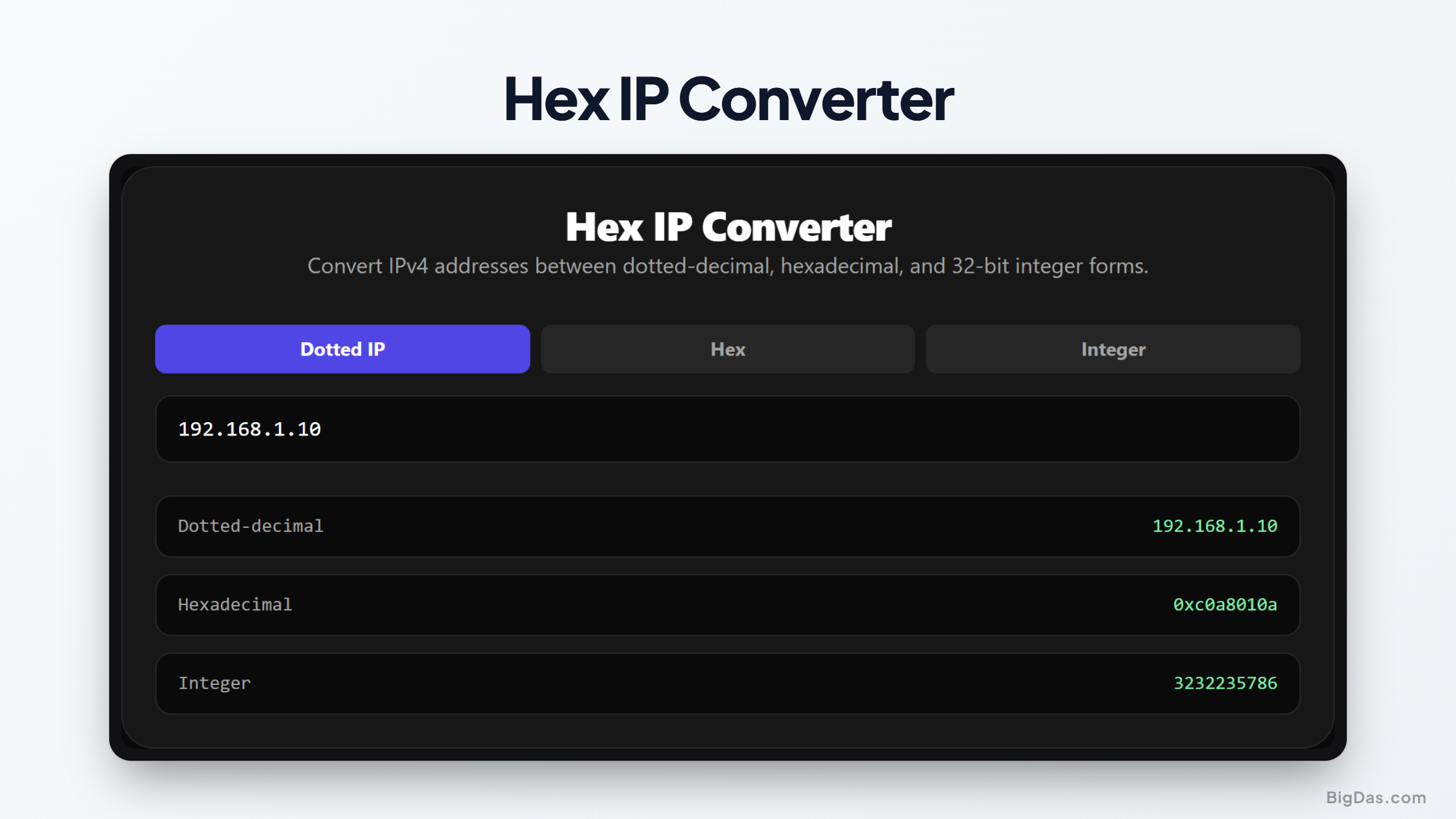
Hex IP Converter
 Generated infographic and interface snapshot for Hex IP Converter
Understanding IP Address Formats: A Complete Guide to Hex IP Conversion
Every time you load a website, send an email, or stream a video, a complex network of devices works behind the scenes to route your data. At the heart of this process is the Internet Protocol address, commonly known as an IP address. While humans are familiar with the standard dotted decimal format, computers and network devices often process these addresses in other ways. They read them as hexadecimal strings or raw 32 bit integers to maximize processing speed.
Translating between these different formats manually can be slow and prone to errors. Whether you are a network engineer configuring a router, a cybersecurity analyst inspecting suspicious traffic, or a software developer writing network socket code, having a reliable hex ip converter is essential. This article explains how different IP representations work and how you can seamlessly transition between them.
What is a Hex IP Converter?
A hex ip converter is a specialized utility designed to translate IPv4 addresses among three primary formats: dotted decimal, hexadecimal, and 32 bit integer. To understand why this is useful, it helps to look at how each format represents the exact same underlying binary data.
Dotted Decimal Format
This is the most common representation of an IPv4 address. It consists of four decimal numbers, called octets, separated by periods. Each octet can range from 0 to 255. For example, a common address might look like this:
192.168.1.1
Each of these four numbers represents an 8 bit binary sequence. When combined, they form a complete 32 bit address.
Hexadecimal IP Format
Hexadecimal is a base 16 numbering system that uses sixteen distinct symbols: 0 through 9 and A through F. In network diagnostics and low level programming, representing an IP address in hexadecimal makes it much easier to see the boundary of each byte.
The dotted decimal address 192.168.1.1 translates to C0A80101 in hexadecimal. Here is how that breaks down:
- 192 in decimal is C0 in hex.
- 168 in decimal is A8 in hex.
- 1 in decimal is 01 in hex.
- 1 in decimal is 01 in hex.
Combining these values gives you C0A80101. Some systems write this with a prefix, such as 0xC0A80101, to indicate that it is a hexadecimal value.
32 Bit Integer Format
Computers do not natively see periods or letters. They see a flat sequence of ones and zeros. A 32 bit integer, also known as a decimal IP or integer IP, is the single decimal value of that entire binary sequence.
For example, the hexadecimal value C0A80101 can be converted directly into a single decimal number: 3232235777.
An online ipv4 converter automates these mathematical calculations instantly, allowing you to switch between these formats without needing to perform manual binary arithmetic.
Key Features and Benefits
Using a dedicated converter offers several advantages over manual conversion or writing custom scripts.
Instant Multi Directional Conversion
Many basic utilities only convert in one direction, such as ip to hex. A robust converter allows you to input any of the three formats and receive the other two results simultaneously. If you paste a 32 bit integer, it will instantly output the dotted decimal to int translation as well as the hexadecimal ip equivalent.
Error Minimization
Performing binary calculations by hand introduces a high risk of typos or calculation errors. A single mistranslated bit can point to an entirely different network. An automated tool ensures absolute precision every time you convert.
No Setup Required
Because this tool is web based, you do not need to install any software, download packages, or configure command line utilities. You can access it from any device with an active internet connection.
Clean and Light Interface
The interface is designed for speed. There are no heavy scripts or unnecessary graphics to slow you down. You get your results immediately, which is crucial when you are troubleshooting an active network issue.
Step by Step Guide on How to Use It
Converting your IP addresses is a straightforward process that takes only a few seconds. Here is how to perform each type of conversion.
Converting Dotted Decimal to Hex or Integer
Locate the input field on the tool page.
Enter your standard dotted decimal IP address, for example, 10.0.0.1.
The tool will process the input in real time.
Read the corresponding hexadecimal output, which would be 0A000001, and the integer output, which is 167772161.
Converting Hexadecimal IP to Decimal
Paste or type your hexadecimal string into the designated field. You can input it with or without the 0x prefix, such as C0A8000A.
The system automatically recognizes the base 16 input.
The tool immediately displays the dotted decimal format, 192.168.0.10, and the 32 bit integer format, 3232235530.
Converting 32 Bit Integer to Dotted Decimal
Enter the large decimal integer, such as 2130706433, into the integer input box.
The converter parses the value back into four separate 8 bit segments.
The screen will display the classic loopback address: 127.0.0.1, along with its hex equivalent: 7F000001.
Why You Need This Tool (Use Cases)
There are many scenarios where converting IP addresses into different formats is not just helpful, but necessary.
Cybersecurity and Log Analysis
Security analysts often inspect firewalls, intrusion detection systems, and web server logs. Attackers sometimes disguise IP addresses in hex or integer formats to bypass basic security filters or obfuscate malicious URLs. For instance, a link pointing to http://3232235777/ might look suspicious, but a security tool or analyst needs to quickly translate it to http://192.168.1.1/ to understand where the traffic is actually going.
Database Optimization
Storing IP addresses as text strings like "192.168.255.255" requires 15 bytes of storage. If you run a high volume database that logs millions of visitor IPs daily, this text storage can waste a massive amount of space and slow down query performance.
By converting dotted decimal to int, you can store every IPv4 address as a standard 4 byte integer. This reduces storage requirements by more than seventy percent and allows for faster indexing and querying. When displaying the data to users, developers use a conversion utility to turn the integer back into a readable dotted decimal format.
Network Socket Programming
When writing network applications in languages like C, C++, or Java, low level network APIs require IP addresses to be passed as integers or byte arrays rather than text strings. Developers use conversion math to prepare data for these network sockets. A hex converter helps verify that the application code is packaging the binary data correctly.
Analyzing Packet Captures
When debugging network protocols using tools like Wireshark, raw packet data is shown in hexadecimal. If you are looking at a raw hex dump of an IP packet header, the source and destination IP addresses will appear as eight hex characters. Quickly pasting those characters into a converter helps you identify the communicating hosts without digging through complex protocol trees.
FAQ
Here is what to know about IP address formats and conversion logic.
What is the mathematical formula for dotted decimal to int conversion?
To convert a dotted decimal IP address consisting of four octets (A.B.C.D) into a 32 bit integer, you apply the following formula:
Integer Value = (A × 16777216) + (B × 65536) + (C × 256) + D
This formula shifts each octet to its correct position in the 32 bit sequence. For example, the first octet is shifted by 24 bits, which is equivalent to multiplying by 2 raised to the power of 24, or 16777216.
Can this tool convert IPv6 addresses?
This specific converter is designed for IPv4 addresses, which are 32 bits long. IPv6 addresses use a 128 bit architecture and are already written in hexadecimal format separated by colons. While the mathematical concepts are similar, the scale of IPv6 requires a different conversion approach.
Why do some hex IPs have a 0x at the beginning?
The 0x prefix is a standard convention used in computer programming to tell the system that the numbers and letters following it are in hexadecimal format, base 16, rather than standard decimal format, base 10. The converter works perfectly whether you include this prefix or omit it.
Does storing IPs as integers affect subnet calculations?
No, storing IPs as integers actually makes subnet calculations much faster for computers. Subnetting relies on bitwise AND operations. Performing a bitwise AND on two 32 bit integers is one of the fastest operations a CPU can perform, making integer representation ideal for routing tables.
Is my data safe when using this online converter?
Yes, your data is entirely secure. The conversion calculations are processed directly within your web browser using client side scripting. Your IP addresses are not sent to any external servers, nor are they logged or tracked, ensuring complete privacy while you work.
Summary of Value
Understanding the various ways to represent IP addresses is highly beneficial for anyone working in networking, development, or security. Whether you need to save database space by storing addresses as integers, decode raw hex packets, or bypass simple text filters, the ability to translate formats is incredibly useful.
Using a dedicated hex ip converter streamlines this workflow. It replaces manual, error prone binary math with a fast, accurate, and accessible solution. Keeping this utility nearby ensures you can handle any IP format variation you encounter in your daily technical work.