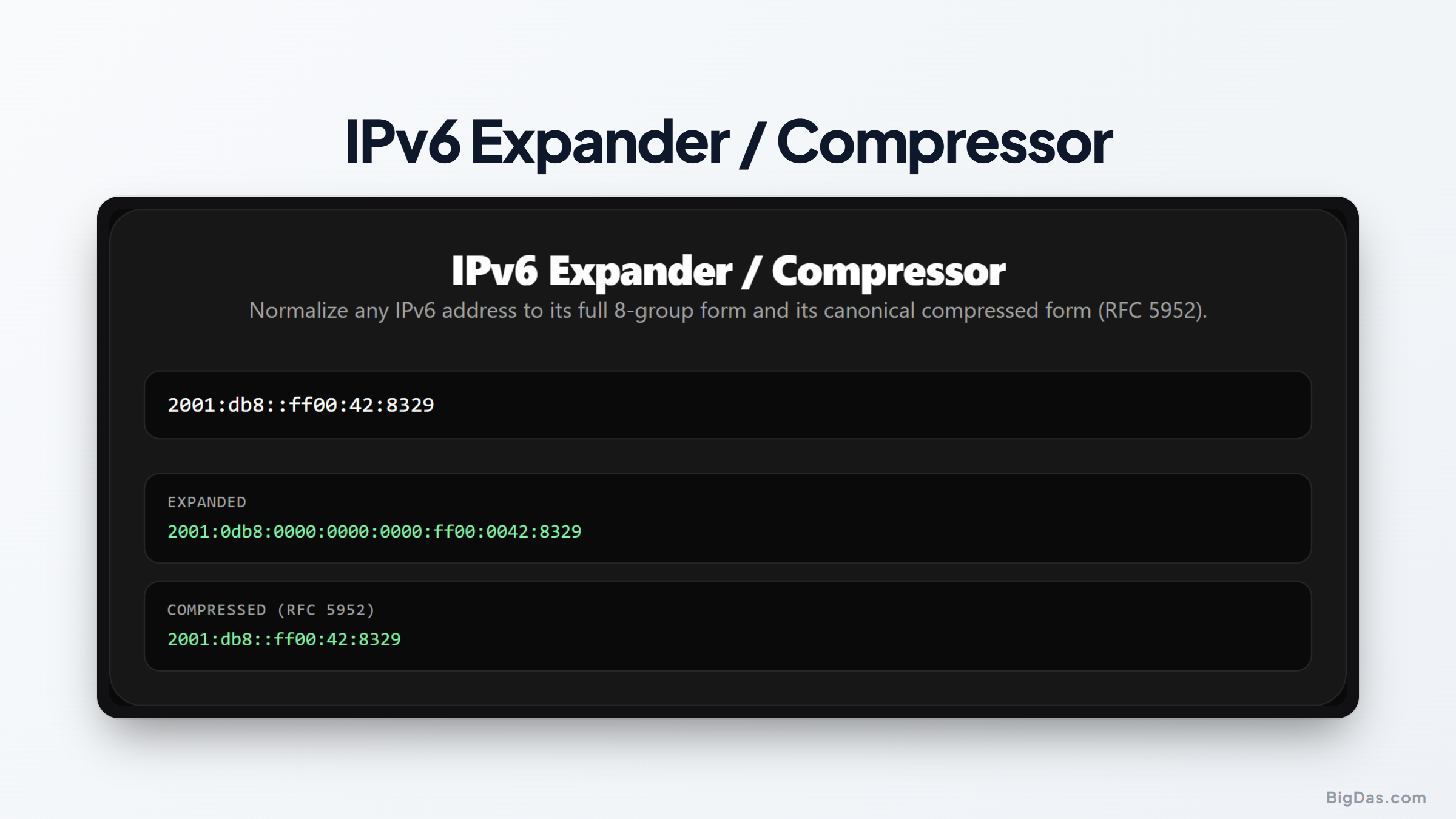
IPv6 Expander / Compressor
 Generated infographic and interface snapshot for IPv6 Expander / Compressor
Mastering IPv6 Address Formats: A Guide to Expanding and Compressing Network Addresses
The transition from the older internet protocol version 4 to internet protocol version 6 has been ongoing for years. This shift is necessary because the world has run out of unique thirty two bit addresses. With internet protocol version 6, we now have access to a vast space of one hundred twenty eight bit addresses. However, this massive expansion comes with a challenge. Instead of the relatively simple four part decimal structure of the older protocol, the newer system uses eight groups of hexadecimal numbers separated by colons.
These long strings of characters can be difficult to read, write, and manage. A single address can look completely different depending on how it is formatted. To solve this problem, network administrators and software developers rely on specific techniques to shorten or lengthen these addresses. This is where an online tool like an IPv6 expander and compressor becomes incredibly valuable. It helps you quickly convert between the short form and the long form of any address, ensuring absolute accuracy in your network configurations.
What is an IPv6 Expander / Compressor?
An IPv6 expander and compressor is a specialized utility designed to normalize any internet protocol version 6 address. It takes an input address and translates it into either its fully expanded form or its official compressed shorthand notation.
To understand how this tool works, it is helpful to look at how these addresses are structured. A full address consists of eight groups of four hexadecimal digits, like this:
2001:0db8:0000:0000:0008:0800:200c:417a
This is the fully expanded version. While this format is highly precise and easy for computers to parse, it is incredibly tedious for humans to type or analyze. To make things simpler, the networking community established rules to shorten these addresses.
Under these rules, leading zeros in any group can be omitted. Furthermore, any consecutive groups of all zeros can be replaced by a double colon. Using these rules, the address above can be compressed to:
2001:db8:8:800:200c:417a
This shorter version is much cleaner. However, because different people and systems might compress addresses in slightly different ways, the Internet Engineering Task Force introduced RFC 5952. This standard defines a single canonical way to compress these addresses to avoid confusion. An ip address normalizer ensures that your compressed addresses always comply with this official standard.
Key Features and Benefits
Using a reliable online converter offers several distinct advantages for system administrators, developers, and students. Here are the key features you can expect from a high quality tool.
Instant Bidirectional Conversion
The tool works in both directions. You can paste a highly compressed shorthand address to see its full sixty four character representation, or paste an unformatted, messy address to get the clean, standardized version.
Strict RFC 5952 Compliance
Not all compression methods are equal. The official standard requires specific rules, such as using lowercase letters and only using the double colon compression for the longest run of zero groups. This tool strictly adheres to these rules, ensuring your outputs are universally accepted.
Input Validation
If you make a typo, such as using invalid characters or adding too many groups, the tool will instantly flag the error. This prevents you from using invalid configurations in your systems.
Zero Installation Required
As a web based application, this tool runs directly in your browser. You do not need to download software, run complex terminal commands, or write custom scripts just to check an address format.
Privacy and Security
The conversion process happens locally in your browser or through secure, temporary processes that do not log your network configurations. This ensures your internal network data remains private.
Step by Step Guide on How to Use It
Using this tool is incredibly straightforward. You do not need any deep technical knowledge to get started. Follow these simple steps to format your addresses.
First, copy the address you want to modify from your documentation, terminal, or configuration file.
Second, paste the address into the input field on the tool page. The tool can accept fully expanded addresses, partially compressed addresses, or even poorly formatted ones.
Third, select the action you want to perform. You can choose to expand the address to its full eight group form, or compress it using the canonical standard.
Finally, copy the resulting output with a single click. You can now paste this standardized format directly into your router settings, firewall rules, or codebases.
Why You Need This Tool (Use Cases)
You might wonder why someone would need a dedicated tool just to change the format of an IP address. In real world scenarios, manual conversion is highly prone to errors. Here are some of the most common situations where this utility is essential.
Network Troubleshooting and Log Analysis
When reading server logs or network traffic data, you will often see a mix of compressed and expanded addresses. Trying to match a compressed address from a log file with an expanded address in your documentation can be frustrating. Using an ip address normalizer allows you to convert all addresses to the same format, making search and comparison operations effortless.
Database Consistency
If you are designing a database to store network data, consistency is critical. If one application writes addresses in shorthand and another writes them in full form, your database queries will fail to find matching records. By passing all inputs through a standard converter before saving them, you maintain a clean, searchable database.
Firewall and Security Rule Configurations
Firewalls and access control lists are highly sensitive to formatting. A small typo in an address can leave a port wide open or block legitimate traffic. Using a validator and converter ensures that the addresses you enter into your security appliances are perfectly formatted and valid.
Software Development and APIs
When writing code that interacts with network interfaces or external APIs, you must handle address inputs carefully. Integrating an address parser or using this tool during the testing phase ensures that your software handles different notation styles without crashing.
Frequently Asked Questions
What is the purpose of RFC 5952?
This standard was created to establish a single, consistent way of representing addresses. Before this standard, different operating systems and applications compressed addresses differently, which caused confusion. The standard dictates rules like using lowercase letters and specifying exactly when to use the double colon.
Why can you only use a double colon once in an address?
The double colon represents an unknown number of zero groups. If you used it twice, a computer would not be able to determine how many zeros belong to each section. For example, if you had an address like 2001:db8:1, it would be impossible to know if the middle section had two, three, or four zero groups. Restricting the double colon to a single occurrence removes this ambiguity.
Does expanding or compressing an address change its destination?
No. Both forms point to the exact same physical or virtual interface on a network. The difference is purely visual and syntactic, designed to make the address easier for humans to read or more consistent for databases to store.
How do I know if an address is valid?
An address must contain exactly eight groups of hexadecimal digits (numbers from 0 to 9 and letters from a to f) separated by colons. If it is compressed, it must be possible to expand it back to exactly eight groups without any ambiguity. Our tool automatically checks these rules for you.
Summary of Key Value Points
Managing modern network addresses does not have to be a complicated task. By utilizing a dedicated converter, you can easily switch between fully expanded representations and clean, standardized shorthand. This simple step helps prevent configuration errors, ensures database consistency, and simplifies network troubleshooting.
Whether you are a system administrator configuring firewalls, a developer building network tools, or a student learning about modern protocols, having an accurate normalizer on hand is incredibly useful. Try pasting an address into the converter today to see how quickly you can clean up and standardize your network data.