MIME Type Finder
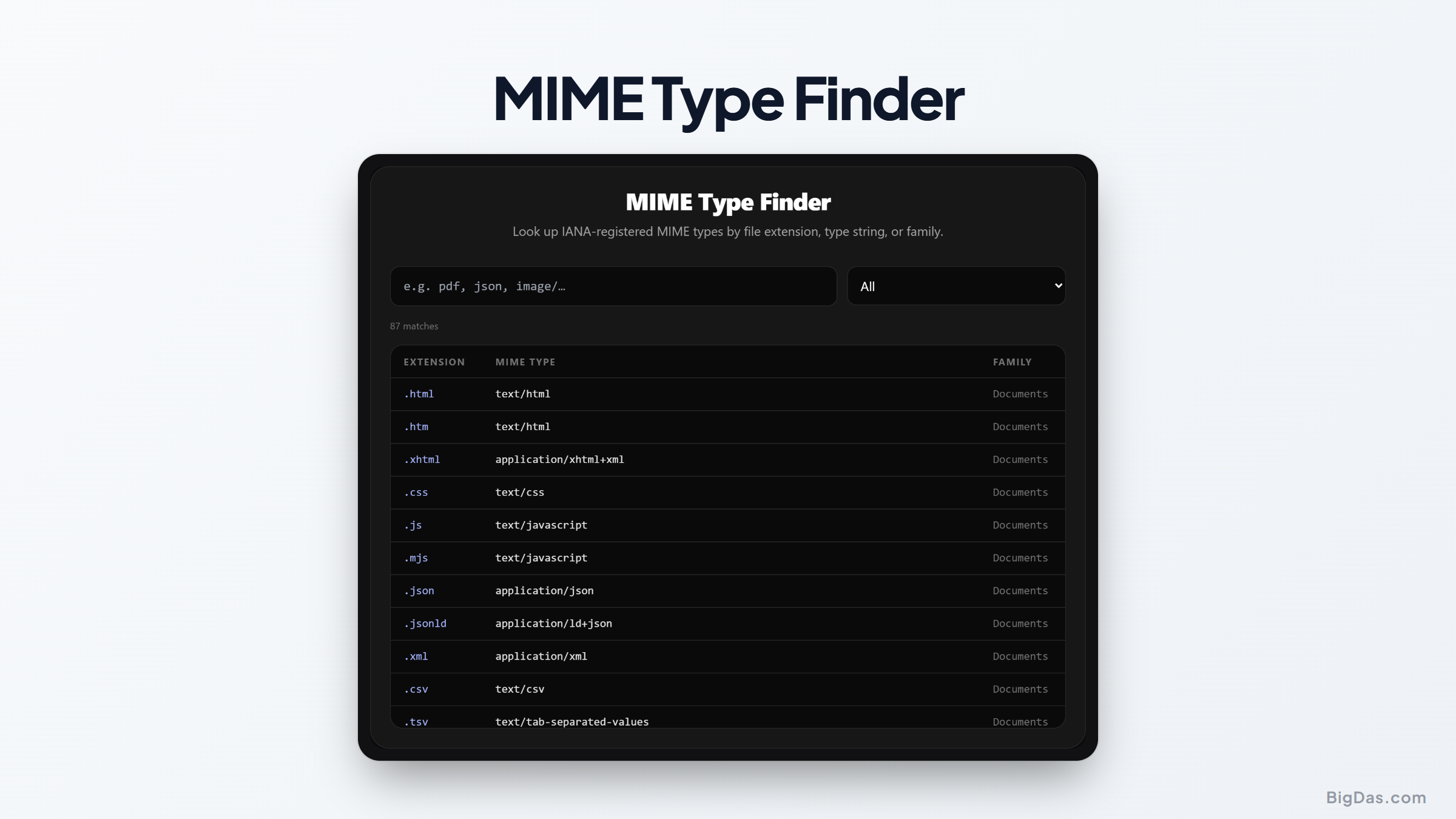
 Generated infographic and interface snapshot for MIME Type Finder
MIME Type Finder: A Practical Guide to Identifying Media Types and Extensions
When you upload a file to a web server or configure an application, you eventually run into a piece of metadata known as a MIME type. You might have seen it labeled as a content type in your browser developer tools or header configurations. If you have ever wondered why a browser refuses to render an image or why a download triggers an unexpected prompt, the answer usually lies in an incorrect or missing MIME type definition.
Managing these identifiers manually can be tedious. There are hundreds of registered types, and memorizing them is rarely a good use of time. Our MIME Type Finder tool is designed to provide quick and accurate lookups for IANA registered media types, helping developers and system administrators bridge the gap between file extensions and their corresponding internet standards.
What is MIME Type Finder?
MIME stands for Multipurpose Internet Mail Extensions. While the name originates from email protocols, it has become the standard way for web servers and browsers to communicate the nature of a file. A MIME type tells the receiving software exactly what kind of content it is receiving so it knows how to process or display it.
The MIME Type Finder is a utility built to simplify the search for these identifiers. Instead of searching through massive documentation files or guessing the correct string, you can use this tool to find information by file extension, the exact media type string, or by browsing content families. It covers a vast library of recognized formats, including documents, images, audio, video, fonts, and source code.
By centralizing this data, the tool removes the guesswork from server configuration and web development tasks. It ensures that your HTTP headers accurately reflect the content you are serving, which is vital for security and functionality.
Key Features and Benefits
The primary advantage of using a dedicated finder is speed and accuracy. Manual lookups in large databases can lead to errors, and selecting the wrong MIME type can break the functionality of your website.
Comprehensive Database Coverage
The tool draws from the official IANA registry. This ensures that the results you get are standard compliant. Whether you are dealing with common formats like JPEG and PNG or more specific application types like JSON or WebAssembly, the data is verified and consistent.
Multi Modal Search
You are not restricted to one way of finding information. If you have a file extension, you can search for it directly. If you have a specific media type string, such as application/javascript, you can reverse search it to see which extensions it applies to. This flexibility is helpful when you are debugging legacy code or setting up new server mime mappings.
Family Categorization
Browsing by category allows you to see the scope of available types. If you are developing a media heavy site, you can view the entire audio or video category to ensure you have accounted for all modern codecs and container formats.
Header Optimization
Correctly setting the HTTP content type header is essential for browser security. Modern browsers are strict about content sniffing. If you serve a file with an incorrect MIME type, the browser might block it to protect the user. Using this tool ensures you get the exact string needed for your server configuration, reducing the risk of security warnings or broken assets.
Step by Step Guide on How to Use It
Using the tool is straightforward. You do not need to create an account or provide any personal information to get accurate results.
First, identify the piece of information you have. If you have a file extension, enter it into the search bar. You do not need to include the dot. For example, typing jpg or html will return the relevant entries immediately.
Second, look at the results provided. The tool displays the MIME type string alongside the file extension. If you are searching for a specific media type, type the string (for example, text/plain) into the search bar. The tool will provide the associated extension.
Third, verify the context. Sometimes, a single MIME type can be associated with multiple extensions. The results page will list these clearly so you can choose the one that fits your specific project.
Finally, copy the string for your use case. Whether you are adding an entry to an Apache .htaccess file, a Nginx configuration, or an S3 bucket metadata setting, you can copy the exact string from the tool to avoid typos.
Why You Need This Tool
There are several scenarios where this utility saves significant time and prevents common deployment errors.
Server Configuration
If you manage a web server, you often need to define how the server handles specific file types. For instance, if you want to serve custom font files, your server needs to know how to label them in the HTTP headers. Without a valid MIME type, browsers may download the file as an octet stream instead of rendering the font.
Security and Content Sniffing
Browsers use the Content Type header to determine how to execute or display a file. If you serve a script file with a generic MIME type, the browser might refuse to execute it for security reasons. By using the correct, specific MIME type, you signal to the browser that the file is safe to process as intended.
Development and Debugging
When you are building applications that handle file uploads, you need to validate that the user is uploading the expected content. Checking the MIME type during the upload process is a standard step in ensuring that your server is not receiving malicious files disguised as harmless images or documents.
API Development
When building APIs that return non-JSON data, such as images or downloadable reports, your API must set the correct Content Type header. Failing to do so can cause client side applications to crash or behave unpredictably when they expect data to be structured in a specific way.
FAQ Section
What happens if I use an incorrect MIME type?
If the MIME type is incorrect, the browser may fail to display the file, or it may attempt to download the file instead of displaying it. In some cases, security features in the browser will block the file entirely to prevent potential script execution attacks.
Are all MIME types listed here?
The tool focuses on the core IANA registered types. While there are thousands of vendor specific or experimental types, this tool covers the vast majority of standard formats used in web development today.
Can I search for file extensions with a dot?
The search function is designed to handle inputs with or without the dot. If you type .png, the tool will automatically interpret it as the png extension.
Is this tool updated?
The database is maintained to reflect current standards. As new media types are registered with IANA, the tool is updated to ensure you have access to the latest information.
Why do some MIME types have multiple extensions?
Some MIME types are generic, such as application/octet stream, which can apply to any binary file. Others, like image/jpeg, have multiple common extensions such as jpg, jpeg, and jpe. The tool displays these variations so you can choose the one that matches your file system.
Conclusion
The importance of the MIME type in web architecture cannot be overstated. It acts as the primary communication bridge between the server and the client, ensuring that data is processed correctly, securely, and efficiently. Whether you are configuring a complex server environment or writing code to handle file uploads, having a reliable way to look up these types is essential.
Our MIME Type Finder provides a streamlined way to access this technical information without the friction of searching through outdated forums or long, unformatted registry lists. By providing a clean interface for file extensions, media types, and category navigation, it serves as a utility that supports your technical workflow. Use it to verify your server headers, debug content display issues, and maintain a consistent standard across all your web projects.