Mastering Productivity: How a Pomodoro Focus Timer Enhances Deep Work

Mastering Productivity: How a Pomodoro Focus Timer Enhances Deep Work interactive tool preview

Pomodoro Focus Timer

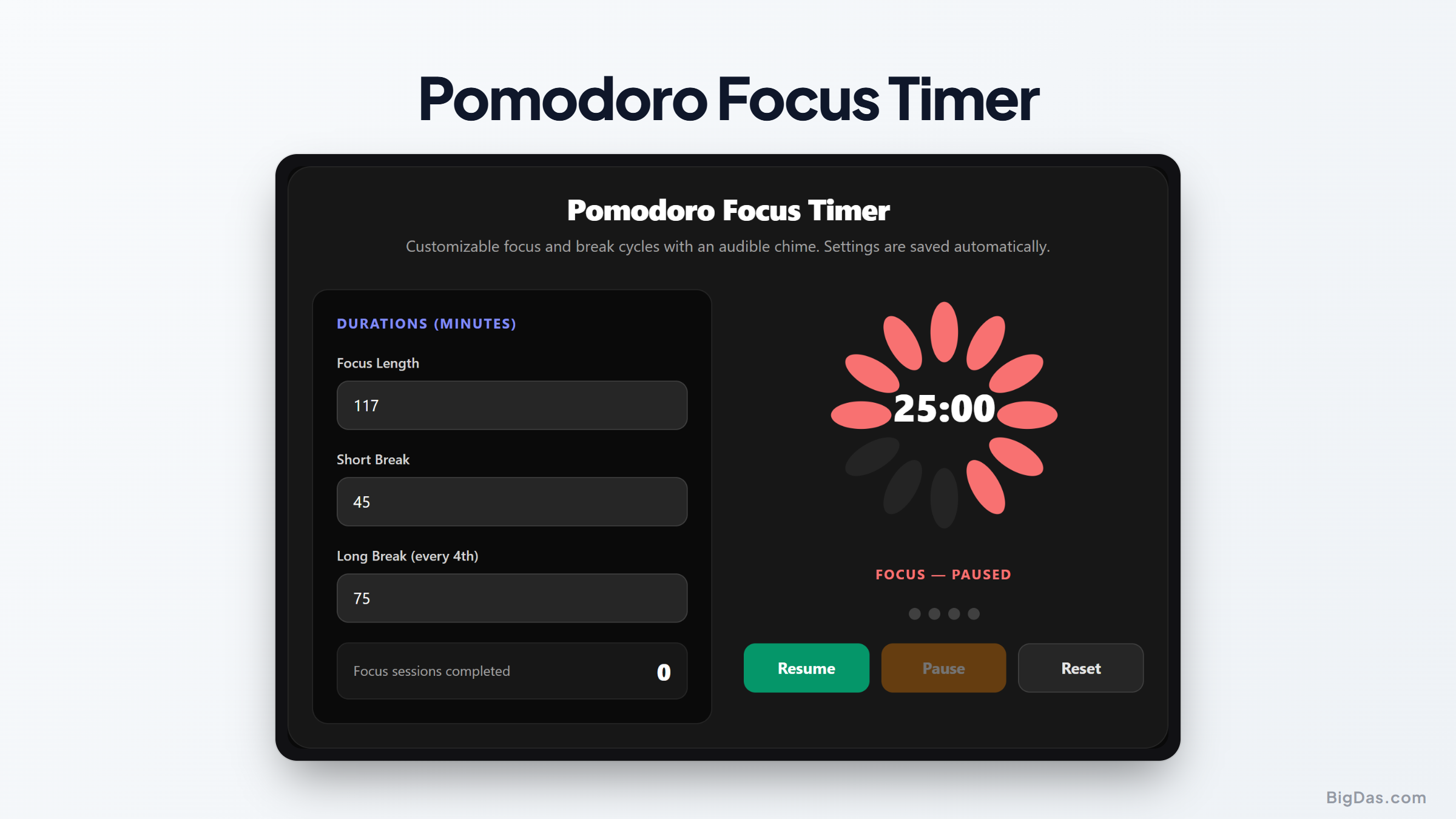
Interface snapshot and infographic of Pomodoro Focus Timer, a tool for customizable focus and break cycles with an audible chime, session counter, and settings saved automatically. - pomodoro timer, focus timer, work break timer Generated infographic and interface snapshot for Pomodoro Focus Timer

Mastering Productivity: How a Pomodoro Focus Timer Enhances Deep Work

Productivity often feels like a battle against the clock. We sit down to complete a task, only to find ourselves distracted by notifications, browser tabs, or the allure of a quick snack. Achieving a state of flow requires more than just willpower. It requires a structured framework that respects the natural limitations of human attention. This is where the Pomodoro technique becomes a vital asset for professionals, students, and creative workers alike.

By utilizing a dedicated tool designed to manage intervals of effort and rest, you can transform your approach to daily tasks. This practice turns the overwhelming nature of a large project into manageable segments, ensuring that you maintain cognitive clarity throughout the day.

What is a Pomodoro Focus Timer?

The Pomodoro technique is a time management method developed in the late eighties. It relies on the simple logic that the human brain performs best when alternating between periods of intense concentration and brief recovery. A Pomodoro focus timer is a digital application that automates this rhythm.

At its core, the system suggests working in segments of twenty five minutes. After each segment, the tool signals a short break. After completing four of these cycles, the user takes a longer break to recover. The goal is to eliminate the fatigue that builds up during hours of continuous, unmonitored work. Instead of staring at a blank screen hoping for inspiration, you focus on the immediate task for a set duration, knowing that a rest period is coming soon.

Key Features and Benefits

An effective focus timer provides more than just a countdown clock. It offers features that minimize friction and help you stay in the zone.

Customizable Cycles

Not every task requires exactly twenty five minutes. Some complex coding or writing projects benefit from longer deep work sessions. Our tool allows you to adjust your work and break durations to match your personal rhythm. If you find that you hit your peak concentration at thirty or forty minutes, you can tailor your cycles accordingly.

Audible Chimes

Visual timers can be easy to ignore, especially when you are deeply involved in a task. An audible chime provides a clear signal that your work interval has concluded. This sensory shift helps you step away from your monitor, preventing the habit of pushing through exhaustion, which often leads to diminishing returns.

Session Tracking

Seeing your progress is a powerful motivator. The session counter keeps a record of how many cycles you have completed during a single day. This creates a tangible sense of accomplishment. When you can look back and see that you successfully completed ten focus sessions, you gain a clear picture of your actual output.

Automatic Persistence

Settings and progress should remain intact even if you refresh your browser or close the window. Our tool saves your configurations automatically. This means your preferred work intervals and session counts are ready the moment you open the app, removing any setup time from your routine.

Step by Step Guide on How to Use It

Integrating this tool into your workflow is simple. Follow these steps to ensure you get the most out of every session.

  1. Pick a single task. Do not try to multitask. Select one item from your to do list that requires your full attention.
  2. Set your timer. If you are new to the practice, start with the standard twenty five minute timer.
  3. Eliminate distractions. Close unnecessary browser tabs and put your phone in another room. The goal is total commitment to the chosen task until the chime sounds.
  4. Take a break. When the timer rings, stop what you are doing immediately. Even if you are in the middle of a sentence, stand up, walk around, or stretch. This break is essential for cognitive recovery.
  5. Repeat the cycle. After your short break, reset the timer and begin your next session.
  6. Observe the counter. Use the session counter to track how many intervals you need to complete a project. Over time, you will learn how many cycles it takes to finish specific types of work, which makes your future planning much more accurate.

Why You Need This Tool

The primary value of a work break timer lies in its ability to prevent burnout. Many people attempt to work for four or five hours straight, but studies on human attention suggest that our capacity for deep focus is limited. By forcing a break, you are actually refreshing your mental resources.

This tool is particularly useful for students preparing for exams. A study timer ensures that you are not just sitting at a desk for hours, but actually retaining information through active, focused bursts. For professional developers and writers, the tool acts as a guardrail against the trap of perfectionism. When you know you only have a limited amount of time to finish a task, you are less likely to overthink and more likely to make steady progress.

Furthermore, it helps with time estimation. If you constantly underestimate how long a report or an email sequence will take, the session counter provides real world data. You can eventually look at a project and know exactly how many pomodoros it will require.

FAQ Section

Is twenty five minutes the only duration I can use?

No. While the traditional method uses twenty five minutes, you can adjust the timer to suit your needs. Some people prefer fifty minutes of work followed by a ten minute break. The best interval is the one that allows you to remain focused without feeling drained.

Should I stop my work during the short break?

Yes. It is crucial that you step away from your workstation. The brain needs to switch contexts to recover properly. Even five minutes of standing away from the screen can significantly improve your focus for the next session.

What if I get interrupted by a phone call or a colleague?

If an interruption is unavoidable, pause the timer or restart the session. The point of the tool is to protect your focus. If you cannot avoid an interruption, treat it as a break and start a fresh cycle once you return to your task.

How many sessions should I aim for in a day?

There is no magic number. Productivity is about quality rather than quantity. It is better to complete four highly focused sessions than to struggle through eight sessions while distracted. Start with a manageable goal and increase it as you build your stamina.

To Wrap Up

Productivity is the result of habits, not luck. By using a Pomodoro focus timer, you establish a clear boundary between work and rest. This structure prevents the mental fatigue that often accompanies long hours at a desk.

Whether you are a student using this as a study timer or a professional looking to master deep work, the benefits remain the same. You gain control over your time, you reduce the temptation to procrastinate, and you improve the quality of your output. Remember that the goal is not to fill every minute with activity, but to ensure that the time you spend working is truly effective. With this tool, you have a consistent and reliable companion to help you stay on track throughout your busy day.

Related Utility