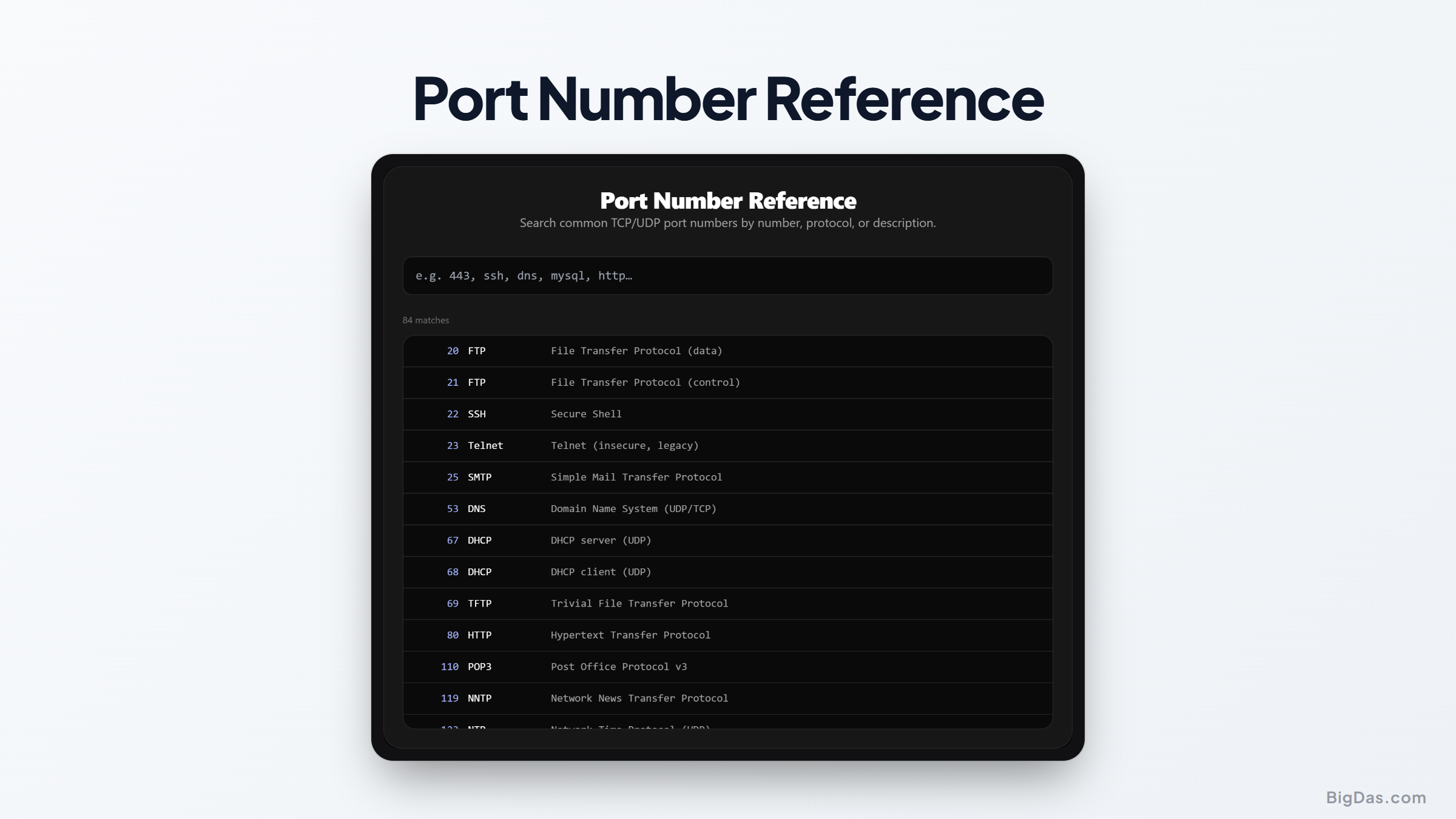
Port Number Reference
 Generated infographic and interface snapshot for Port Number Reference
Port Number Reference: A Quick Directory for Common Network Ports
Every time a computer connects to a website, sends an email, or accesses a database, it relies on network ports to direct traffic to the correct destination. These ports act like virtual doors on a machine, allowing specific services to communicate without interference. However, memorizing every single port number is a difficult task even for experienced network administrators and software developers.
When you are configuring a local firewall, setting up a container environment, or troubleshooting a connection issue, you need fast and reliable information. You do not want to scroll through endless pages of technical documentation just to find a single port.
This is where a dedicated port number reference tool becomes incredibly valuable. It provides a quick, searchable directory of eighty five common TCP and UDP ports, giving you the exact details you need in seconds.
What is Port Number Reference?
The Port Number Reference is a web based lookup tool designed to simplify network management and development tasks. It contains a curated list of eighty five of the most frequently used TCP and UDP ports. This includes standard web protocols, database connections, remote management services, and even modern application ports like those used by Kubernetes and popular multiplayer games.
Instead of presenting you with a massive, unorganized spreadsheet, the tool offers an interactive interface. You can search by entering a specific port number, a protocol name, or a brief description of the service. The tool instantly filters the database to show you the relevant results, making it an essential companion for your daily technical tasks.
Key Features and Benefits
Using a dedicated tool for port lookup offers several advantages over traditional search engine queries or static reference tables.
Instant Search Functionality
The primary benefit of this tool is its speed. The search bar processes your queries in real time. If you type a number like 443, the tool immediately displays the details for HTTPS. If you type a keyword like mail, it filters the list to show SMTP, IMAP, and POP3 ports. This eliminates the need to search through giant, cluttered pages of text.
Clear Protocol Specifications
Network communication relies on different transport protocols, mainly Transmission Control Protocol, known as TCP, and User Datagram Protocol, known as UDP. Some services use only one, while others can use both. The reference tool clearly labels each entry with its associated protocol, helping you configure your network rules accurately.
Modern and Traditional Port Coverage
The database is not limited to legacy protocols. While it covers essential systems like DNS, SSH, and HTTP, it also includes modern service ports. You can easily find ports for container orchestration platforms like Kubernetes, database management systems like PostgreSQL, and gaming servers like Minecraft.
Clean and Minimalist Interface
The design focus is entirely on utility. There are no unnecessary distractions, heavy graphics, or complex navigation paths. The clean layout ensures that you can find the information you need within seconds, allowing you to return to your primary tasks without delay.
Step by Step Guide on How to Use It
Using the Port Number Reference tool is straightforward. The interface is designed to be intuitive, requiring no prior training or complex instructions.
Step 1: Access the Tool
Open the Port Number Reference tool in your preferred web browser. The clean interface loads instantly, displaying the search bar and the initial list of common ports.
Step 2: Enter Your Query
Locate the search input field at the top of the page. You can type three different types of queries:
- By Port Number: Enter a specific number, such as 80 or 3306, to find the exact service assigned to it.
- By Protocol Name: Enter the acronym of a protocol, such as DNS, SSH, or FTP, to see its default port assignments.
- By Description: Enter a general keyword, such as database, game, or security, to discover related ports.
Step 3: Analyze the Results
As you type, the list below the search bar updates automatically. Each result displays the port number, the transport protocol, and a brief description of what the port is used for.
Step 4: Apply the Information
Once you find the correct port, you can use the information to configure your software, update your firewall rules, or complete your network diagnostics.
Why You Need This Tool: Common Use Cases
A reliable network port list is useful in a wide variety of professional scenarios. Here is how different tech professionals benefit from using this tool.
Systems Administration and DevOps
System administrators frequently configure firewalls, security groups, and local routers. When setting up a new server, you must explicitly allow traffic through specific ports while blocking others to keep the system secure. A quick port lookup helps ensure you open the correct ports for services like SSH, remote desktop, or web servers without exposing unnecessary entry points.
Software and Web Development
Developers often work with local environments that mimic production servers. If you are setting up a local database connection or running multiple microservices, you need to know which default ports these services use. For example, knowing that Redis defaults to port 6379 or that PostgreSQL uses port 5432 helps you write accurate configuration files and avoid port conflicts on your local machine.
Cybersecurity and Network Auditing
Security professionals spend a lot of time analyzing network traffic and scanning for open ports. During a vulnerability assessment, you might discover an open port on a server and need to identify what service is likely running on it. This tool provides a quick reference to match scanned ports with their standard applications, helping you spot potential security risks or unauthorized services.
Technical Education and Training
Students preparing for networking certifications, such as CompTIA Network+ or Cisco CCNA, must memorize many well known ports. The Port Number Reference serves as an excellent study aid, allowing students to test their knowledge and quickly verify port assignments during practice labs.
Frequently Asked Questions
What are well known ports?
The Internet Assigned Numbers Authority, or IANA, divides port numbers into three ranges. Well known ports are those in the range of 0 to 1023. These ports are reserved for widely used system services and core internet protocols, such as HTTP, HTTPS, SSH, and FTP.
What is the difference between TCP and UDP ports?
TCP is a connection oriented protocol. It establishes a reliable connection between the sender and receiver, ensuring that all data packets arrive in the correct order without errors. This is ideal for web browsing and file transfers.
UDP is a connectionless protocol. It sends packets without establishing a formal connection or verifying delivery, prioritizing speed over reliability. This is ideal for real time applications like video streaming, online gaming, and DNS queries.
Can a single port number be used for both TCP and UDP?
Yes, many services are designed to utilize both protocols on the same port number. For example, Domain Name System, or DNS, uses port 53 for both TCP and UDP traffic depending on the size of the request and response.
How many port numbers exist in total?
A port number is represented by a 16 bit unsigned integer. This means the total number of available ports ranges from 0 to 65535, providing 65536 possible ports for both TCP and UDP.
Why does the tool focus on eighty five ports instead of all of them?
While there are over sixty five thousand ports available, the vast majority are registered or dynamic ports that are not assigned to standard services. The eighty five ports included in this tool represent the most common and essential ports that developers, administrators, and security professionals encounter in their day to day work. This curated approach keeps the tool fast, relevant, and easy to navigate.
To wrap up, having a reliable and fast reference tool saves time and reduces configuration errors. Whether you are troubleshooting a connection issue, securing a server, or studying for an exam, the Port Number Reference tool offers the quick clarity you need to get the job done.